
mlbdcagdgbciloljgaanmgjmbfmffmfn
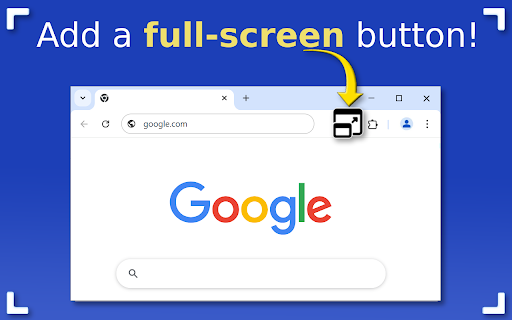
Use Chrome Full Screen with one click on the fullscreen button through the force fullscreen extension or shortcut for max window. 🚀 Experience a better view with the Chrome Full Screen Extension. Tired of the distractions and clutter while browsing? Whether you're watching videos, giving presentations, or simply want a cleaner view, our extension is your perfect solution. This powerful tool gives you instant access to a chrome full screen mode at the click of a button – or with a handy shortcut. 🌟 Unlock potential of your browser with an intuitive, smooth, and distraction-free interface. Discover how to maximize windows effortlessly, with no confusion, no extra steps, and no tech knowledge needed. Why You Need Full Screen for Chrome Sometimes you just need more space. Our extension allows you to take advantage of your windows, whether you're: 1️⃣ Watching movies or streaming in high definition 2️⃣ Presenting content during a meeting or class 3️⃣ Reading articles or documents without distractions 4️⃣ Browsing in a clean, minimal environment 5️⃣ Testing web designs and layouts in real-time Whatever your reason, fullscreen in google chrome is now just one click away. Features of the this extension 🌟 One-click full screen button added to your toolbar 🌟 Use the chrome full screen shortcut to toggle instantly 🌟 Escape just as easily 🌟 Lightweight and fast – no slowdown 🌟 Works on all sites and pages 💡 This extension gives you precise control over your viewing experience. No more guessing how to go full screen chrome – the process is seamless and quick. Get More Done in Chrome full screen mode. Focus mode helps eliminate distractions and keeps you immersed in the task at hand. 💎 Writing and editing documents 💎 Coding or working with developer tools 💎 Reading long reports or web content 💎 Managing complex dashboards The clarity and simplicity of fullscreen for chrome help sharpen your concentration. 💡 Multiple Ways to Enter maximize window Whether you prefer keyboard shortcuts or using the mouse, we’ve got you covered. Here's how to full screen chrome using different methods: Click the fullscreen button added by our extension Press the full screen on chrome shortcut (F11 on Windows, Control + Command + F on Mac) Use the extension’s menu for quick access Toggle chrome fullscreen from any open tab Automatically launch sites in chrome browser full screen It’s all about giving you options to enter max window browser mode your way. Exiting google chrome full screen: - Tap the Esc key - Use the chrome exit full screen command from the extension - Toggle back using the same shortcut - Or click the button for fullscreen again 💡 Perfect for presentations and media If you're giving a demo, training session, or webinar, google chrome is full screen is essential. Present slides, apps, or media in the cleanest possible format. 📌 No address bar 📌 No bookmarks bar 📌 No tabs 📌 No distractions With our full screen chrome extension, your content takes center stage. Compatible Across All Use Cases Whether you're a student, a professional, a developer, or a streamer, full screen for browsers fits seamlessly into your workflow. 1. Students: Read textbooks, take exams 2. Developers: Test responsive designs 3. Designers: Showcase mockups 4. Content Creators: Stream content clearly 5. Businesses: Display dashboards 6. The extension adapts to you – not the other way around. 🧐 Frequently Asked Questions How to go full screen chrome? ➤ Simply click the extension icon or use your chrome shortcut fullscreen. How do I exit? ➤ Tap Esc or click the icon again for chrome exit full screen. Is this a force fullscreen extension? ➤ Yes! It lets you force fullscreen browsers even on websites that normally block it. Can I use a shortcut? ➤ Absolutely! Customize your shortcut in the settings. Will this work on any site? ➤ Yes, it's designed for full screen across all websites. Get full screen of browser in Seconds Don't let your screen go to waste. With this extension, you unlock the power of this extension for everything you do. Whether it’s reading, working, or playing, fullscreen enhances your view and sharpens your focus. ✨ No setup. No learning curve. Just better browsing.

FullScreen for Chrome
Fullscreen, #1 Zoom and Dark Mode more options will get in one FullScreen extension allows you to zoom your web pages. This allows you to view your webpage more closely. There is more to do with this extension than just zooming. This extension gives you the option to make your web page full screen. This extension gives you the option to make your web page full screen. With this extension you can open the source code of any website. You can make a duplicate tab of any website. The best feature of the extension is that this extension gives you the option to do dark mode. As a result you can view any web page with dark mode on. Features + Web page can be full screen. + Web pages can be zoomed to 500%. + Dark mode layer. + Print, duplicate, source code view option + Very lite and easy to use Extension.

Fullscreen
Fullscreen extension for device without keyboard Chrome fullscreen extension for device without keyboard, like phone, tablet and so on. Just click the extension icon, your web page will be fullscreen. Press your device's back key to exit the fullscreen. It is simple and fast!

SFP - Simply Fullscreen Page
SFP - Simple Fullscreen Page An extremely simple full-screen mode for all your web pages

Full Screen
Add fullscreen button to the Chrome toolbar and to the context (right-click) menu This is just a full-screen button, added to the toolbar and the context menu. It does exactly the same as the keyboard shortcuts (F11 on Windows or fn+F on Mac). You can change the icon to match your chrome theme and that's it. I made this because I need to be able to click a button/menu item with the mouse, not all of my browsers come with keyboard. When in full screen, I need the context menu to get back. That's why this extension adds itself in the right-menu also. And that's it. To change the default settings, simply right-click on the extension icon and select "Options". On the settings page, you can change the icon to a different color (to match your Chrome theme or simply because you don't like the default black color) or even set your own icon. Rest assured, this extension doesn't require any special or risky permissions. The only permissions it needs are "contextMenu" and "storage." It doesn't access your data or sites. Its sole purpose is to add the buttons to the toolbar and context menu while saving the selected icon in local storage.
