
ecjjidggacjjilibfmkamcnakiegbojp
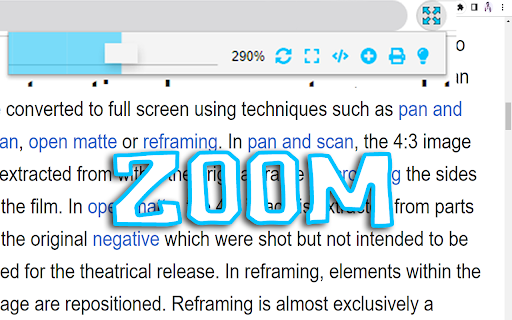

Fullscreen, #1 Zoom and Dark Mode more options will get in one FullScreen extension allows you to zoom your web pages. This allows you to view your webpage more closely. There is more to do with this extension than just zooming. This extension gives you the option to make your web page full screen. This extension gives you the option to make your web page full screen. With this extension you can open the source code of any website. You can make a duplicate tab of any website. The best feature of the extension is that this extension gives you the option to do dark mode. As a result you can view any web page with dark mode on. Features + Web page can be full screen. + Web pages can be zoomed to 500%. + Dark mode layer. + Print, duplicate, source code view option + Very lite and easy to use Extension.

Full screen your Videos
Watch your videos in full screen with one click on the full screen button Watch your videos in full screen with one click on the extension button. This software works with video websites such as YouTube, Vimeo, etc. With this extension you can watch your videos in full screen thanks to the software button. This works for all HTML5 video player and YouTube™. So you can enjoy your videos. Enjoy watching your videos today with one single click. To begin using our software, simply install the software and begin watching your video. To turn on full screen for the video, click on our extension icon and our software will maximize the screen size for the video for you.

Chrome Full Screen
Use Chrome Full Screen with one click on the fullscreen button through the force fullscreen extension or shortcut for max window. 🚀 Experience a better view with the Chrome Full Screen Extension. Tired of the distractions and clutter while browsing? Whether you're watching videos, giving presentations, or simply want a cleaner view, our extension is your perfect solution. This powerful tool gives you instant access to a chrome full screen mode at the click of a button – or with a handy shortcut. 🌟 Unlock potential of your browser with an intuitive, smooth, and distraction-free interface. Discover how to maximize windows effortlessly, with no confusion, no extra steps, and no tech knowledge needed. Why You Need Full Screen for Chrome Sometimes you just need more space. Our extension allows you to take advantage of your windows, whether you're: 1️⃣ Watching movies or streaming in high definition 2️⃣ Presenting content during a meeting or class 3️⃣ Reading articles or documents without distractions 4️⃣ Browsing in a clean, minimal environment 5️⃣ Testing web designs and layouts in real-time Whatever your reason, fullscreen in google chrome is now just one click away. Features of the this extension 🌟 One-click full screen button added to your toolbar 🌟 Use the chrome full screen shortcut to toggle instantly 🌟 Escape just as easily 🌟 Lightweight and fast – no slowdown 🌟 Works on all sites and pages 💡 This extension gives you precise control over your viewing experience. No more guessing how to go full screen chrome – the process is seamless and quick. Get More Done in Chrome full screen mode. Focus mode helps eliminate distractions and keeps you immersed in the task at hand. 💎 Writing and editing documents 💎 Coding or working with developer tools 💎 Reading long reports or web content 💎 Managing complex dashboards The clarity and simplicity of fullscreen for chrome help sharpen your concentration. 💡 Multiple Ways to Enter maximize window Whether you prefer keyboard shortcuts or using the mouse, we’ve got you covered. Here's how to full screen chrome using different methods: Click the fullscreen button added by our extension Press the full screen on chrome shortcut (F11 on Windows, Control + Command + F on Mac) Use the extension’s menu for quick access Toggle chrome fullscreen from any open tab Automatically launch sites in chrome browser full screen It’s all about giving you options to enter max window browser mode your way. Exiting google chrome full screen: - Tap the Esc key - Use the chrome exit full screen command from the extension - Toggle back using the same shortcut - Or click the button for fullscreen again 💡 Perfect for presentations and media If you're giving a demo, training session, or webinar, google chrome is full screen is essential. Present slides, apps, or media in the cleanest possible format. 📌 No address bar 📌 No bookmarks bar 📌 No tabs 📌 No distractions With our full screen chrome extension, your content takes center stage. Compatible Across All Use Cases Whether you're a student, a professional, a developer, or a streamer, full screen for browsers fits seamlessly into your workflow. 1. Students: Read textbooks, take exams 2. Developers: Test responsive designs 3. Designers: Showcase mockups 4. Content Creators: Stream content clearly 5. Businesses: Display dashboards 6. The extension adapts to you – not the other way around. 🧐 Frequently Asked Questions How to go full screen chrome? ➤ Simply click the extension icon or use your chrome shortcut fullscreen. How do I exit? ➤ Tap Esc or click the icon again for chrome exit full screen. Is this a force fullscreen extension? ➤ Yes! It lets you force fullscreen browsers even on websites that normally block it. Can I use a shortcut? ➤ Absolutely! Customize your shortcut in the settings. Will this work on any site? ➤ Yes, it's designed for full screen across all websites. Get full screen of browser in Seconds Don't let your screen go to waste. With this extension, you unlock the power of this extension for everything you do. Whether it’s reading, working, or playing, fullscreen enhances your view and sharpens your focus. ✨ No setup. No learning curve. Just better browsing.

YouTube windowed fullscreen
Enjoy the full-screen immersion of YouTube while conveniently viewing your browser tabs and system tray Have you ever wanted to enjoy the immersive full-screen experience of YouTube while still being able to conveniently switch between browser tabs or access the system taskbar? Native full-screen hides everything, making multitasking cumbersome; theater mode, on the other hand, lacks clarity and retains numerous distractions. To address this pain point, we've introduced the new "windowed fullscreen" viewing mode. It lets the video player fill the entire browser window, hiding all irrelevant content while preserving the top tabs and bottom taskbar, offering the best balance of immersion and convenience. ✨ Core Features One-click Focus Mode With a single click, instantly hide all distracting elements from the YouTube page—including the navigation and search bar at the top, the title, description, comments section, and recommended videos below the video—leaving only the video content. Seamless Multitasking Unlike native full-screen, your browser tabs are always visible. Easily switch to other tabs while watching a video to check resources, respond to messages, or get work done, without having to constantly exit full-screen. Ultimate Screen Space Utilization The video expands to every corner of the browser window, achieving 100% viewport utilization. This delivers a visual impact far beyond standard theater mode and is especially impressive for users on widescreen monitors. Smart Theme Adaptation The extension's pop-up automatically detects whether YouTube is currently using light or dark mode and adapts the UI accordingly, ensuring a unified and harmonious overall visual experience. Simple and elegant, ready to use right out of the box No complicated settings, just a clear on/off switch. It intelligently determines whether the current page is a YouTube video and disables buttons on non-relevant pages to prevent accidental clicks. 🎯 Ideal for Efficiency seekers: Those who want to quickly jump between videos or look up information while watching and are tired of repeatedly pressing the Escape key. Click the extension icon in the upper right corner of the browser toolbar. In the pop-up window, click the "Open Windowed Fullscreen" button.

Full Screen for Google Chrome
Enter full screen with one click, including for videos on YouTube, Vimeo, and other sites. Experience seamless full-screen browsing with my browser extension. Whether you are browsing the web or watching HTML5 videos on popular platforms like YouTube™, Vimeo, Dailymotion, and Youku, enjoy an immersive full-screen experience with just a click. The lightweight add-on is designed to enhance your browsing experience effortlessly. Full Screen is a lightweight and useful add-in designed to quickly enable full-screen mode for web pages, images, and videos. It is Full Screen anything on the web. And With this browser extension, you can easily enter full-screen mode with the click of a button. Choose your preferred task: view web or video in full-screen, maximize the window to full-screen, or instantly maximize the current HTML5 video. Browser extension features: ◆ One Click to Full Screen: Easily switch between regular view and full-screen mode for web pages or HTML5 videos with a single click. ◆ Media Full Screen feature: Detects the current playing HTML5 video status and brings it to full screen mode depending on whether it is playing or not. It includes an option to whitelist or blacklist certain websites to use this feature. ◆ Display Options: - Bring the current web page or HTML5 video to complete full screen with no visible toolbar. - Automatically maximize HTML videos to fit your window screen while preserving the original aspect ratio. Such as on YouTube video in windowed full screen. - Open the current tab in a popup window. - Maximize the web browser window for the current window. ◆ Auto Full Screen: Option to automatically enter full-screen mode when opening the web browser. On startup, it updates the current window to set the window state to fullscreen. ◆ Double click menu: A shortcut panel to open the current tab or all tabs in full screen, maximize window, popup window, or arrange all tabs in a side-by-side, 1x2, or 2x2 matrix. ◆ Customizable Browser Button Icon: Option to change the browser icon to a light or dark mode theme. ◆ Custom Full Screen Keyboard Combinations: Shortcut to quick open that page in full-screen mode. ◆ Compatible with the "Turn Off the Lights" browser extension for automatic dimming on YouTube™. ◆ Support for Dark Mode. Project Information: https://www.stefanvd.net/project/full-screen/browser-extension/ Required Permissions: ◆ "contextMenus": Add "Go to full screen" menu item in the web browser context menu. ◆ "tabs": Manage tabs to open them in a new popup panel and detect the currently playing HTML5 video. ◆ "storage": Save settings locally and sync with your web browser account. ◆ "": Control the button on all websites, including http, https, ftp, and file. >> Unlock an option feature to protect your eyes at night and focus on the video player, such as YouTube™, by installing Turn Off the Lights browser extension for YouTube and Beyond. https://chromewebstore.google.com/detail/turn-off-the-lights/bfbmjmiodbnnpllbbbfblcplfjjepjdn
