
lbpgkagpackldbkfookmmdpfaolnoged
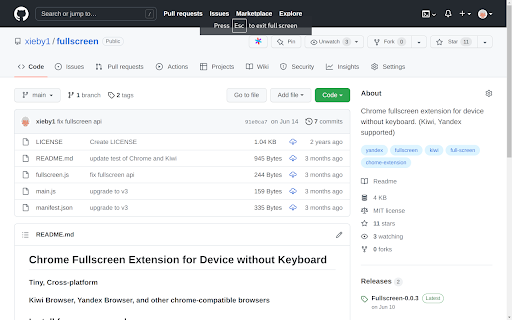
Fullscreen extension for device without keyboard Chrome fullscreen extension for device without keyboard, like phone, tablet and so on. Just click the extension icon, your web page will be fullscreen. Press your device's back key to exit the fullscreen. It is simple and fast!

SFP - Simply Fullscreen Page
SFP - Simple Fullscreen Page An extremely simple full-screen mode for all your web pages

Full Screen
Add fullscreen button to the Chrome toolbar and to the context (right-click) menu This is just a full-screen button, added to the toolbar and the context menu. It does exactly the same as the keyboard shortcuts (F11 on Windows or fn+F on Mac). You can change the icon to match your chrome theme and that's it. I made this because I need to be able to click a button/menu item with the mouse, not all of my browsers come with keyboard. When in full screen, I need the context menu to get back. That's why this extension adds itself in the right-menu also. And that's it. To change the default settings, simply right-click on the extension icon and select "Options". On the settings page, you can change the icon to a different color (to match your Chrome theme or simply because you don't like the default black color) or even set your own icon. Rest assured, this extension doesn't require any special or risky permissions. The only permissions it needs are "contextMenu" and "storage." It doesn't access your data or sites. Its sole purpose is to add the buttons to the toolbar and context menu while saving the selected icon in local storage.

FullscreenEverything
Fullscreen everything in your browser's web page F11 key allows you to fullscreen whole web page. If you want to fullscreen arbitrary elements on a web page, try FullscreenEverything! Usage: * click FullscreenEverything to enter the selecting mode * in selecting mode, the element will be highlighted when the cursor hovers on it * in selecting mode, by clicking the highlighted element to fullscreen it * in selecting mode, press the Esc key to exit without fullscreen anything

Fullscreen Magic
Automagically finds a video, game, frame, or other embedded content in a webpage and makes it full screen with a single click Fullscreen Magic will automatically find the most relevant element of a webpage and show it to you in a full screen. Fully enjoy videos, games, pdfs, and other embedded content with just one click. No more distractions, no more zooming in and out, no more hassle. Just pure magic. - Works for videos (YouTube, Facebook, Twitter, etc.), iframes, simple online games, canvas elements, PDF viewers and other embedded content - Detects the element of interest automatically and shows it in full screen mode - Supports keyboard shortcuts and mouse gestures for easy navigation - Compatible with Chrome, Firefox and Edge browsers - Visit any webpage that contains an element you want to view in full screen mode - Click on the Fullscreen Magic icon in the toolbar - Enjoy the full screen experience - To exit full screen mode, press F11 or Esc on your keyboard ## Source Code and License Fullscreen Magic is open sourced and licensed under the MIT License. See https://github.com/arikw/fullscreen-magic-extension/
