
fkbohjlmggfilmdjapkacjkcchbfmmpo
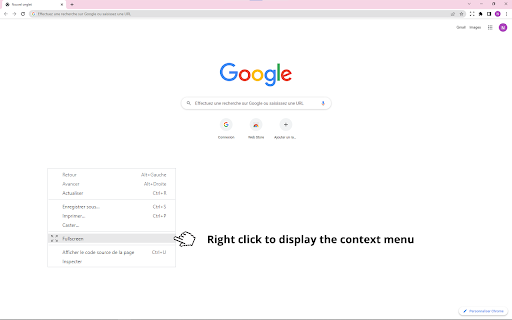


SFP - Simple Fullscreen Page An extremely simple full-screen mode for all your web pages

But really fullscreen the video
But really fullscreen the video

Full Screen Button
Easily switch to full-screen view from toolbar! Full Screen Button is a simple extension for your browser that helps you full-screen the current tab. There is also an option which let you maximize the active "video" element (if it is playing) instead of the tab. Please note that, you can disable this setting from the option's page. You can also use the keyboard shortcuts to maximize the active tab (Ctrl+Shift+F). If you have a feature request, or found a bug to report, please fill out the bug report form on the add-on's homepage (https://mybrowseraddon.com/fullscreen-button.html).

Auto Fullscreen - Fullscreen Any Page
Auto fullscreen any page on load, navigation, or click-and-hold. Works everywhere - not just videos. ✨ Features: 🖥️ Auto-fullscreen on any page load 👆 Click and hold anywhere to toggle fullscreen (configurable hold time) 🔄 SPA navigation detection - works on YouTube, Odysee, and other single-page apps ⬆️ Exit by moving cursor to the top edge of the screen 🛡️ Smart blocking - won't fullscreen when clicking links, buttons, or form inputs 💫 Visual charge ring animation during hold 🎨 Customizable hold time and theme color ⚙️ Settings open in a full tab, not a tiny popup 🔧 How it works: Uses Chrome's window fullscreen API to maximize your browser. Window size is saved before entering fullscreen and automatically restored on exit. 🔒 Privacy: Only requires storage permission for your settings. No data collection, no external requests. 📋 Permissions: 💾 Storage - save your preferences

Windowed Fullscreen - YouTube & All Videos
Watch YouTube, Twitch & any video fullscreen in your browser tab. Theater mode without hiding taskbar. Press F to toggle. Expand any video to fill your browser tab without going into native fullscreen. Keep your taskbar visible, switch tabs easily, and enjoy a distraction-free viewing experience. • Tab Fullscreen Mode — Video fills your browser tab, not your entire screen • Create your own Key Shortcut • Universal Compatibility — Works on popular video platforms like youtube, twitch and any site with HTML5 video • Simple Toggle — Press 'F' to activate, press again or ESC to exit • Custom Site Support — Add selectors for sites with unique video players • Lightweight — No bloat, no tracking, works offline PERFECT FOR • Multi-monitor setups where native fullscreen interrupts your workflow • Watching content while keeping other windows accessible • Users who prefer windowed viewing over full desktop takeover This extension operates entirely locally. No data is collected, stored, or transmitted. Your viewing habits remain private. 1. Go to any page with a video 2. Press 'F' on your keyboard 3. The video expands to fill your tab 4. Press 'F' or ESC to return to normal view WHAT'S NEW IN v1.3 • Improved video detection for modern web players • Custom progress bar with seeking support • Better audio synchronization • Support for videos in shadow DOM elements
