
mfdhnccpjimeepgdjodeocbifkbbmmae
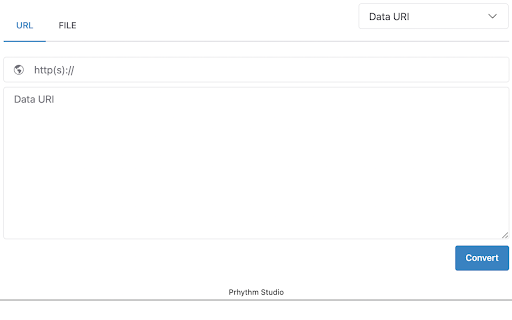


A developer tool for encoding and decoding. Supports HTML escape/unescape, URL, Base64, and NCR. A tool for developer. Html encoder/decoder: escape tag and whitespace. Url encoder/decoder: convertion of url. Base64 encoder/decoder: convertion of base 64. NCR encoder/decoder: convertion of numeric character reference. Unicode: convertion of unicode format

Clear Code
Syntax highlighting and beautifiers for embedded code examples. Clear Code allows you to grab any code examples online from blogs, tutorials or forums, and open them in a distraction free viewer. Great for working with code examples with small fonts, low contrast syntax highlighting, excessive text wrapping or horizontal scrolling. Easily customise the fonts and syntax highlighter scheme to suit your needs. Includes HTML, JS and CSS beautifiers to quickly reformat any condensed or poorly formatted examples. Click the Clear Code icon in the browser bar to add a quick open button to any properly formatted code blocks on the page. 1. Select the text you want to show in Clear Code. 2. Right click to show the context menu. Customise the syntax highlighter theme, font styles and beautifiers from the options page. Right click the Clear Code icon in the browser bar, or access via the chrome extensions page. In edge cases where code examples have been badly/wrongly formatted, it may not be possible to grab the main text of an example without including the embedded line numbers. Whilst Clear Code works pretty much anywhere you can select text, you cannot view the content of pages opened with 'view source'. This is a feature of Chrome as of this time. You can however view the content of any linked CSS or JS pages, just not the direct source of the main HTML file.

Code Formatter
A Chrome extension to identify fonts & stlyes used by a web page. Instant Code Formatting: Beautify your code with a single click, saving time and improving readability. Multi-Language Support: Supports a wide range of popular languages including JavaScript, TypeScript, React, HTML, XML, GraphQL, and SQL. User-Friendly Interface: Easy-to-use design that integrates smoothly into your workflow. On-the-Go Convenience: Format code instantly wherever you are, right from your browser.

Text Tools
- Uppercase - converts all characters to upper case - Title Case - capitalizes every first character of word - Lowercase - converts all characters to lower case - Count characters - counts all characters in text - Count words - counts words in text - Count lines - counts new lines in text - Rotate 13 - Moves each character with 13 positions forward in the ASCII table - Sort lines alpha (case insensitive) - Sorts text lines alphabetically ignoring character case - Sort lines alpha - Sorts text lines alphabetically - Word frequency - How many times each word is used - Character frequency - How many times each character is used - Column from table - Allows you to get text column from HTML table. Copy and paste the table content in the text field and type the column number you want to extract then press Start - Trim lines start - Removes whitespace from beginning of lines - Trim lines end - Removes whitespace from end of lines - Trim lines - Removes whitespace from beginning and end of lines - Replace text with new line - Replaces string with new line - Replace text - Replaces one string with another - Format JSON - Pretty format JSON string - URLEncode - Encode string as URL safe string - URLDecode - Decode URL safe string as regular string - base64encode - Encode text as base64 - base64decode - Decode base64 sting - Add line numbers - Add line number before every line of text - Split text - Splits text by separator - Reverse text - Reverses text - Generate numbers - Generates numbers withing the provided range - Unix to date - Converts UNIX timestamp to Datetime string - Identify Hash - Try to identify hash string - Prefix/Suffix lines - Adds prefix and/or suffix to each line of the text - Format Numbers - Format numbers according to the current browser locale - Underscore - adds underscore to the text - Strikeout - strikes out the text - Shuffle - Shuffle the lines of the text - Remove duplicate lines - Removes duplicate lines from the text - Expand placeholders template 1.0.27 - Added function to format US phone numbers 1.0.26 - Added function to strip non-alphanumeric characters 1.0.25 - Migrated to manifest v3 1.0.24 - Removed automatic clipboard support 1.0.23 - Removed GoogleAnalytics 1.0.22 - Added slugify function 1.0.21 - Added Indent lines with spaces; Result is auto-selected after the operation 1.0.20 - Added replace regexp; Added expand template 1.0.19 - Added Remove empty lines 1.0.18 - Removed dependency on jQuery; 1.0.17 - Added trim lines start and end as separate commands to trim white-space from the beginning or the end of each line 1.0.16 - Added Remove duplicate lines 1.0.15 - Added case insensitive line sort 1.0.13 - Added shuffle function 1.0.12 - Added underscore and strikeout functions 1.0.11 - Save/Restore last used tool; 1.0.10 - Added auto number formatting; 1.0.9 - Added prefix/suffix to each line function; 1.0.8 - Fixed replace; Added replace with new line; 1.0.7 - Strip (most of) punctuation from word frequency; 1.0.6 - Frequency lists are now sorted 1.0.5 - Added Title Case convert. Your text is populated from the clipboard; 1.0.4 - Added Unix timestamp to date converter; 1.0.3 - Cleaner icon. Removed links from descriptions; 1.0.2 - Small interface improvements; 1.0.1 - Working Trim lines;

Swoosh Cookie and Local Storage Specialist
Manage Cookies, Local Storage & Session Storage in one place. Powerful, intuitive, and real-time web dev toolkit. Swoosh Cookie and Local Storage Specialist is an all-in-one cookie editor and web storage manager designed for developers, testers, and power users. Manage Cookies, Local Storage, and Session Storage in one intuitive, fast, and powerful interface. Accelerate your web development workflow with real-time storage editing. View, search, create, delete, or batch modify cookies and storage data instantly — no refresh required. Key features: - Unified editor for Cookies, Local Storage, and Session Storage - Automatic real-time updates across tabs and domains - One-click URL encode/decode switch for clean data viewing - Friendly JSON viewer and formatter - Advanced cookie editor with attribute control (domain, path, expiration, secure, etc.) - Detachable full-window mode for focused debugging Why Swoosh? Unlike other cookie or storage extensions, Swoosh combines everything in a clean, developer-friendly UI that saves time and reduces friction in debugging and testing web apps. Privacy first: Swoosh works entirely offline. All operations happen locally in your browser — no data tracking, no analytics, no external servers. Perfect for developers, QA engineers, and anyone who needs a powerful yet simple tool to manage browser storage. Upgrade your workflow today — get Swoosh, the ultimate cookie and local storage specialist.
