
glnikohjhmkofkfcphgbdlmhjdjffcmg

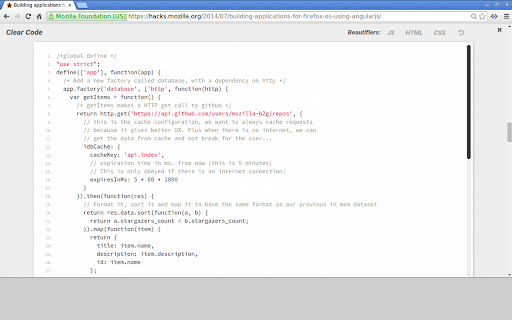
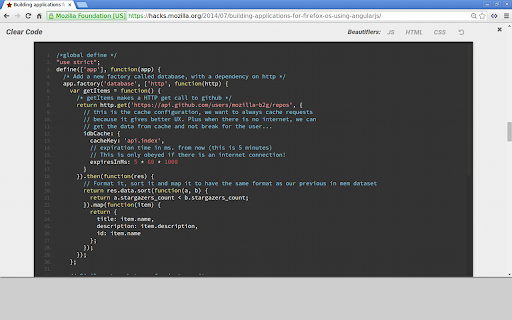

Syntax highlighting and beautifiers for embedded code examples. Clear Code allows you to grab any code examples online from blogs, tutorials or forums, and open them in a distraction free viewer. Great for working with code examples with small fonts, low contrast syntax highlighting, excessive text wrapping or horizontal scrolling. Easily customise the fonts and syntax highlighter scheme to suit your needs. Includes HTML, JS and CSS beautifiers to quickly reformat any condensed or poorly formatted examples. Click the Clear Code icon in the browser bar to add a quick open button to any properly formatted code blocks on the page. 1. Select the text you want to show in Clear Code. 2. Right click to show the context menu. Customise the syntax highlighter theme, font styles and beautifiers from the options page. Right click the Clear Code icon in the browser bar, or access via the chrome extensions page. In edge cases where code examples have been badly/wrongly formatted, it may not be possible to grab the main text of an example without including the embedded line numbers. Whilst Clear Code works pretty much anywhere you can select text, you cannot view the content of pages opened with 'view source'. This is a feature of Chrome as of this time. You can however view the content of any linked CSS or JS pages, just not the direct source of the main HTML file.

GitHub Code Folding
Code folding - the ability to selectively hide and display sections of a code - is an invaluable feature in many text editors and IDEs. Now, developers can utilize that same style code-folding while poring over source code on the web in GitHub. Works for any type of indentation, spaces or tabs. v0.1.0 - remove jQuery dependency - use event page instead of permanent background

View Page Source
Get access to the page source with the click of a button. Easily view the page source with the click of a button

Live editor for CSS, Less & Sass - Magic CSS
Run this extension and start writing your CSS/Less/Sass code which gets applied immediately. The code you write will be saved in the browser extension's storage space or the site's local storage. ✓ Live editor for CSS/Less/Sass code - Preview changes as you write code ✓ Autocomplete ✓ Live edit CSS files and auto-save on file system ✓ Open code editor in external window ✓ CSS reloader ✓ Option to reapply styles automatically ✓ Syntax Highlighting ✓ Auto-generate CSS selectors with point-and-click ✓ Emmet support ✓ Color picker ✓ Convert code from Less/Sass to CSS ✓ Beautify / Format code ✓ Minify code ✓ Highlight DOM elements matching the CSS selectors ✓ Option to load this extension in iframes as well ✓ Get SVG icons ✓ Lint CSS code This extension is available for: You might want to use it for: ➤ No need to refresh pages to test your CSS/Less/Sass code ➤ Auto-save your changes to filesystem as you write the code ➤ Reload CSS resources without refreshing the page ➤ Speed-up development by writing code directly on your page ➤ Develop and test your code before finalizing your changes ➤ Apply some temporary styles (like hiding some components) ➤ Do CSS changes on any website ➤ The CSS/Less/Sass code you write gets applied as you write it ➤ The CSS reloader watches CSS files and live updates them immediately ➤ You can develop the code and see the output at the same time ➤ The code is saved in file/browser as soon as you write it ➤ The code editor is draggable and resizable ➤ Use code editor in external window for developing responsive pages ➤ The code you write is auto-saved for the site ➤ You can use "TAB" key to indent your code ➤ Running Magic CSS again, while it is already loaded, disables the code ➤ Press "Esc" or click on close to hide it ➤ The code is added at the bottom of the tag ➤ It includes CSS/Less/Sass beautifier ➤ It includes CSS minifier ➤ It highlights the DOM elements matching the CSS selectors ➤ Use it along with Chrome/Edge/Firefox/Opera Developer tools ➤ You might find it useful in creating your custom themes for websites based on Stylish / Stylist ➤ This extension was previously known as "MagiCSS - Live CSS Editor" Security and privacy: ⓘ No permissions approval is required for installing the extension ⓘ For advanced features, like "Apply styles automatically", permissions are requested on-demand ⓘ Mixpanel is used to get anonymized stats for improving UX ⓘ Browser extension's storage, localStorage etc are utilized for the extension's core features. Visit https://webextensions.org/ for further details. Connect with us:

Quick source viewer
View current page sources: HTML + Javascript + CSS Displays HTML, Javascript and CSS sources of a page in a fast and compact way. Source code is syntax colorized and beautified for easy reading. Badge in the toolbar shows Javascript node counts. File size and cache header is displayed. Display onclick handlers with inline javascript. Look and feel can be modified with custom CSS. Selected urls can be hilighted in the list of source files.
