
lecffaknkjhfeaodenkbmkldfdfindkg


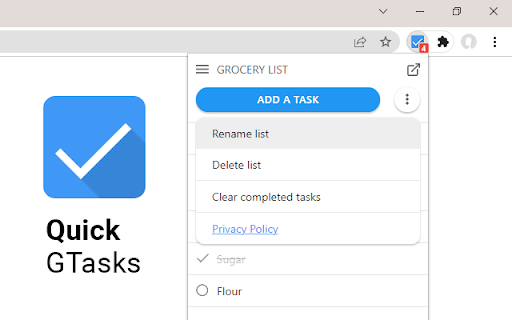
Quickly access and edit your Google Tasks™ conveniently from within Google Chrome I use Google Tasks™ many, many times every day. After several of the Google Tasks™ Chrome extensions I used stopped working back in 2019, I began working on my own extension as a hobby project. Most of the functionality is currently included. Please let me know if you run into any bugs, and thanks for trying my extension!

Send to Google Tasks
Send the page you are reading to Google Tasks Send to Google Tasks is a chrome extension that performs one simple thing: it send the page or link from your chrome browser to Google Tasks. Attribution for the icons and graphics: - Icons are made by Pixel perfect (https://www.flaticon.com/authors/pixel-perfect) from Flaticon (https://www.flaticon.com).

Manganum: Sidebar with Gmail and Google Calendar
One-click access to your tools, even Gmail and Google Calendar. Boost your productivity with Manganum — an all-in-one sidebar for Chrome that integrates Gmail, Google Calendar, Drive, Keep, and more. Access mail, calendar, notes, tasks, and AI tools like ChatGPT with one click on any tab. Key Features: — Unified Sidebar: Access Gmail, Google Calendar, Drive, Keep, and more in one click, directly from the sidebar. — Inbox App: Quick access to your Gmail inbox, allowing you to check emails without fully opening Gmail. — Calendar App: View your Google Calendar schedule and receive reminders for upcoming events. Join video calls with a single click. — AI Integration: Get instant access to ChatGPT and Google Bard for AI-powered assistance on any tab. — Drive Integration: Access your Google Drive files without opening additional tabs. — Translator: Translate text across more than 100 languages directly in your browser. — Tasks & Notes: Manage your tasks with Google Tasks or Todoist, and jot down ideas in Google Keep or Manganum Notes. — Customizable New Tab: Personalize your new tab page with motivational quotes, stunning backgrounds, and practical widgets. — Sync SMS: Receive SMS from your Android phone directly in the sidebar. — Games & Tools: Take a break with classic arcade games like Pacman and 2048, or use calculators and other tools. Customization: — Dark Mode: Enjoy a darker interface in Inbox, Translator, and Tasks. — Pin Mode: Keep the sidebar always visible as you switch between tabs. — Auto-Open: Set your favorite sidebar app to open automatically with each new tab. Manganum simplifies your digital life by bringing all essential tools into one place. Whether you’re managing emails, scheduling meetings, or using AI, Manganum keeps everything accessible with just one click. Maximize your efficiency and stay organized with Manganum. Install now and revolutionize your browsing experience with Gmail, Google Calendar, and other essential tools. Click ""Add to Chrome"" to get started! Created with ❤️.

RightTasks for Gmail™
See your tasks at all times, without getting in the way. RightTasks shows your Google Tasks sidebar with new features: * Hide the Applications bar for less distraction. * Resize the sidebar to fit everything, or take up less space. * Hide and show the sidebar with a single click. * Visual tweaks for a clear view of your tasks. All the official Google Tasks features, like keyboard shortcuts or turning emails into tasks, are still available. Make sure to reload Gmail after installing the extension. * Read and change your data on mail.google.com Required for showing the tasks sidebar, hiding the applications bar, the resize and docking functionality. * Read and change your data on tasks.google.com Required for visual tweaks in the the tasks sidebar, moving the completed tasks to the bottom, adding the settings button. Required for saving settings. We do not collect any of your personal data. See our privacy policy: https://github.com/ghinda/righttasks/wiki/Privacy-policy Visit www.righttasks.com for updates.

Customize Tabs for Google Keep™
Customize Tabs for Google Keep™ Do you use Google Keep™ a lot to write notes, personal reminders etc? Currently, all your notes are organized on the same page and are not organized by categories. Having all the notes on the same page wont be an issue if you have a few notes written down. But it can become messy once you have over 20+ notes on the same page. You need a way to organize and keep track of notes inside Google Keep™. This extension helps you create separate categories for Google Keep™, this helps you manage your notes more clearly and easily. Choose the color you want for each new Category Tab you make in Google Keep™. Keep all your notes clearly separated and manage your Google Keep™ notes in a more efficient manner today. Disclaimer: Please note this extension is NOT made by Google and is made by an independent development team. All copyrights belong to their respective owners. Google doesn’t endorse or sponsor this Chrome extension. Customize Tabs for Google Keep™ is not owned by, is not licensed by and is not a subsidiary of Google Inc.
