
fdkfhgdjdlgddeplllnjghlfolmfplei
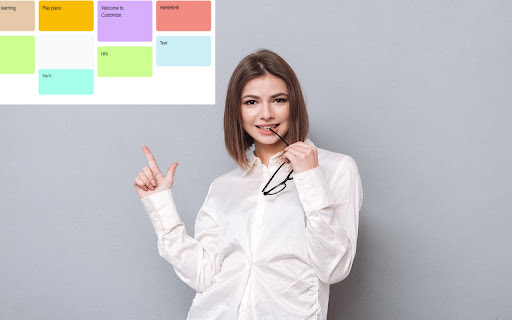
Customize Tabs for Google Keep™ Do you use Google Keep™ a lot to write notes, personal reminders etc? Currently, all your notes are organized on the same page and are not organized by categories. Having all the notes on the same page wont be an issue if you have a few notes written down. But it can become messy once you have over 20+ notes on the same page. You need a way to organize and keep track of notes inside Google Keep™. This extension helps you create separate categories for Google Keep™, this helps you manage your notes more clearly and easily. Choose the color you want for each new Category Tab you make in Google Keep™. Keep all your notes clearly separated and manage your Google Keep™ notes in a more efficient manner today. Disclaimer: Please note this extension is NOT made by Google and is made by an independent development team. All copyrights belong to their respective owners. Google doesn’t endorse or sponsor this Chrome extension. Customize Tabs for Google Keep™ is not owned by, is not licensed by and is not a subsidiary of Google Inc.

Send to Google Tasks
Send the page you are reading to Google Tasks Send to Google Tasks is a chrome extension that performs one simple thing: it send the page or link from your chrome browser to Google Tasks. Attribution for the icons and graphics: - Icons are made by Pixel perfect (https://www.flaticon.com/authors/pixel-perfect) from Flaticon (https://www.flaticon.com).

Manganum: Sidebar with Gmail and Google Calendar
One-click access to your tools, even Gmail and Google Calendar. Boost your productivity with Manganum — an all-in-one sidebar for Chrome that integrates Gmail, Google Calendar, Drive, Keep, and more. Access mail, calendar, notes, tasks, and AI tools like ChatGPT with one click on any tab. Key Features: — Unified Sidebar: Access Gmail, Google Calendar, Drive, Keep, and more in one click, directly from the sidebar. — Inbox App: Quick access to your Gmail inbox, allowing you to check emails without fully opening Gmail. — Calendar App: View your Google Calendar schedule and receive reminders for upcoming events. Join video calls with a single click. — AI Integration: Get instant access to ChatGPT and Google Bard for AI-powered assistance on any tab. — Drive Integration: Access your Google Drive files without opening additional tabs. — Translator: Translate text across more than 100 languages directly in your browser. — Tasks & Notes: Manage your tasks with Google Tasks or Todoist, and jot down ideas in Google Keep or Manganum Notes. — Customizable New Tab: Personalize your new tab page with motivational quotes, stunning backgrounds, and practical widgets. — Sync SMS: Receive SMS from your Android phone directly in the sidebar. — Games & Tools: Take a break with classic arcade games like Pacman and 2048, or use calculators and other tools. Customization: — Dark Mode: Enjoy a darker interface in Inbox, Translator, and Tasks. — Pin Mode: Keep the sidebar always visible as you switch between tabs. — Auto-Open: Set your favorite sidebar app to open automatically with each new tab. Manganum simplifies your digital life by bringing all essential tools into one place. Whether you’re managing emails, scheduling meetings, or using AI, Manganum keeps everything accessible with just one click. Maximize your efficiency and stay organized with Manganum. Install now and revolutionize your browsing experience with Gmail, Google Calendar, and other essential tools. Click ""Add to Chrome"" to get started! Created with ❤️.

TabStacks: tab and history search
View and search through open tabs and browser history. TabStacks is a vertical tab menu that helps you find the content you were looking for. Filter the tabs you have open and TabStacks will list the open tabs that match. If TabStacks can't find an open tab, it searches through your history to see if you had a tab open previously! TabStacks is designed to be keyboard and screen reader accessible. Press [CTRL]+[SHIFT]+[K] to open the menu, start typing to filter your tabs, and use the [DOWN] arrow key to navigate to the tab you want, and [ENTER] to open that tab. You can always use your mouse as well. You can search through your history during a tab search by pressing [CTRL+SHIFT+S]. You can close a tab by highlighting it in the list using the arrow keys or right-click and pressing [DELETE] or by clicking the close button on the tab. TabStacks is a high performance and secure extension for Chrome. TabStacks doesn't download external files, doesn't store any information about your activity. *** UPDATES *** Version 2.0.2 * Fixed bug where the popup doesn't close on tab change * Added a settings item to allow the option to hold the popup open Version 2.0.1 * The default keyboard shortcut for toggling the search is now CTRL+SHIFT+S due to the browser using nearly all possible combinations of CTRL+ a single key. * The keyboard shortcut key is now configurable, you can modify it in the settings page. Click the gear icon at upper right of the popup to access settings. * Minor cosmetic updates to the settings page. Version 2.0 * Tabs shown in the popup are synchronized with the state of the tabs in the browser: * Title updates are reflected in real-time. * New or deleted tabs are reflected in the tab list. * Close tabs using a button on the tab. Close buttons show on hover or focus. * Tabs display an audio icon if playing audio. * For audible tabs, clicking the icon will mute and unmute the tab. * Settings page has been added, click the gear icon top-right to access settings. Version 1.0.8 * Added lazy loading for site icons to speed up rendering * Reduced requested browser permissions Version 1.0.7 * Linux support for launching TabStacks from keyboard with [CTRL+SHIFT+K]. * PopupMenu now has a max-height instead of fixed height. * Fixed bug on Windows where the scroll bar was rendered even if the tabs would not scroll. Version 1.0.6 * Improved search algorithm for both tabs and history. * Searches much longer history time period. * Tabs in the current window always appear at top when popup is opened (User suggestion). * URLs for tabs appear on focus or mouseover (User suggestion). * Engineering improvements under the hood to use Web Components for rendering.

Sidebar for Google Tasks
Enhance your productivity with Sidebar for Google Tasks! Our extension provides a convenient way to access, manage, and organize your Google Tasks directly from Chrome's side panel. Key Features: • Quick Access: Open Google Tasks with a single click from your toolbar. • Task Management: Easily add, edit, and delete tasks. • Reminders: Set and receive notifications for your tasks. • Synchronization: Sync tasks across all your devices in real time. • Customization: Personalize your task list with custom colors and labels. • Drag-and-Drop: Reorder tasks with simple drag-and-drop functionality. • Search Functionality: Quickly find tasks with the built-in search feature. • Offline Access: Manage tasks even when you're offline. Why choose Sidebar for Google Tasks? • Efficiency: Save time by accessing your tasks directly from your browser. • User-Friendly: Intuitive interface designed for maximum productivity. • Regular Updates: Frequent updates to ensure compatibility with the latest Google Tasks features. The Sidebar for Google Tasks is perfect for anyone looking to stay organized and productive. Get it now to streamline your task management. Download Google Tasks for Sidebar today and take control of your to-do list! ADS When using the Input Tab in Google Keep, you may encounter ads. These situational ads allow us to develop the product and make it free. — Made with ❤️ by BrowseCraft gang.
