
jbfeongihppeenfnaofmdeikahaefljd
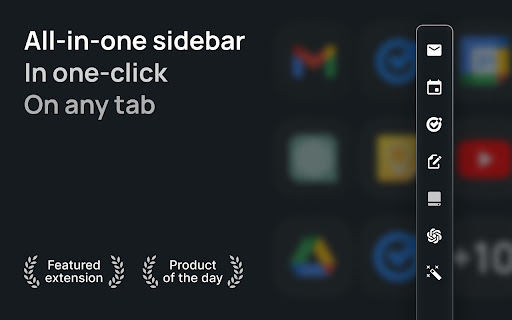
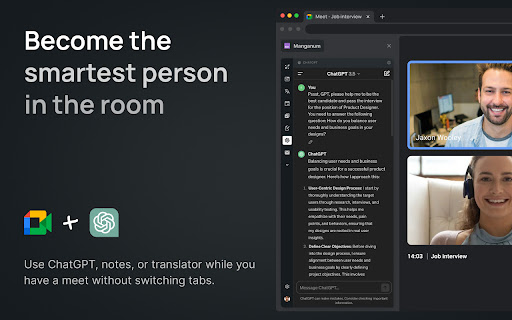
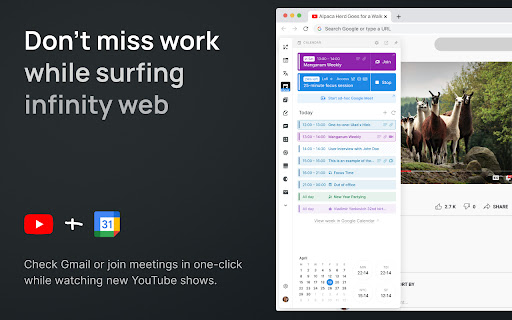
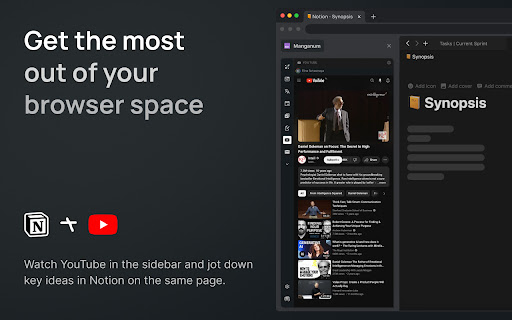
One-click access to your tools, even Gmail and Google Calendar. Boost your productivity with Manganum — an all-in-one sidebar for Chrome that integrates Gmail, Google Calendar, Drive, Keep, and more. Access mail, calendar, notes, tasks, and AI tools like ChatGPT with one click on any tab. Key Features: — Unified Sidebar: Access Gmail, Google Calendar, Drive, Keep, and more in one click, directly from the sidebar. — Inbox App: Quick access to your Gmail inbox, allowing you to check emails without fully opening Gmail. — Calendar App: View your Google Calendar schedule and receive reminders for upcoming events. Join video calls with a single click. — AI Integration: Get instant access to ChatGPT and Google Bard for AI-powered assistance on any tab. — Drive Integration: Access your Google Drive files without opening additional tabs. — Translator: Translate text across more than 100 languages directly in your browser. — Tasks & Notes: Manage your tasks with Google Tasks or Todoist, and jot down ideas in Google Keep or Manganum Notes. — Customizable New Tab: Personalize your new tab page with motivational quotes, stunning backgrounds, and practical widgets. — Sync SMS: Receive SMS from your Android phone directly in the sidebar. — Games & Tools: Take a break with classic arcade games like Pacman and 2048, or use calculators and other tools. Customization: — Dark Mode: Enjoy a darker interface in Inbox, Translator, and Tasks. — Pin Mode: Keep the sidebar always visible as you switch between tabs. — Auto-Open: Set your favorite sidebar app to open automatically with each new tab. Manganum simplifies your digital life by bringing all essential tools into one place. Whether you’re managing emails, scheduling meetings, or using AI, Manganum keeps everything accessible with just one click. Maximize your efficiency and stay organized with Manganum. Install now and revolutionize your browsing experience with Gmail, Google Calendar, and other essential tools. Click ""Add to Chrome"" to get started! Created with ❤️.

Gmail App - Mail Application for Gmail™
Use Gmail app for Windows and Mac to boost productivity. Get notifications and read emails in Gmail desktop app for macOS and PC. 🔥 Optimize your email with Gmail apps, a Chrome extension for Windows & Mac. Get it now to boost your email management. 🔐 Your data is strictly protected by Google Security mechanisms: Encryption, Multi-factor Authentication, and Regular Audits. 1️⃣ Effortless Access: ● With just a click, access your Gmail inbox messages directly from your desktop. ● Eliminate the need to open a browser window. 2️⃣ Download and Installation: ● Download Gmail Apps for Mac or Windows - it is quick and easy! ● Visit the Chrome Web Store, search for "Gmail App" and click on the "Add to Chrome" button. ● When Gmail com app download is finished within seconds, you'll have access to all the features you need to manage your emails effectively. 3️⃣ Seamless Integration: ● Once installed, the gmailapp seamlessly integrates with your desktop environment. ● Whether you're on Windows 10, 11 or Mac, enjoy a consistent experience across all your devices. 4️⃣ Powerful Features: ● From accessing your inbox messages to composing new emails, this Google email app offers a wide range of features to enhance your productivity. ● Mark all emails as read with a click. ● Organize your inbox with labels and filters, and more. ● Do Not Disturb Gmail app mode. ● Listen emails, translate mail and customize account. ● Gmail Dark Mode is now available! ● Save Email in PDF! 5️⃣ Gmail AI: ● AI Summary: Instantly generate gmail summaries for long or complex emails. ● AI write E-Mail: Create polished emails using gmail app AI compose email tools. ● AI reply Gmail: Get context-aware responses tailored to your message tone. ● AI Inbox Assistant: Automatically highlight priority emails using intelligent AI sorting. 📨 Efficient Email Management. 1. Archive Emails: Declutter your inbox by archiving addressed or non-essential emails. 2. Delete Unnecessary Emails: Keep your inbox tidy by removing unwanted messages. 3. Star Important Emails: Prioritize crucial emails for quick retrieval and attention. 4. Summarize Emails: Get brief AI summary of your Gmail AI mails. 5. Save Emails to PDF easily! 🔔 Real-Time Notifications. - Stay Informed: Receive instant notifications on your desktop for important emails. - Prompt Response: Respond promptly to incoming messages, enhancing communication efficiency. - Work Flexibility: Stay updated even when taking breaks, ensuring timely responses. 🚀 Instant Access. 📌 Single-Click Launch: Access the Gmail com ap instantly from your desktop or taskbar with just one click. 📌 Efficiency Boost: Enjoy immediate access to your inbox without opening a browser window, saving valuable time. 📌 Streamlined Workflow: Enhance productivity by eliminating unnecessary steps and simplifying sendemail management. 🔕 Do Not Disturb Mode - Schedule Your Peaceful Time 1. Take control of your Gmail web app's notifications by scheduling Do Not Disturb mode on any day and at any time. 2. Choose between muting just sound or silencing all notifications, ensuring complete focus or tranquility from any pc. 3. Customize your schedule to fit your lifestyle and enjoy uninterrupted time on your device, whether for work, relaxation, or sleep thanks to the Google Mail application's reliable functionality. 🔝 Enhanced user experience. ➤ Quick and efficient access to all features: Enjoy immediate access to the Google Mail app's functionalities without delay. ➤ User-friendly interface for effortless navigation: Navigate seamlessly through the Gmail desktop version app's intuitive interface with Gmail Dark Mode. ➤ Unique email features: listen mail and translate emails, change account colors and labels, save email to PDF in just one simple click. ❓How secure is the Gmail App? 💡The Gmail Apps adheres to strict security standards to ensure the safety of your email data. It utilizes encrypted connections to Gmail servers and follows Google's security best practices to protect your information. ❓Is the Gmail App user-friendly for beginners? 💡Absolutely! This application of Gmail for macbook offers a user-friendly interface that's intuitive and easy to use. Whether you're a seasoned Gmail for desktop user or new to email management, you'll find the app straightforward and accessible. 👆🏻 Download Gmail App for Windows or Mac to enhance your email management. ❗ Extension provides additional features like entire functionality will work only if you have a paid subscription.

Sidebar for Google Tasks
Enhance your productivity with Sidebar for Google Tasks! Our extension provides a convenient way to access, manage, and organize your Google Tasks directly from Chrome's side panel. Key Features: • Quick Access: Open Google Tasks with a single click from your toolbar. • Task Management: Easily add, edit, and delete tasks. • Reminders: Set and receive notifications for your tasks. • Synchronization: Sync tasks across all your devices in real time. • Customization: Personalize your task list with custom colors and labels. • Drag-and-Drop: Reorder tasks with simple drag-and-drop functionality. • Search Functionality: Quickly find tasks with the built-in search feature. • Offline Access: Manage tasks even when you're offline. Why choose Sidebar for Google Tasks? • Efficiency: Save time by accessing your tasks directly from your browser. • User-Friendly: Intuitive interface designed for maximum productivity. • Regular Updates: Frequent updates to ensure compatibility with the latest Google Tasks features. The Sidebar for Google Tasks is perfect for anyone looking to stay organized and productive. Get it now to streamline your task management. Download Google Tasks for Sidebar today and take control of your to-do list! ADS When using the Input Tab in Google Keep, you may encounter ads. These situational ads allow us to develop the product and make it free. — Made with ❤️ by BrowseCraft gang.

Meeting Timer - for Google Meet
Google Meet Timer with Calendar Sync and a shareable SubTimer for tasks, speaking time, and agenda items. Meeting Timer is a lightweight timer for Google Meet with Google Calendar Sync, a Mini SubTimer for agenda items, and a shareable timer that stays visible when you present. • Automatic countdown from your Calendar – join a Meet, and the Google Meet countdown timer starts with the correct duration. • Mini SubTimer (new) – time tasks, speaking turns, or agenda points without touching the main timer. • Share across tabs – show the timer on every tab so it appears on your shared screen. • Stay on track – halftime/overtime color cues, optional sound alerts, and overlap warnings. • Drag & drop – place the timer where you want; we remember the position. • Quick access to upcoming events – open the extension popup to see and join your next meetings. • Automatic: Connect Google Calendar once. The timer counts down for any Meet that matches your event. • Manual: Set a duration yourself. Great when there’s no calendar event, or an event couldn't be matched. • 🕒 Automatic Timer (Calendar matched) • ⏰ Manual Timer (Calendar event not matched) (set duration, see progress/halftime/overtime) •➕ Mini SubTimer for topics, Q&A, exercises • 🤝 Shareable timer (visible while screen sharing) • 🎛️ Drag & drop + saved position • 🌈 Progress, halftime & overtime color states • 🚨 Overlap alerts for back-to-back meetings • 🔊 Sound alerts (optional; configurable volume) • 📍 Favicon badge before a meeting starts • 📅 See all upcoming meetings from your Google Calendar in the popup 1. Install the extension. 2. (Optional) Connect Google Calendar. 3. Join a Google Meet. The meeting timer overlay appears automatically. 4. Click the SubTimer icon to add a mini countdown for agenda items or controlling speaking time. 5. Click Share to mirror timers across tabs so they appear on your shared screen. • Open settings from the gear icon on the timer. We don’t store data on our servers. Your settings and meeting data stay in your browser. Google Meet Meeting Timer's use and transfer of information received from Google APIs to any other app will adhere to Google API Services User Data Policy, including the Limited Use requirements.

Folio: Manage Real Estate Deals from Gmail
Create and share real estate closing timelines from your Gmail inbox. Integrates seamlessly with Google Drive and Calendar. Folio helps real estate agents stay on top of transactions from Gmail™ and integrates seamlessly with Google Drive™ and Google Calendar™. Folio lives where you already work – in Gmail™ – and uses AI to automatically know which emails are related to a real estate transaction - making it quick and easy to create timelines that you can share in one click with clients and colleagues. Folio helps you keep your deals on track with transaction timelines and reminders that are integrated into your Google Calendar™. By organizing all relevant emails, documents and contacts into Smart Folders, Folio makes it easier for you to find important things. Never search for a document, email, or file again. It’s all right there! HOW FOLIO WORKS: 📬 Connect Folio to your work Gmail™ inbox. 📂 Using AI, Folio will organize emails, files, and contacts for each transaction into a Smart Folder. 💼 Folio will show a sidebar in your Gmail™, allowing you to manage the transaction timeline, share it with clients, assign tasks, and more. 📆 Automatically sync important transaction milestones to your Google Calendar™ and attachments to Google Drive™ to stay on schedule and organized. 💚 WHY OVER 100,000 REAL ESTATE AGENTS LOVE FOLIO ➤ Look like a pro! Save 20+ hours per deal ➤ Create and share professional closing timelines with your clients in seconds ➤ Manage events and delegate tasks straight from Gmail™ ➤ Customizable closing timelines and custom transaction templates to save you time ➤ Visualization on the go - use the Folio web app from any mobile device ➤ Automatic organization of emails into Smart Folders by transaction ➤ Google Calendar™ Integration - never miss a meeting, inspection, appraisal, or deadline ➤ Google Drive™ Integration - auto sync attachments and documents to dedicated folders ➤ Google Contacts Integration - no new contacts database, everything in one place ➤ DocuSign Integration - get all the signatures you need straight from your inbox 💡 FOLIO FREE PLAN: ✓ Manage up to 3 transactions at a time for free ✓ Shareable timeline webpage and email organization for each deal ✓ Reminders, notes and tasks straight from your email ✓ Sync all events/tasks with your Google Calendar™ ✓ Sync contacts for up to 3 Smart Folders ➡️ FOLIO PRO: ✓ Everything in Free Plan + ✓ Manage unlimited transactions and Smart Folders ✓ Unlimited custom timeline templates to save you even more time ✓ Unlimited contacts for every Smart Folder ✓ DocuSign integration to get all needed signatures from Gmail™ ✓ Automatic attachment syncing to Google Drive™ ✓ One-click to export entire transaction history into a PDF ✓ Customizable image background and logo for your timelines ⭐️ WHY FOLIO? ★ More than 100,000 real estate agents trust Folio to help them impress their clients and get more referrals ★ 4.7 star rating – read the reviews! ★ 2.5 billion emails organized and counting ★ 1 million+ hours saved by workflow compression 🔐 SECURITY & PRIVACY ✓ Security and privacy practices audited and approved annually by Google’s Trust and Safety team ✓ Personal data privacy: CCPA compliant ✓ Bank-level 256-bit security ✓ Annual security review conducted by Bishop Fox - the largest private professional services firm focused on offensive security testing 🎯 WHO IS IT FOR? - Real Estate agents who manage multiple deals - Real Estate agents who need to impress their clients, look like pros and get more referrals 💻 If you have any problems or feedback regarding Folio, write to us at support@amitree.com
