
kmbjcfefmceiibhnddbeenklcmpehmdd
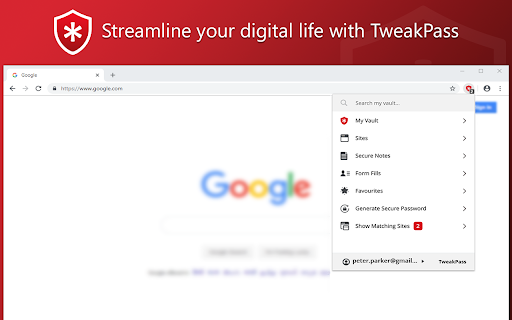
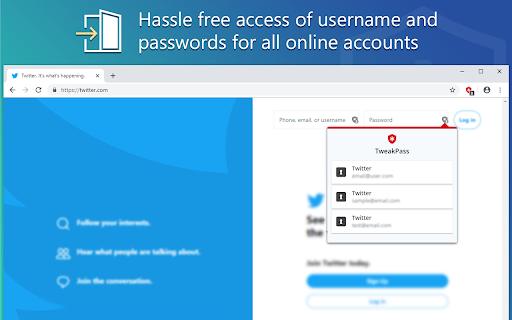
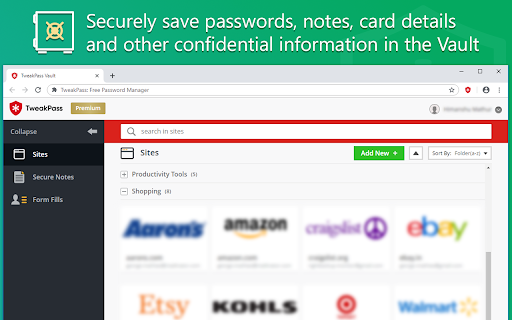
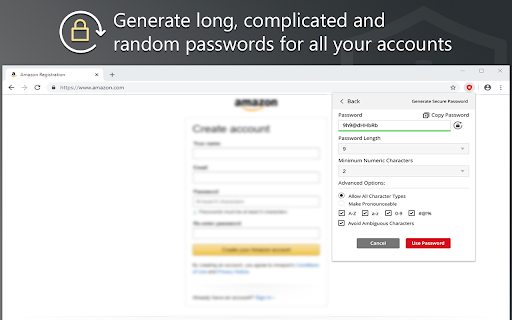
Manage your passwords on a single click TweakPass is a robust browser extension for Chrome that saves your passwords securely and allows you to auto login to sites, fill forms and generate secure passwords. No need to remember multiple passwords as a single, Master Password will simplify your digital life. Save websites, usernames and passwords in the Vault and auto login to your sites. Not only this, all the imported and saved data is synced between the TweakPass app and Browser Extension, for easy access of data. - Save usernames and passwords to make login easy - Secure notes and store encrypted data - An easy way to save all your secure and confidential data - Store all important data in one place - Add, modify, view, delete, and manage passwords for all accounts - TweakPass can be used on any computer and laptop with Chrome/Firefox/Opera/Edge - Use same login to access TweakPass account anywhere - Instant data syncing to make data available across all the devices - Generate strong and complicated passwords to protect against cyber threats - Create new random passwords for each site you visit and sign up - Add an additional layer of security with Required Password Prompt option - Encrypt data both at device level and server end - Single Master Password for all accounts - Generate strong passwords without much ado - Automatically login to sites with saved passwords - Secure all your passwords in the Vault Learn more about features and get TweakPass for Firefox, Opera and Edge by visiting: www.tweakpass.com

Avira Password Manager
Avira Password Manager saves, manages, and syncs all your passwords across all your devices. Say goodbye to handwritten notes creating chaos on your desktop. This password organizer makes it a breeze to bring order to your work and personal life. Avira Password Manager can now also check the security status of your user accounts directly via your Avira Password Manager dashboard. This ensures you enjoy maximum protection, as we want you to be as well-protected as possible. Avira Password Manager synchronizes every change you make, and can be used on a wide range of devices and operating systems as well as with popular browsers via an extension. ◆ ONE PASSWORD FOR ALL DEVICES ◆ With Avira Password Manager you only need to remember one single password – the master password. It's like the key to an uncrackable password vault, in which your logins are safely stored. ◆ AUTO-FILL LOGIN FORMS ◆ Easy, convenient, time-saving: The Avira Password Manager browser extension auto-fills your logins across all your favorite websites, making it the best password manager available. Password Manager also recognizes when you enter a new password on a website and asks if you want to save it. ◆ INSTANT PASSWORD GENERATOR ◆ Do you use weak, common passwords for all your accounts? Not anymore! Avira Password Manager makes it effortless to generate strong, unique passwords to give you the best protection against identity theft. ◆ DIGITAL WALLET ◆ You can securely manage all your credit cards in your digital wallet. You can add them manually in the web or conveniently scan them on your mobile app. Your saved cards will be available on all your devices. ◆ AVAILABLE OPTIONS ◆ Avira Password Manager is available as a web dashboard and as a mobile app. The web dashboard is complemented by a browser extension for easy automatic creation and storage of your passwords. ◆ SECURITY◆ The new security status shows you at a glance how secure your passwords, accounts, and websites are, and whether any of your credentials have already been compromised. You can then take immediate action to improve your online security. Avira Password Manager protects your passwords, credit cards, and notes using 256-bit AES encryption – the most secure standard out there. Think of it as your own personal armored password safe. Thanks to your master password only you and you alone have access to them – not even Avira can access your data. ◆ WHAT'S NEW? ◆ Now save all your credit cards in your secure digital wallet, where the magnetic stripe will never wear off.

Yoti Password Manager
A secure, simple to use password manager. No master password means you never need to remember a password again. Yoti Password Manager helps you: - Access and use your login details without having to remember any passwords. - Easily access and use your login details using password manager across multiple platforms and devices. - Automatically fill in your login details for you when you visit your favourite websites. - Generate strong, unique passwords for each of your online accounts using password manager. - Automatically lock your login details to keep them safe when you’re away from your computer. You need the free Yoti app to use Yoti Password Manager. It’s how we ensure that you, and only you, can access and use your passwords. The Yoti app is the new way to prove who you are, giving you a trusted digital identity to use online and in person. You can use the Yoti app to securely connect to, unlock and lock Yoti Password Manager as and when you want to. Over 2 million people have already downloaded the Yoti app, with thousands more downloading every day. Just search 'Yoti' in the iOS or Android app stores. Keeping your data safe is our highest priority. To protect every piece of information you give us when you register your Yoti account – whether it be your photo, date of birth, address or passwords – we scramble it with AES 256-bit encryption. The private keys that unlock your data are stored on your device. Nobody else, not even Yoti, can access these keys.

MasterPassword for chrome
Remember your MasterPassword, and this app will generate unique passwords for every other site you visit One of todays main security challenges on the web is passwords. You typically have to login at many different sites, and remembering a different password for every site is hard. Unfortunately one of the sites you use will sooner or later be hacked, and passwords leaked. If that password is reused on other sites, the hackers will have access to all your accounts. MasterPassword can help. With one master password, a unique one can be generated for each site. When you need to login, this addon will complete the site password for you. And it is impossible to guess the master password from a site password. Read more at http://masterpasswordapp.com The MasterPassword algorithm is standardized. You can find app's for Ios, Android, Windows, Mac and Linux. One of MasterPasswords strong points is that neither the master or site password is stored anywhere. The site password is rather generated mathematically every time. This is in clear contrast to many other password managers, like Chrome's built in password manager. If your computer or browser is hacked, solutions where the password is stored can give away all your passwords! Similar dangers exists with cloud based solutions. The MasterPassword addon can of course co exist with other password managers and will stay out of your way until you click the MasterPassword button. If you chose to uninstall the addon, you'll just have to remember the passwords you've generated, or import them into another password manager. Since passwords in MasterPassword are mathematically generated, it is impossible to import other custom passwords into master password. They would have to be stored on your computer, which defeats MasterPassword's working principle. As such, it is convenient to use the Chrome password manager for such passwords, until you find a time to switch a site to MasterPassword. Also note that when MasterPassword enters a password for you, Chrome will behave like you typed it on the keyboard, and prompt you if you want to save it. You can of course accept this, but your passwords will then be stored and risk being stolen. I'd therefore suggest to reject that offer. Protect your accounts on the web - Use MasterPassword

Locker - Password Manager
A browser extension makes your online presence secure and seamless. Locker is a cross-platform vault that help users secure sensitive digital assets such as logins and passwords, secret notes, payment cards, online identities, and crypto wallets. It also offers additional features to enhance browsing experience like password autofill, item sharing, and more. 1. Security - Locker uses military-grade encryption to secure your data. AES-256bit encryption combined with PBKDF2 and RSA algorithm makes your data is un-crackable. - Your vault is encrypted with a Master Password, which is the only key to decrypt your data. 2. Privacy & Transparency - Your Master Password is only yours. No body, even us, can see your Master Password thanks to Zero-knowledge development model. - Locker is an open-source product. Everyone can inspect its source code. We believe transparency is the key to better security. 3. Unlimited Sync - Once you add, edit, remove items in your Locker on a device, the data will be sync-ed across all other devices*. 4. Bring Your Passwords with You - With Offline Mode, you can use Locker anywhere, anytime, even when your phone is not connected to the internet**. No more password hassle. Free Your Mind. Install Locker. *Data is encrypted before they left the current device. **Offline Mode is only available on Locker mobile application (Android & iOS).
