
caljgklbbfbcjjanaijlacgncafpegll

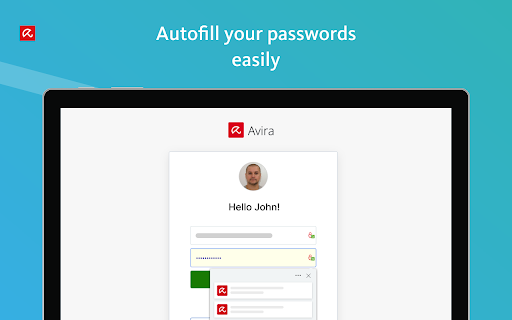


Avira Password Manager saves, manages, and syncs all your passwords across all your devices. Say goodbye to handwritten notes creating chaos on your desktop. This password organizer makes it a breeze to bring order to your work and personal life. Avira Password Manager can now also check the security status of your user accounts directly via your Avira Password Manager dashboard. This ensures you enjoy maximum protection, as we want you to be as well-protected as possible. Avira Password Manager synchronizes every change you make, and can be used on a wide range of devices and operating systems as well as with popular browsers via an extension. ◆ ONE PASSWORD FOR ALL DEVICES ◆ With Avira Password Manager you only need to remember one single password – the master password. It's like the key to an uncrackable password vault, in which your logins are safely stored. ◆ AUTO-FILL LOGIN FORMS ◆ Easy, convenient, time-saving: The Avira Password Manager browser extension auto-fills your logins across all your favorite websites, making it the best password manager available. Password Manager also recognizes when you enter a new password on a website and asks if you want to save it. ◆ INSTANT PASSWORD GENERATOR ◆ Do you use weak, common passwords for all your accounts? Not anymore! Avira Password Manager makes it effortless to generate strong, unique passwords to give you the best protection against identity theft. ◆ DIGITAL WALLET ◆ You can securely manage all your credit cards in your digital wallet. You can add them manually in the web or conveniently scan them on your mobile app. Your saved cards will be available on all your devices. ◆ AVAILABLE OPTIONS ◆ Avira Password Manager is available as a web dashboard and as a mobile app. The web dashboard is complemented by a browser extension for easy automatic creation and storage of your passwords. ◆ SECURITY◆ The new security status shows you at a glance how secure your passwords, accounts, and websites are, and whether any of your credentials have already been compromised. You can then take immediate action to improve your online security. Avira Password Manager protects your passwords, credit cards, and notes using 256-bit AES encryption – the most secure standard out there. Think of it as your own personal armored password safe. Thanks to your master password only you and you alone have access to them – not even Avira can access your data. ◆ WHAT'S NEW? ◆ Now save all your credit cards in your secure digital wallet, where the magnetic stripe will never wear off.

Password Depot
Secure password manager - Fill forms, manage passkeys, and protect your credentials with Password Depot. **🔒 Your data. Your choice. Your control.** Unlike cloud-only password managers, Password Depot never requires you to store passwords on third-party servers. You decide where your encrypted database lives: - On your local PC or USB drive - In your own cloud (Dropbox, Google Drive, OneDrive, Box, HiDrive, or any WebDAV service) - On a Password Depot Enterprise Server within your organization Your passwords never leave the infrastructure you trust — ideal for privacy-conscious users and organizations that require full data sovereignty and GDPR compliance. **⚡ Completely rebuilt for v19** This is a brand-new extension, written from the ground up with a modern Manifest V3 architecture and a new client API. Key capabilities: - **Credential auto-fill** — Detects login forms and fills usernames and passwords automatically - **Passkey support** — Register and authenticate with WebAuthn/FIDO2 passkeys stored in Password Depot - **TOTP/2FA auto-fill** — Fills one-time codes automatically, even across multi-page login flows - **Password generator** — Create strong passwords directly in the browser with configurable options and strength indicator - **Breach checker** — Verify whether a password has been exposed in known data breaches (via HaveIBeenPwned) - **Credential capture** — Detects new logins and offers to save them to Password Depot - **Secure clipboard** — Automatically clears copied passwords after a configurable timeout **🌐 Built for the modern web** - Works with login forms inside iframes and cross-origin frames - Full Shadow DOM support for web components - Compatible with React, Vue, Angular, and other modern frameworks - Handles multi-step login flows across page navigations - Works seamlessly with modal dialogs (Radix UI, HeadlessUI, etc.) **🎨 Designed for comfort** - Light, Dark, and System themes - Available in English, German, French, Spanish, and Dutch - Quick-access popup with search, one-click copy, and password generator - Configurable settings for security and behavior This extension requires **Password Depot v19.0.4 or newer**. The native client must be installed before the extension can function.

Passwarden by KeepSolid – Password Manager
Passwarden is your best assistant to store and secure your passwords & any other sensitive information right in Chrome. Safeguard all your data and auto-fill passwords to all accounts that you use in your browser! No more worries about remembering infinite amounts of passwords or any other information as Passwarden will do it for you. Choosing our Chrome extension, you have to remember only the password from your Passwarden account. Passwarden is a part of our brand new security bundle MonoDefense. Apart from Passwarden, MonoDefense includes a reliable solution for unrestricted and secure internet access VPN Unlimited. And the range of MonoDefense solutions will be extended. So stay tuned for updates! Our extension for Chrome becomes your own secure storage where you can securely keep all the following data: - Passwords (the ones you use in all the apps and browsers) - Credentials (email and social media accounts, WiFi passwords, etc.) - Personal data (ID, Driver’s License, SSN, etc.) - Payments data (credit/debit cards, bank account) Why use Passwarden by KeepSolid? With our extension, you can: - Keep all your passwords in one place - Create secure notes - Store credentials and payments data - Generate unique strong passwords - Encrypt your sensitive information - Access all that data in a few taps - Benefit from unlimited devices per account - Securely share your data with others - Hide your data in case of an emergency - Use biometric unlock - Ensure protection of your data with two-factor authentication - Entrust your online security to cyber-security experts Features of Passwarden by KeepSolid available in the Chrome browser: * Rock-solid encryption Striving to provide you with the complete security of all data you store in our app, we’ve implemented client-side data encryption via AES-256 and ЕС р-384 protocols. As a result, all your information remains unreadable and uncrackable for any unauthorized third party. * Duress mode This is a super-cool feature for emergencies when you are required to show the data in our extension under duress. All you have to do is to define the data you can show in advance and then create your Duress password. In case of an emergency, you can just use the aforementioned password and the extension will show only that data you’ve prepared. * Unlimited devices per account You can easily access your sensitive data stored in Passwarden with any device you’ve previously added to your list. It’s extremely convenient: you store your data on one device and use them on another. * Password generator Tired of creating new various unique passwords for all your accounts? Our password manager is at your disposal. With this helpful feature, you can generate an unlimited number of uncrackable passwords in a matter of seconds. Passwarden helps you to stop suffering about creating and remembering new strong passwords. * Two-factor authentication Thanks to such an extra layer of security, you will be the only one to access your Vaults in our extension. Enable two-factor authentication, select the needed type (authenticator app and email one-time passcode), and enjoy complete security of your data. * 24/7 friendly customer support In case you have any questions about our password manager, feel free to drop an email to support@keepsolid.com

GMX MailCheck
The safe way to access your personal mail. With the MailCheck extension, you only need to log in once with your GMX credentials in order to gain quick and simplified access. From then on, you merely click on the envelope icon in your browser for instant access to all of your emails (e.g. GMX, WEB.DE, Outlook). No more searching for your email provider in a search engine then directing toward the sign-in page, and finally entering your login details—skip all of this with easy one-click login with MailCheck from GMX. E-Mail notification in the browser Access to all your email accounts in only one tool (e.g. GMX, WEB.DE and mail.com) * Write new emails with only one click * Directly delete unwanted unread emails from the email preview panel * Manage several email accounts in one tool * Customize the (optional) notification sound * Mark mails as read in the email preview panel * Use the GMX search through the contexmenu Encrypted SSL connection and password protection with highest security standards.

WEB.DE MailCheck
The safe way to access your personal mail. E-Mail notification in the browser Access to all your email accounts in only one tool (e.g. WEB.DE, GMX and mail.com) * Write new emails with only one click * Directly delete unwanted unread emails from the email preview panel * Manage several email accounts in one tool * Customize the (optional) notification sound Encrypted SSL connection and password protection with highest security standards
