
cmajindocfndlkpkjnmjpjoilibjgmgh
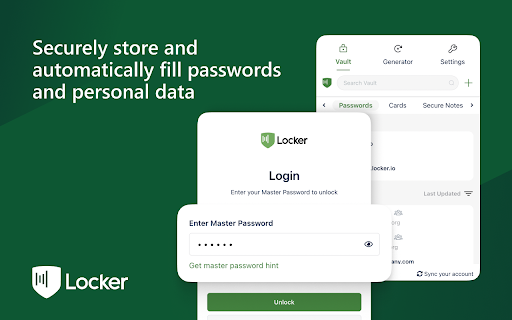
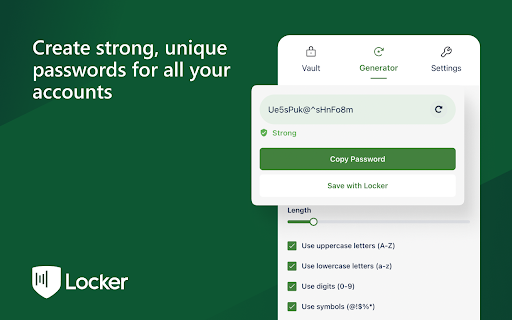

A browser extension makes your online presence secure and seamless. Locker is a cross-platform vault that help users secure sensitive digital assets such as logins and passwords, secret notes, payment cards, online identities, and crypto wallets. It also offers additional features to enhance browsing experience like password autofill, item sharing, and more. 1. Security - Locker uses military-grade encryption to secure your data. AES-256bit encryption combined with PBKDF2 and RSA algorithm makes your data is un-crackable. - Your vault is encrypted with a Master Password, which is the only key to decrypt your data. 2. Privacy & Transparency - Your Master Password is only yours. No body, even us, can see your Master Password thanks to Zero-knowledge development model. - Locker is an open-source product. Everyone can inspect its source code. We believe transparency is the key to better security. 3. Unlimited Sync - Once you add, edit, remove items in your Locker on a device, the data will be sync-ed across all other devices*. 4. Bring Your Passwords with You - With Offline Mode, you can use Locker anywhere, anytime, even when your phone is not connected to the internet**. No more password hassle. Free Your Mind. Install Locker. *Data is encrypted before they left the current device. **Offline Mode is only available on Locker mobile application (Android & iOS).

Dadan - Screen Recording & Annotation Tool
Record your mic, screen and camera with dadan. Share recorded video instantly with a link. Record your mic, screen and camera with dadan. Share recorded video instantly with a link. Dadan: Engage, Interact, and Manage Your Video Content Do you record a lot of videos, but wonder if they are truly effective? Are your viewers engaged? Do they take the right actions after watching your content? Dadan is your comprehensive platform to manage your entire video workflow. More than just a screen recording tool, Dadan enables you to create high-quality, interactive screen and webcam videos with audio, making every recording meaningful and action-driven. Key Features ✨ Create and Record ✨ 🎥 Record your screen, webcam, or both simultaneously 🖱️ Highlight your mouse to help viewers follow your actions ✍️ Annotate on screen while recording to draw attention to key elements ✂️ Use the built-in online video editor to trim clips, add annotations, update voiceovers, and apply zoom functions 🛠️ Use Cases for Screen Recorder 🛠️ 🛍️ Product Demos: Showcase your software or product features clearly and professionally 📘 Onboarding and Training: Guide new employees or users with step-by-step visual instructions 🎧 Customer Support: Explain solutions visually to reduce confusion and support tickets 📢 Project Updates: Share progress and walkthroughs with stakeholders or team members 🎓 Educational Content: Create video lessons, tutorials, or walkthroughs for learners 📅 Meeting Recording 📅 📌 Connect with Google and Outlook calendars to automatically record scheduled meetings 📝 Record and transcribe meetings into downloadable VTT files 🌎 Translate captions into over 100 languages for broader accessibility 🧩 Video Interactions 🧩 🔘 Call-to-action buttons 📊 Polls ❓ Quizzes ✅ True or False questions 💜 Ratings ✍️ Open-ended questions 📝 Custom text messages 🤖 Use AI to automatically generate relevant interactions 📨 Embed forms directly into your videos to capture viewer responses 🎨 Custom Branding 🎨 🖼️ Upload your logo to personalize your videos 🎨 Set your player page color to match your brand identity 🌐 Connect your own custom domain for a seamless viewer experience 🔒 Privacy Controls 🔒 🔑 Protect videos with passwords ⏳ Set link expiry dates and schedule availability 📵 Disable downloads to safeguard content 🚫 Restrict or revoke access at any time by making videos private 📤 Effortless Sharing 📤 📧 Share videos via email or direct link 👥 Create team workspaces for collaboration 🗂️ Organize videos using folders 📺 Build and share playlists or a public video profile With Dadan, you do not just create videos; you create experiences that engage, inform, and drive action. Start turning your video content into an interactive and productive asset today.

Chrome Close Lock
This extension opens a tab that can't be closed without your permission. This prevents you from accidentally closing a multi-tab browsing session. !!! NEW VERSION !!! We listened to everyone's comments and made a better but more simplified version of Chrome Close Lock. Click the GREEN button on the Chrome Close Lock start page to enable protection. The new Activation Auto Reminder feature reminds you to make sure you activate Chrome Close Lock's protection. NOTE: Chrome Close Lock protection is no longer automatically activated. Newer versions of Chrome now require you to interact with the page to activate the code that makes Chrome Close Lock work. We added the enable button for this purpose.

Viinyx - AI Assistant (ChatGPT, GPT-4.5, Claude 4, DeepSeek)
Powerful all-in-one AI copilot to increase your productivity. Use generative AI (ChatGPT, Claude, Gemini) to write & paint anywhere. Do more with AI – compose and revise 10x faster with Viinyx. Powerful all-in-one AI copilot to increase your productivity. Use generative AI to write and paint anywhere on the web. Works seamlessly on Gmail, Google Docs, LinkedIn, and many other sites. Access GPT-4, Gemini, Claude 4, and DeepSeek models ✍️ With only a short prompt, command AI to draft emails, write blog posts, create marketing copy, brainstorm ideas, translate text, review essays, etc. Access ChatGPT, Claude AI, Gemini and Llama, among others to generate text. 🎨 Generate images for social media posts, images to use on your website, logo designs for your company, illustrations for your book, or images for numerous other purposes. Use DALL·E, FLUX, Stable Diffusion and various other providers for generating images. 💬 Hit Options (⌥) / Alt + V to start chatting with AI ▶︎ Enter ‘/‘ into the Viinyx chatbox to view your library of saved prompts. ▶︎ Enable page awareness, web access, or academic search for more relevant, factual and up-to-date responses. ▶︎ Viinyx saves your chat history locally and syncs it across each tab in real time. ▶︎ Talk to images or alter them using AI. ▶︎ Talk to multiple PDF documents at once ✨ Type // to generate text and images – Unobtrusive AI writing assistant. ▶︎ Compose any kind of text content using your preferred AI providers (API connection to OpenAI, Claude, OpenRouter, etc.) ▶︎ Generate images on Google Docs, Medium, and everywhere else. ▶︎ Generate a quick contextually aware reply to a post, comment, comment reply, or message. ▶︎ Let AI continue where you left off, finishing your draft, with similar tone and style. 🔎 Summarise search results ▶︎ Summarise your search results or get an AI-generated answer to your search query – integrated with Google, Bing, Yahoo and most other major search engines. With this feature, you'll spend less time deciphering complex search results, making your online research a breeze. 🎞️ Summarise a video on any website ▶︎ Get quick summaries of videos of any length on any website. Viinyx is the perfect study companion for YouTube, Udemy, Coursera and more. 🪄 Highlight and modify text in one click ▶︎ Shorten, lengthen, improve grammar, reword and modify text quickly. 🖼️ Reimagine images on the web ▶︎ Leveraging prominent image-generating models like DALL·E, Google Imagen, and Adobe Firefly, Viinyx steps up to reimagine and regenerate images. Revamp images on the web, paint with AI, or create outstanding logos from just text. With Viinyx, churning out captivating concept art and enticing logos becomes natural. Viinyx is your AI-powered web assistant brilliantly designed to sprout creativity and bolster productivity by making your life significantly easier. An extension that brings together the power of robust AI models like GPT-4 and GPT-4o, Anthropic Claude 3, Google Gemini 2.0, OpenRouter models, and so much more. ➕ Much More Coming Soon ➕ This is still just the beginning. More amazing features are on the horizon to make Viinyx even more integral to your digital journey. 🔐 Privacy All your configurations, API Keys, browsing and session data, stored documents, and chat history are stored inside your device(s) browser. We do not transfer your data to any remote servers, nor do we sell your data to third parties. 📪 Contact Us We appreciate your valuable feedback. Please rate our extension and share your experience. For support, guidance, or any queries, feel free to get in touch with us at support@viinyx.com.

Stepsy: create step-by-step guide with screenshots
Struggle to describe your every step with screenshots in the browser manually? Welcome to Stepsy, your free AI-powered go-to solution for generating powerful, yet easy-to-understand step-by-step guides, SOPs, process tasks, or manuals, and sharing them with your colleagues and customers. Our software features have been proven to deliver exceptional results. With our intuitive interface and robust functionality, you can streamline your processes and achieve greater efficiency. Stepsy is free to use, along with Personal and Team plans to fit any team's needs. BENEFITS OF USING STEPSY: 📈 Increase data processing efficiency 📊 Improve workflow documentation accuracy ⚙️Ensure consistency across instructions ⏳ Save time of tedious work for each guide 🎯 Simplify the training and onboarding process STEPSY’S FEATURES: 📸Record your steps with screenshots on clicks: Just do your work, and we will automatically capture the screenshots with auto-generated descriptions. ✨Customize your screenshots: No need for other tools, we have a built-in image editor. ⚙️AI-tuned step descriptions and document summaries: Eliminate the need for manual repetitive text input, let us care about it. 📥Export and share via GDrive: Your guide quickly becomes shareable online via your own GDrive. 🔐Keep your screenshots safe: Your screenshots never leave YOUR space. Everything happens in YOUR browser and then gets exported directly to YOUR GDrive or YOUR local workstation. HOW TO USE STEPSY: Step 1. Get started Begin by downloading our extension for free. Step 2. Capture the process Navigate to the website you want to document. Then, open the Stepsy icon in your Chrome toolbar and click the “Record a Guide” icon to initiate the process. Once you've captured your process, you can edit and customize it with a built-in toolset. Step 3. Publish your results Simply click the “Finish and share” button and publish it as a Google Docs document directly to your Google Drive. WHO'S STEPSY FOR WHAT YOU CAN CREATE WITH STEPSY ✔️ Any documentation you need! What used to take hours, now takes seconds with our free step-by-step guide creator — empowering you and your team's productivity as well as allowing you all to focus on what truly matters: innovation and growth.
