
ddoojdgacehbmbpfnlecfhopecckmmfh

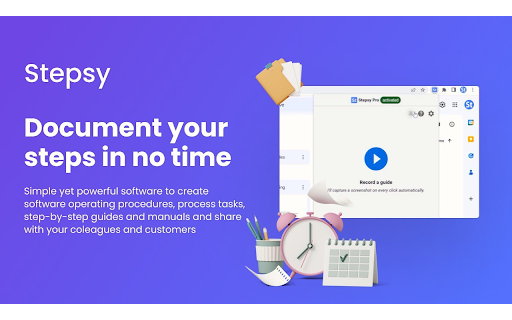
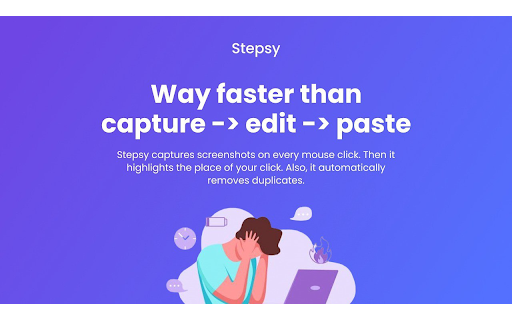

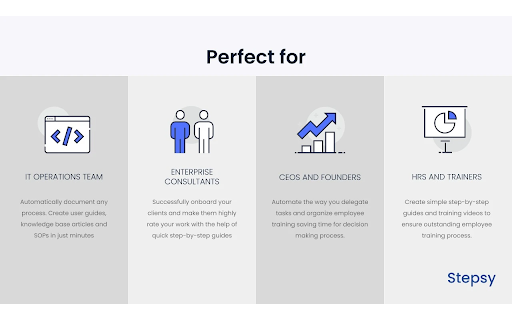
Struggle to describe your every step with screenshots in the browser manually? Welcome to Stepsy, your free AI-powered go-to solution for generating powerful, yet easy-to-understand step-by-step guides, SOPs, process tasks, or manuals, and sharing them with your colleagues and customers. Our software features have been proven to deliver exceptional results. With our intuitive interface and robust functionality, you can streamline your processes and achieve greater efficiency. Stepsy is free to use, along with Personal and Team plans to fit any team's needs. BENEFITS OF USING STEPSY: 📈 Increase data processing efficiency 📊 Improve workflow documentation accuracy ⚙️Ensure consistency across instructions ⏳ Save time of tedious work for each guide 🎯 Simplify the training and onboarding process STEPSY’S FEATURES: 📸Record your steps with screenshots on clicks: Just do your work, and we will automatically capture the screenshots with auto-generated descriptions. ✨Customize your screenshots: No need for other tools, we have a built-in image editor. ⚙️AI-tuned step descriptions and document summaries: Eliminate the need for manual repetitive text input, let us care about it. 📥Export and share via GDrive: Your guide quickly becomes shareable online via your own GDrive. 🔐Keep your screenshots safe: Your screenshots never leave YOUR space. Everything happens in YOUR browser and then gets exported directly to YOUR GDrive or YOUR local workstation. HOW TO USE STEPSY: Step 1. Get started Begin by downloading our extension for free. Step 2. Capture the process Navigate to the website you want to document. Then, open the Stepsy icon in your Chrome toolbar and click the “Record a Guide” icon to initiate the process. Once you've captured your process, you can edit and customize it with a built-in toolset. Step 3. Publish your results Simply click the “Finish and share” button and publish it as a Google Docs document directly to your Google Drive. WHO'S STEPSY FOR WHAT YOU CAN CREATE WITH STEPSY ✔️ Any documentation you need! What used to take hours, now takes seconds with our free step-by-step guide creator — empowering you and your team's productivity as well as allowing you all to focus on what truly matters: innovation and growth.

Guidejar: AI-Powered SOPs & How-To Guides
Guidejar is the go-to documentation tool for fast-growing teams to train employees, onboard users, and reduce repetitive queries. Record your workflow Launch the Chrome extension and walk through your process. Guidejar captures every step in the background and creates a guide with auto-generated instructions. Customize with ease Add your branding, fine-tune click targets, add AI-generated voiceovers or talking heads, translate content and do much more. Share or embed anywhere Send a link or embed your guide into websites, support docs, onboarding flows, or internal wikis. Export with flexibility Take your guides offline by exporting them as PDFs or high-quality videos — perfect for decks, training PDFs, or social content. Why Teams love Guidejar - Training without the overhead: Create SOPs and training materials for your team. - Smarter support: Add walkthroughs to help docs and reduce repetitive tickets. - Sales demos that convert: Share personalized product demos that close deals faster. Use Guidejar to simplify documentation, improve user experience, and move faster without the manual work. 👉 Install now and start creating smart, professional guides in minutes!

Opus●Guide
Opus.Guide is an easy-to-use Chrome extension that allows you to swiftly create step-by-step guides. Capture any in-browser process with just a click - the extension handles the screenshot capturing automatically. Here's the process: 1. Sign in to Opus.Guide. 2. Activate 'START' on the extension - it then records your browser actions. 3. Once done, refine your guide as necessary. Why should you install Opus.Guide? - Save Time: No more manually taking and uploading screenshots - Opus.Guide does it for you. - Be Accurate: Since it captures your process automatically, you won't skip any steps. - Simplicity: It's so user-friendly, anyone can create clear guides swiftly. By installing Opus.Guide, you can streamline the creation of instructions and guides, saving you time and effort. Whether you're onboarding new team members, demonstrating a process to clients, or sharing a how-to guide with friends, Opus.Guide is the hassle-free solution you need. Try it today and revolutionise the way you create instructions!

SmartCue:Interactive Product Demos in Minutes
Interactive, no-code demo builder & powerful analytics for high-performance GTM teams SmartCue helps go-to-market teams create & distribute interactive showcase of their products that can help them improve the quality of their MQLs. We help marketers improve the quality of their leads by eliminating the friction for their buyers to experience their products right at the beginning of the buyer’s journey thereby shortening the sales motion and ultimately, increasing revenue. Revenue & GTM teams use SmartCue for the following: - Embed interactive demos on websites, landing pages and marketing collateral - Replace pdfs and videos as ‘leave-behinds’ with self-serve, interactive product showcase - Increase product adoption & usage by creating interactive showcases of newly launched features and modules Customer Success, L&D and Onboarding teams also use SmartCue to rapidly train and onboard both internal & external stakeholders. With SmartCue’s interactive, self-serve product showcases, qualify leads better and faster, resulting in a shortened sales motion and increase in revenue.

InTab
edit any website's HTML and CSS visually 👓 Visually edit any website with InTab's No-Code CSS editor 🔍 Hover to inspect CSS - no need to open devtools 📱 Test your website responsiveness in 20+ devices with real-time sync 🏃♀️ Write CSS faster with built-in templates for animations/flexbox/grid layout 👇 1 Click to export auto-generated media quires and global CSS
