
lhdkpgngfiagclieobnhbcljckhelbjh

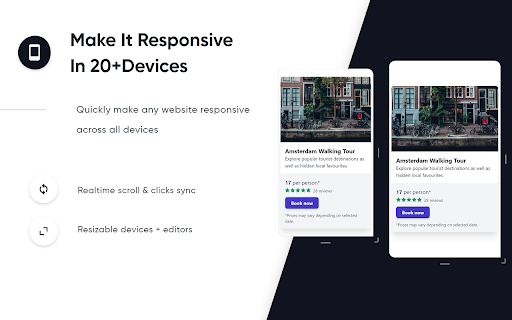


edit any website's HTML and CSS visually 👓 Visually edit any website with InTab's No-Code CSS editor 🔍 Hover to inspect CSS - no need to open devtools 📱 Test your website responsiveness in 20+ devices with real-time sync 🏃♀️ Write CSS faster with built-in templates for animations/flexbox/grid layout 👇 1 Click to export auto-generated media quires and global CSS

Beautifer & Minify
This extension helps you quickly to minify and beautify CSS, HTML and JavaScript code! Make your website smaller and faster to load by minifying the JS, HTML and CSS code. Featuring: ✅ CSS, HTML, JavaScript minifier ✅ CSS, HTML, JavaScript beautifier ✅ Multiple files minifier. Merge more files in one and minify it faster ✅ Possibility to sort multiple files by name ✅ Ace editor with monokai theme ✅ Emmet support ✅ Offline support for CSS, HTML and JS beautifier ✅ Open tools in new tab ✅ Minimal design Credits for open source code used by this extension: * Einar Lielmanis's beautifier JS library * Andy Chilton API's for minify * jQuery * Ace Editor Library * Emmet for JS

Designerd
Identify fonts and colors on any page. Vibeboard to sample styles and tweak CSS live. Tired of digging through Chrome’s inspect tool to find a hex code or font? Well, here's Designerd, a seamless way to inspect, edit and extract design properties on any website. Features: ▸ Inspect any element—typography, colors, spacing, borders ▸ Copy hex codes and values ▸ See every color and font on the page ▸ Download assets ▸ One-click links to Google Fonts, Adobe Fonts, Fontshare, and MyFonts ▸ Edit styles live—colors, spacing, borders—and see changes instantly ▸ Custom cursor when in inspecting ▸ When editing, use arrow keys (and shift+arrow) to nudge values up/down ▸ Create a vibeboard, download it as PNG, and drop it into any AI web builder to use as a reference No signup, no account, no backend, no Elements panel, no “which one was the color again?” — just the stuff you need, when you need it. Pro tip: You can set a keyboard shortcut (I recommend ⌥⇧D or ⌘⇧D) in Chrome’s extension shortcuts to toggle Designerd. I created Designerd for me, but I want to share it with you—for free—forever. I hope you like it. 🥰 If you do like it and insist, you can buy me a coffee. ✌🏽 https://buymeacoffee.com/rgb.dsgn

HTML Viewer
Use HTML Viewer to view HTML with an online page-code preview and CSS inspector for website markup analysis 🧩 HTML Viewer is a powerful and intuitive tool designed to make html view tasks simple, fast, and accessible. Whether you're exploring page structure, learning how to view html code in chrome, or searching for an easy html viewer online, this extension gives you a seamless way to view html and understand any webpage’s markup instantly. One of its core strengths is reliability: the extension works on all websites, provides stable state persistence, and includes an instant toggle to enable or disable functionality. This makes it perfect for users who need a flexible online html viewer and a practical Web markup viewer for daily work. Our html viewer also answers the common question how to view html code of a website by offering a detailed element information panel. This panel shows tag names, attributes, and computed styles, acting as both a html css viewer and a style-and-markup viewer with clean syntax formatting. It’s ideal for anyone looking for a code viewer html, html and css viewer, or online view html solution. 📌 The information panel is designed with: Developers and learners benefit from precise style inspection through a built-in CSS display. Default and empty values are filtered out, helping you view html source more clearly. This structured approach transforms the tool into a convenient html source viewer, Website structure viewer, and Online document-code analyzer. 🔍 DOM navigation is another highlight: ➤ Parent element navigation ➤ Full children list with previews ➤ Hover-based child highlighting ➤ Click-to-navigate DOM nodes ➤ Auto-scroll to selected elements For those who want more control, html viewer includes a live CSS editing system. It allows inline style modifications, double-click editing, and real-time updates. This makes the extension a practical Site code inspection tool and a lightweight alternative to complex devtools. 🛠️ CSS editing capabilities include: ▸ Add new properties ▸ Remove existing properties ▸ Apply live changes instantly ▸ Use Enter/Escape shortcuts ▸ Update styling with no reload The extension also serves as an online html view utility for users who need to quickly inspect markup without hidden formatting. Combined with custom scrollbars, smooth animations, and intuitive visual feedback, it becomes a polished Browser-based layout inspector suitable for beginners and advanced users alike. 🌐 The clean gradient theme and UI refinements make this webpage preview utility not only functional but pleasant to use. Whether you need a markup code display tool, a quick Web source preview service, or are simply learning How to inspect a site’s code, this tool makes the process straightforward. With stable on/off switching, persistent preferences, and compatibility with all websites, html Viewer becomes a dependable companion for everyday development. The extension simplifies viewing a webpage’s source code while staying lightweight, fast, and user-friendly. 📝 From students exploring online html viewer options to professionals who need consistent view html capabilities for design audits, html viewer provides a complete workflow. Its balanced feature set helps you understand structure, refine styling, and navigate the DOM with ease. Upgrade your workflow today with an extension that brings clarity, precision, and efficiency to every page you inspect 🚀

CustomBlocker
Filter any element on any web site with any condition with XPath, CSS Selector & RegExp CustomBlocker is a powerful Chrome extension designed to give users full control over the content they encounter on the web. This extension allows you to filter out any element on any website using a variety of selectors, including XPath, RegExp, and CSS selectors. This means you can block specific content across platforms—whether it’s muting tweets on Twitter, filtering out reviews on shopping websites, removing comments on Facebook, or eliminating unwanted domains from Google search results.
