
hghnkoikialmacnjlibfmlnhhihndepb

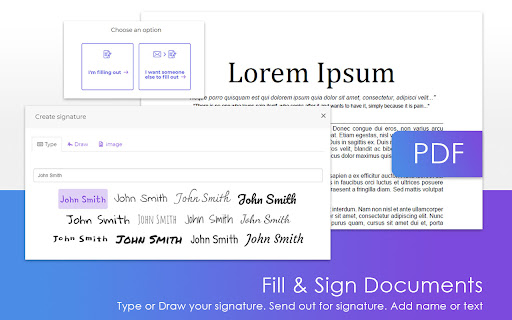


Free PDF Software to Edit, Convert, Sign & More. Integrated with Gmail DeftPDF - A Reliable, intuitive and productive PDF software. Edit, Convert, Fill, Compress, Merge, Split, Translate your PDF files. ★ Power-up your productivity by adding DeftPDF to Chrome! Works in the browser, without installing extra software. ★ Compress your PDF right inside your Gmail. ★ PDF Tools and PDF Converters: - PDF Editor - Reduce the size of your PDF - Merge, Split and Extract PDF Pages - Rotate and Delete PDF Pages - Fill and Sign and Send PDFs for Signature (PDF Filler) - Protect and Unlock PDF - Bates Numbering PDF - Crop - Grayscale - Add Header & Footer to PDF - N-up - Watermark - PDF / Word File Translation - Invoice Generator ★ How to use the DeftPDF Chrome Extension: 1. Search the tool you want to use and open the tool page 2. Upload PDF file (uploaded locally or Google Drive) 3. Make the change 4. Wait for your file to be processed 5. Download your new file ★ With DeftPDF you can process numerous file types: - PDF - Microsoft Office: Docx, Doc, Excel, PPT - Images: JPG, PNG, TIFF - Scans: OCR is available to extract data from PDFs into editable documents Please contact us at support@deftpdf.com if you have any issue

PDF editor PDFOffice to edit and create PDF
PDFOffice, a PDF editor to create and edit any PDF file using a web browser. PDFOffice is a PDF Editor online from which you can perform editing operations over PDF files but using your web browser. Moreover, it scans and collects the webpages you browse in the Internet. These webpages are uploaded to our servers in order to know if they contain PDF files that can be edited using our extension integrated with our online app. - Create a new document or open an existing one. - Insert texts with different font color. - Insert texts with different font size. - Use some different font style in your inserted text. - Move the inserted text in any part of the document. - Insert images - Download your modified PDF

PDF Editor Extension - PDFzorro
Open PDF files with Google Chrome™ and edit them with this PDFzorro Extension With this extension you can edit PDF files, that are opened in Google Chrome™. You also can open the free Online-PDF-Editor to edit PDF in the browser. You can rotate, split, sort pages. Secure or unsecure PDF files. Add text, annotation, draws or marks into the PDF. You also can add images to the PDF. Convert PDF to Word, Excel or PowerPoint. Enjoy PDFzorro, for free!

PDF Book Translator
Easy way to translation of your book in PDF format into another language.

Instant Multilingual PDF/HTML/TXT Translator
Translate text on PDF/HTML/TXT in two clicks, even for local docs. Now with ChatGPT support. 📖 Usage: Select text within any document and press Alt+Shift+A for an immediate translation (except for local PDF documents), or right-click on the text and choose 'Translate '. You can also enable the Selection Icon in Options — a floating icon appears when you select text, allowing instant translation with a single click. The translation will appear directly under your selection. With the integration of ChatGPT, Microsoft Translator, and Google API, the extension provides more accurate and context-aware translations, catering to an even broader range of language preferences. 🔍 Interactive Features: Clicking the extension button opens a popup window, allowing you to edit your selection. The extension features intelligent popup window management - when translating PDFs or when inline tooltips cannot be displayed, a smart popup window automatically appears with your translation. This popup remembers your preferred position across sessions and can be reused for multiple translations. Customize your experience by setting shortcuts, enabling the Selection Icon, choosing languages (supported by Google API, Microsoft Translator, and ChatGPT), configuring the popup window, and adding a 'Search the web' link for detailed information. The triple translation providers ensure a robust and versatile translation experience. 🌐 Compatibility: This extension works seamlessly with native PDF formats but is not compatible with protected or scanned documents. To translate local documents (PDF, TXT, HTML, etc.), enable the "Allow access to file URLs" option on the chrome://extensions page. ⚙️ Recent Updates and Improvements: - v4.8.0: Added Selection Icon for instant translation — a floating icon appears when selecting text (enable in Options), increased popup font size for better readability, improved messaging reliability. - v4.7.136: Enhanced popup window with keyboard shortcuts support (Alt+Shift+A works inside popup), automatic size and position memory, and context-aware styling. - v4.6.135: Added Chrome Web Store support hub link in Options, enhanced PDF translation reliability with improved accessibility detection. - v4.5.132: Enhanced PDF translation with intelligent popup window system — automatic fallback for PDF viewers, position memory, and multi-monitor support. - v4.4.129: Added Google API as a new translation provider. - v4.3.115: Integrated ChatGPT for context-aware translations. - Ongoing improvements in response time, API support, and overall functionality.
