
fldhbblbhbmilgnkklhlfablfiahlhke


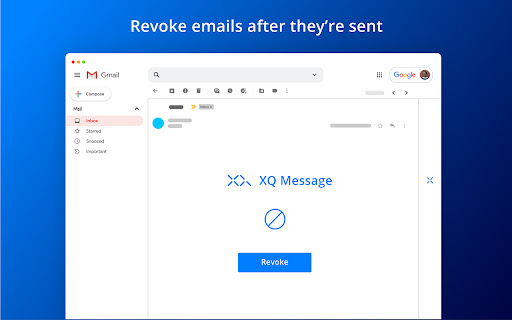

Data protection and email security for professionals and businesses when collaborating with customers and suppliers. XQ’s Secure Email is the simplest way to directly encrypt and track messages and files from your Gmail & Outlook workflows. It’s free to install and allows you to take encryption anywhere you work! With XQ, you can safely and securely communicate sensitive data with colleagues and third parties. You’ll never have to worry again about sending sensitive information and having it accessed by anyone other than the intended parties. Your data is encrypted before leaving your device and moving to the cloud, which makes it easy for employers to meet data privacy and compliance obligations. Easy Zero Trust Data Protection For Your Digital Workflows Extend Zero Trust security control across your entire communication workflow, starting with complete platform email protection. XQ helps teams meet compliance and maintain the recommended safeguards' integrity, availability, and confidentiality. Business Email Compromise Business Email Compromise is the #1 cyber-attack on businesses today. Breaches from Business Email Compromise and data leaks present a significant business risk. XQ can prevent damage from these attacks in real-time. The damage is already done when you notice and remediate the breach. XQ immediately notifies your admin when a Business Email Compromise (BEC) occurs and identifies where the attack is originating. XQ helps you reduce the risk of a breach and reduce the time a bad actor has access from months to minutes. XQ’s Secure Chat can also help remediate a BEC through its ephemeral secure channels. Know Sooner You know where your email recipients should be Immediate notifications if someone is trying to access your data who shouldn’t be Prevention Stop BEC while it is happening Rule sets stop unauthorized access by identity and geography Control Data After it is Sent Set identity, time, and location limits on your data Revoke access at any time For businesses concerned with Business Email Compromise, XQ is the best choice available. Ransomware Extortion Protection With millions of dollars at stake, ransomware attackers will likely find ways to hack into email even as their protections improve. Hackers will conduct a three-stage attack: Encrypt Your Data Encrypt your data and deny you access to it and your network. Exfiltrate Your Data Make a copy of your data Extort Your Company Demand payment each month with the threat of publishing all your intellectual property and customer data to the dark web. XQ encrypted email and files make that data useless. Each email is encrypted separately with its own key and its own dynamic access policies. Even if someone does gain access, with this level of granularity your email now has a blast radius of ONE. Dont let one mistake jeopardize your entire company. Lifecycle End-to-End Email and File Encryption Across Email, Files, Chat, Forms Deploy a single data control platform across your communications work suite starting with Gmail & Outlook that gives you a single security plane visibility across all your organizations' communications internally and externally. Secure Sharing As private company & consumer data is shared across cloud environments and disparate networks, XQ keeps it secure with continuous protection and lets you govern access throughout the data lifecycle. Ease of Use Senders and receivers should both have simple email and file security experiences. One button encryption for email and files for all users and recipients natively embedded in Gmail & Outlook does the trick. XQ is the easiest way to have digitally secure workflows and to extend that security to customers, vendors, and coworkers. XQ is layer on security and control that works where you already work. Data Control Your data is most at risk after it leaves your possession. With XQ, you retain the ability to know what happens to your data, revoke access to it or reprovision it with granular access controls for Data Lifecycle Management. Keep track of when, where, and by whom your data was accessed and reprovision or revoke access to that data even when it is in someone else's mailbox. Gain effortless and Unprecedented Control Over Your Data Data Blind XQ won't read your emails because we never have your data. The encrypted content stays within your existing service (i.e., Gmail & Outlook), and we provide the logic to encrypt, decrypt and modify the policies for data access. File Protection Keep attachments secure even after being sent from Gmail or Outlook to desktops, shared folders, Google Drive, or wherever files are stored and transmitted. Track when, where, and by whom access attempts occur. Secure Bubble Use XQ to build a secure bubble for colleagues, clients, vendors, and third parties. With encrypted messaging, you can be sure that your data are safe and secure. All of your invoices, contracts, and documents can be securely exchanged. Further, encrypted messages can be used as a verified channel to prevent phishing attacks and establish message provenance. Message Expiration Do you want an email with your name, address, and credit card information sitting exposed in your vendor’s inbox forever? Probably not. That’s why XQ lets you set an expiration date for any message you send. Choose any length of time, from six hours to six months. Revoke Message Unsend emails by revoking access to encrypted emails by the recipients. Just click the “Revoke” button, and your email is no longer accessible. Data Compliance Shouldn’t be a Hassle Privacy and Compliance Ensure only the intended recipients can read private consumer data. Meet the strictest compliance requirements with zero trust end-to-end encryption preventing unauthorized access to email, chat, support, forms, files, and data in flight to the cloud and throughout its lifecycle. XQ helps support HIPAA, PCI, GLBA / FINRA / SOX, GDPR, ITAR, EAR, CMMC, CUI, CJIS, and FERPA. Cross-Worksuite Collaboration XQ Message enables your workforce to collaborate and innovate safely in the applications they already use inside and outside your organization. XQ is deeply integrated into your current worksuite protecting data as it is shared across unknown environments. Chain of Custody for Visibility Across Environments Each interaction with your data, whether it is IoT, CCTV, email, or chat, is logged with who, where, and when the access was attempted. Each data object has its own individual and unique key and is bound to individual policies. This provides you with an unparalleled ability to manage your data inside and outside your organization. XQ provides a complete auditable trail. Data Residency XQ uniquely geolocates each data access request. This also means XQ can geofence data so that it never leaves its designated geography. XQ is the only solution providing geofencing at the data level for GDPR compliance. With XQ, data stays where it is supposed to. Data Control To Power Business Lifecycle end-to-end encryption data protection Extended trust frictionless sharing with customers and colleagues Maintain data visibility with audit logs to see who has attempted to access data, track where data travels, and take action to reduce/ mitigate breaches. Use SIEM integrations to improve threat remediation workflows. Customize your data loss prevention rule policies from the edge to the cloud. Use XQ Secure for protected file exchanges and collaboration. Securely connect site-to-site and on-prem to cloud data transfer BAA documents are available upon request for healthcare clients Your Data Can Do More Data-Centric Security Other solutions protect data by focusing on the security of networks, servers, or applications. XQ protects the data itself. Data-centric security allows organizations to overcome the disconnect between IT security and business strategy by marrying security services to the data they protect; When security isn’t an end in itself, data can do more. Extraordinary Ease of Use Changing behavior is hard. For security to work, people need to be able to use it easily. XQ is seamlessly incorporated into users’ existing workflows for extraordinary ease of use. Full-Lifecycle Data Control and Visibility Easily view who has accessed or forwarded an email — and adjust or revoke data access controls at any time. Integrate XQ with your SIEM to strengthen threat response and streamline compliance audits. Seamless Experiences Recipients who don’t have XQ installed still get the benefits of best in class user experience. Quick Deploy and Configuration Get up and running in a matter of minutes. Period. Data Loss Prevention (DLP) from the Edge to the Cloud There isn’t another system like XQ. Our patented architecture is true data-centric zero trust that future proofs your data security. XQ microsegments data at the edge and encrypts that data object with its own key and policies that protect it and tracks it throughout its life from the edge to the cloud throughout its lifecycle. XQ keeps your data safe wherever it lives. We protect & track all interactions with each data object from the network edge to the cloud. Our communications applications protect your data in email, chat, support, forms, and file sharing. Through our layer-on patented architecture, our goal is to securely connect data for the entire internet.

Lockmagic Gmail Encryption
Send secure, end to end encrypted email messages to anyone in the world while maintaining control of your shared content ★🔓 Seamless End-to-End Encryption - Patented identity-based client-side email encryption. - Simple to use, quick and secure. ★ Effortless Email Encryption - Users don't have to change the way they work. - Fully integrated inside GMail UI for best user experience. - Recipients internal or external don't have to install any software. ★ Enables compliance and data privacy regulations - FERPA, CCPA, HIPAA, and more - Doctors, Teachers, Accountants, Lawyers, and others are using LockMagic to protect sensitive information to meet regulatory compliance. ★ Data Privacy - Data stays private in your local device at all times. - You don't have to trust Gmail or any messaging system with your sensitive emails. ★ 🔏 Seamless Secure Sharing - Send encrypted messages and attachments while maintaining control to anyone in the world - Seamless secure forwarding enables collaboration with others without impacting business workflows and people productivity ★ Stay in control of your data - Set message expiration, revoke messages anytime, copy protect message and attachments, disable forwarding and more. ★ One-Click Encryption - With a single click the entire message is encrypted before it is sent. - Attach large files of any size. ★ 🌐 Always-On Protection - Email messages are sent and stored encrypted at all times. - Blocks recipients from forwarding secure messages to unintended people. - Automatic encryption of reply messages. - Download and store encrypted messages anywhere. ★ 📳 Stay Informed - Learn who, when and where your email messages are viewed in a world map. - Receive read receipt and email notifications whenever your messages are viewed. - Receive instant notifications on your mobile phone. ★ ⛔ Recall, unsend and revoke access to secure messages at any time. By clicking the “Install” button above, or by otherwise downloading or installing the Lockmagic Gmail Encryption Extension referenced above, you consent to be bound by the Lockmagic Terms of Usage (https://www.lockmagic.com/doc/terms.pdf). If you are installing the Lockmagic Gmail Encryption Extension, or otherwise accepting the Lockmagic Terms of Usage, on behalf of an entity, you represent to Lockmagic that you have the legal authority to do so.

PassLok for Email
High security encryption for email. PassLok is in no way associated with Gmail, Yahoo, or Outlook. ⚠️ PASSLOK FOR EMAIL IS DEPRECATED: PLEASE UPGRADE TO PRIVACY BAR ⚠️ Due to continuous, unannounced layout changes by email providers like Gmail, Yahoo, and Outlook, maintaining reliable embedded toolbars has become unsustainable. Recent interface updates have permanently broken the integration for this extension. To ensure your secure communications are never interrupted again, we have migrated all core features of PassLok for Email into our actively maintained flagship extension: Privacy Bar. Privacy Bar gives you the exact same serverless, battle-tested encryption, but interacts with your browser through a stable interface that email providers cannot break. It is fully backward-compatible with your existing Lock collection, which you can read from sync storage. 👉 Search the Chrome Web Store for "Privacy Bar" or visit privacybar.net to upgrade. TAKE PRIVACY INTO YOUR OWN HANDS Easy, end-to-end secure encryption for email, plus real-time chat, that does not rely on servers and is therefore immune to hacking or government intervention. Right now PassLok for Email supports Gmail, Yahoo mail and Outlook online. If you need any other emails right away, check out PassLok Universal, which is also more resistant to changes in the services. --PassLok for Email is incredibly easy to use-- To encrypt a message or file, just click the PassLok icon at the bottom of the Compose or Reply box. A popup will take your private message and encrypt it with the click of a button. Then you can send it out like any other message, or as an attachment. To decrypt it, click the PassLok icon at the top of the encrypted message. A popup will show the decrypted message or file immediately, or will tell you if there is any problem. PassLok asks you for your Password only once. It can be anything you want, so you can actually remember it. PassLok will evaluate its strength and compensate for its weakness by lengthening the computations. It won't be stored or sent anywhere, and PassLok will forget it after five minutes of inactivity. If you want to change your Password, go ahead and start using a new one when PassLok asks you for it. You may be asked for the old Password if PassLok can't decrypt something, but otherwise that's all you'll have to do. You can use either of these two encryption modes, by just clicking a button: 1. Signed mode: encrypted messages can be decrypted again, so long as the recipients supply their authentic passwords. Recipients are also assured that the message was encrypted by the sender. 2. Read-once mode: after a few encrypted messages have been exchanged they can no longer be decrypted by anyone, even if they supply the correct passwords. In addition, you can make encrypted chat invitations which, when decrypted by the recipients, open a webRTC real-time chat session where participants are directly connected to one another. The chat session includes text, files, audio, and even video. PassLok for Email allows you to encrypt files and images as well. Just load them with a toolbar button. You can also encrypt them separately and load them as regular attachments. You can also communicate with users of services not supported by PassLok for Email. They can use PassLok Privacy (also in the Chrome store), which has a special mode fully compatible with PassLok for Email. For the very paranoid (and who isn't these days?), PassLok for Email includes four special features: 1. Encrypt to image: the message is encrypted into an image you supply and then attach to your email, so the presence of a hidden message cannot be detected even by computer analysis. 2. Concealed mode: the encrypted message does not look encrypted, but actually looks like normal text. PassLok still detects it and decrypts it normally, though. 3. Invisible mode: the encrypted material cannot be seen at all. It is hidden in the space between the lines of an otherwise normal message. 4. Hidden msg: there is a hidden message in addition to the regular message, and it is encrypted by a separate key. The hidden message is completely undetectable to those who don't know it exists. Images also can contain hidden messages. --State-of-the art security-- PassLok is based on the NaCl encryption engine, which uses 255-bit standard elliptic curves vetted against weaknesses by experts. On top of that, it uses the 256-bit XSalsa20 symmetric cipher, a high-performance, open source algorithm, which has been scrutinized by experts for nearly a decade without any practical weaknesses being found. The image-encryption part of PassLok, developed in-house but open-source, has recently been shown to be much harder to detect than F5, the champion steganography tool until now. PassLok does not use servers that might eventually compromise your private data. All encryption is done client-side. All data sent to the email server is encrypted, and they don't have the password that decrypts it. With PassLok, you can actually SEE that that your messages have been encrypted. You can also see the code. PassLok hides nothing from you. PassLok for Email is now in public beta testing. To report any bugs or suggest improvements, please submit them as "Issues" at this GitHub page:

689Cloud SecureMail
Secure, Track, and Take Control of Your E-mail Attachments. Send Large Files Too! SecureMail by 689Cloud allows business users to secure and track their E-mail attachments as well as send files up to 1GB. Free users can send up to 100 files a month, while the Pro version allows up to 200 files and also has advanced DRM protection and tracking for downloaded files. E-mail attachments are by far the most popular way to share files. Its benefits are ease of use as well as ubiquity. However, when a file is sent by E-mail, there is a risk that confidential or valuable data can be leaked or stolen. Once you click on “Send”, you have no way of revoking access, limiting re-sharing, or tracking who has downloaded your file. SecureMail fixes the E-mail attachment security problem. • Files sent with SecureMail are converted into a link that can only be accessed by the recipients specified in the E-mail. Recipients are verified with 2-factor authentication before they can view or download files. • PDF, Word, Excel, and PowerPoint files can be sent as view-only links. Since the files cannot be downloaded, this dramatically reduces the risks of data leaks. The documents can also be watermarked for additional protection. • For downloadable files, SecureMail can encrypt them in a password-protected ZIP file. The password is unique to each recipient and is automatically generated and sent to the recipient so that you do not need to worry about managing passwords. • In the Pro version, downloadable PDF, Word, Excel, and PowerPoint files can be copy-protected using our proprietary digital rights management (DRM) technology. DRM protection prevents files that are downloaded and saved from being copied and re-shared. Access is tracked, and on some platforms, screen- captures and copy/paste are blocked. Files can even be revoked after they have been downloaded. Track and control the files you send. • Using the SecureMail console, you can track who has viewed or downloaded your files. You can stop access to files at any time, and with the Pro version, you can even revoke files that have been downloaded and saved. Send videos, archives, and other large files • SecureMail allows you to send files as large as 1GB, making it ideal for videos and other large files. With SecureMail, you get the convenience and ease of E-mail attachments while increasing security, traceability, and control.

Secure Exchanges for Gmail
Protect your Gmail email exchanges with a strong encryption. Protéger vos échanges courriel Gmail avec un cryptage puissant Turn your Gmail into a digital fortress. Our Chrome extension is built on the backbone of advanced, robust technology that ensures the safety of every message and every conversation. Here's why you should make the switch: Cutting-edge Encryption: With our military-grade encryption algorithm, even the most sophisticated cyber threats can't intercept your communications. PDF Document Signing: Included in the price of our packages is the feature to sign PDF documents, encrypted end-to-end. Recipient Convenience: The recipient doesn't need to create an account. Messages can be protected with a password and/or a SMS code for added security. Strong Authentication: Ensure only the intended recipients can read your messages. No impostors allowed! Seamless Integration: The extension works silently in the background, without disrupting your usual Gmail experience. Privacy Respect: Unlike other solutions, we never store or access your emails. Your privacy is paramount. Continuous Updates: Our dedicated team works tirelessly to ensure the extension is updated with the latest security threats and technologies. Don't leave your communication's security at the mercy of hackers. Choose peace of mind. Protect yourself with our Chrome extension for Gmail today!" ---------------------------------------------------------------------------------- Français: Transformez votre Gmail en une véritable forteresse numérique. Notre extension Chrome est conçue sur les fondements d'une technologie avancée et robuste qui assure la sécurité de chaque message et de chaque conversation. Voici pourquoi vous devriez l'adopter : Intégration transparente : L'extension fonctionne silencieusement en arrière-plan, sans perturber votre expérience Gmail habituelle. Mises à jour continues : Notre équipe dédiée travaille sans relâche pour s'assurer que l'extension est à jour avec les dernières menaces et technologies de sécurité. Ne laissez pas la sécurité de votre communication à la merci des hackers. Choisissez la tranquillité d'esprit. Protégez-vous avec notre extension Chrome pour Gmail dès aujourd'hui!
