
bnjglocicdkmhmoohhfkfkbbkejdhdgc


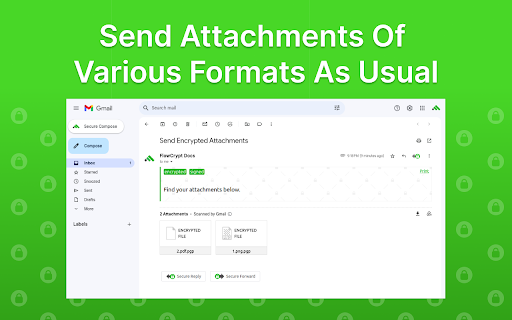
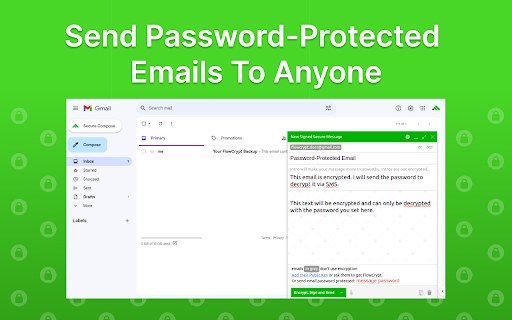
Simple end-to-end encryption to secure email and attachments on Google. 🟢 A simple end-to-end encryption to secure your emails and attachments on Google, including Google Workspace, Business, and Enterprise using OpenPGP. 🟢 FlowCrypt lets you use PGP encryption by generating a private and public key. It uses the recipient’s public key to encrypt the email, and only the recipient’s private key can decrypt the message and reveal its content. 🟢 Adds a Secure Compose button to Gmail, allowing you to send private PGP-encrypted emails when you choose to. 🟢 We update the extension regularly (see the "Updated" field to the right). FlowCrypt allows you to: ✔ Set up the extension in just a few clicks. ✔ Generate private keys using the ECC and RSA (up to 4096-bit) algorithms. ✔ Use FlowCrypt’s own Attester public key server. ✔ Send and receive encrypted emails and attachments (up to 25MB, with previewing functionality) to anyone. ✔ Send and receive encrypted emails directly or through Encrypted Contact Page. ✔ Send password-protected emails to the recipient who doesn’t have any OpenPGP software (as well as receive such emails). ✔ Sign encrypted emails to let your recipients verify that the message is from you and that the content hasn’t been modified. 📩 Looking forward to your feedback! Please email us at human@flowcrypt.com.

PixelBlock
PixelBlock is a Gmail extension that blocks people from tracking when you open their emails. PixelBlock is an Gmail extension that blocks email tracking attempts used to detect when you open and read emails. PixelBlock displays a 'red eye' when it finds and blocks a tracking attempt inside of an email.

Shodan
The Shodan plugin tells you where the website is hosted (country, city), who owns the IP and what other services/ ports are open. The Shodan plugin for Chrome automatically checks whether Shodan has any information for the current website. Is the website also running FTP, DNS, SSH or some unusual service? With this plugin you can see all the info that Shodan has collected on a given website/ domain.

Lockmagic Gmail Encryption
Send secure, end to end encrypted email messages to anyone in the world while maintaining control of your shared content ★🔓 Seamless End-to-End Encryption - Patented identity-based client-side email encryption. - Simple to use, quick and secure. ★ Effortless Email Encryption - Users don't have to change the way they work. - Fully integrated inside GMail UI for best user experience. - Recipients internal or external don't have to install any software. ★ Enables compliance and data privacy regulations - FERPA, CCPA, HIPAA, and more - Doctors, Teachers, Accountants, Lawyers, and others are using LockMagic to protect sensitive information to meet regulatory compliance. ★ Data Privacy - Data stays private in your local device at all times. - You don't have to trust Gmail or any messaging system with your sensitive emails. ★ 🔏 Seamless Secure Sharing - Send encrypted messages and attachments while maintaining control to anyone in the world - Seamless secure forwarding enables collaboration with others without impacting business workflows and people productivity ★ Stay in control of your data - Set message expiration, revoke messages anytime, copy protect message and attachments, disable forwarding and more. ★ One-Click Encryption - With a single click the entire message is encrypted before it is sent. - Attach large files of any size. ★ 🌐 Always-On Protection - Email messages are sent and stored encrypted at all times. - Blocks recipients from forwarding secure messages to unintended people. - Automatic encryption of reply messages. - Download and store encrypted messages anywhere. ★ 📳 Stay Informed - Learn who, when and where your email messages are viewed in a world map. - Receive read receipt and email notifications whenever your messages are viewed. - Receive instant notifications on your mobile phone. ★ ⛔ Recall, unsend and revoke access to secure messages at any time. By clicking the “Install” button above, or by otherwise downloading or installing the Lockmagic Gmail Encryption Extension referenced above, you consent to be bound by the Lockmagic Terms of Usage (https://www.lockmagic.com/doc/terms.pdf). If you are installing the Lockmagic Gmail Encryption Extension, or otherwise accepting the Lockmagic Terms of Usage, on behalf of an entity, you represent to Lockmagic that you have the legal authority to do so.

Digify for Gmail: Encrypt, track, and unsend
Automatically encrypt messages & attachments, track file views & opens and revoke access even after sending. As seen on Venture Beat, Product Hunt, Netted by the Webbys - Webby Awards: Stay in control of your confidential messages and documents with Digify for Gmail, a free-to-install Chrome extension. - Protect your emails and files with advanced encryption and security - Control who can access your message/file and restrict downloading or printing - Add a dynamic watermark that includes the recipient’s email address - Set an expiry date or a self-destruct timer for your message/file - Digify automatically encrypts your composed message and file attachments Find out if your message and attachments were viewed by the right people - View statistics to know who has viewed your message and attachment, how many times and for how long - Track documents views, prints and downloads Unsend your attachments and revoke access anytime - Whether you’ve changed your mind or sent a file by mistake, you can easily revoke a message or a document from all recipients. To get started, install Digify for Gmail and sign up for a free Digify trial account. For feedback or questions, please contact us at support@digify.com
