
bjpmhilaocnimnflbgjoegdagnbhiooe
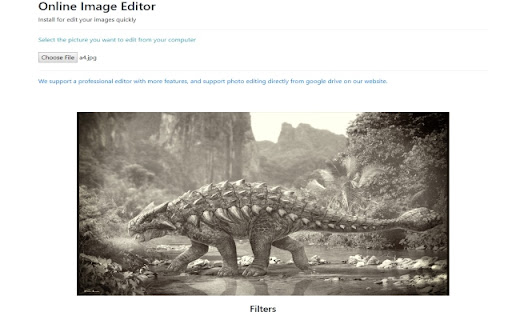

Install for edit your images quickly. Need a quick and simple method to edit your images online? Our software Image Editor for Google Chrome™ supports the most popular image formats such as JPG/ JPEG / PNG / GIF Our image editor provides plenty of features such as Adding rounded corners to your photos Change the brightness of your photos Change the contrast Add Filters to the photo Blur the photo if you want a more historical feel To begin using our software Image Editor for Google Chrome™, simply install and open the image you wish to edit. Its that simple! Disclaimer: Please note this extension is NOT made by Google and is made by an independent development team. All copyrights belong to their respective owners. Google doesn’t endorse or sponsor this Chrome extension. Image Editor for Google Chrome™ is not owned by, is not licensed by and is not a subsidiary of Google Inc.

Image Editor
You can modify image text, image text, image watermark, rotation, filter, crop, flip, color. And get the DataURL of the picture. Right-click the picture to edit online! Edit pictures online, you can modify text, image text, image watermark, rotation, filter, crop, flip, color. And get the DataURL of the picture. Features Load image to canvas Undo/Redo (With shortcut) Crop Flip Rotation Free drawing Line drawing Shape Icon Text Mask Filter Image Filter

Free Photo Editor
You can modify image text, image text, image watermark, rotation, filter, crop, flip, color. And get the DataURL of the picture. Right-click the picture to edit online! Edit pictures online, you can modify text, image text, image watermark, rotation, filter, crop, flip, color. And get the DataURL of the picture. Features Load image to canvas Undo/Redo (With shortcut) Crop Flip Rotation Free drawing Line drawing Shape Icon Text Mask Filter Image Filter

Photo Editor Online
Online image editor lets you create, edit images, graphic design using HTML5 technologies. No need download or have obsolete flash. ➤ Features 🔹Files: open images, directories, URL, data URL, drag and drop, save, print. 🔹Edit: Undo, cut, copy, paste, selection, paste from clipboard. 🔹Image: information, EXIF, trim, zoom, resize (Hermite resample, default resize), rotate, flip, color corrections (brightness, contrast, hue, saturation, luminance), auto adjust colors, grid, histogram, negative. 🔹Layers: multiple layers system, differences, merge, flatten, Transparency support. 🔹Tools: pencil, brush, magic wand, erase, fill, color picker, letters, crop, blur, sharpen, desaturate, clone, borders, sprites, key-points, color zoom, replace color, restore alpha, content fill. 1. Basic: resize, crop, flip, image adjustments, apply filters, add stickers, support layers, paths, multiple files and pixel art. 2. Layer Styles: drop shadow, color and gradient overlays. 3. Transform: rotate, scale, move. 4. Text: insert and edit your text. Many beautiful fonts. 5. Pen: create shapes or paths by bezier curve. 6. Painting: brush, pencil, eraser tools. 7. Selection: copy, cut, delete, fill, and stroke. 8. Flood Fill/Gradient: fill area with single color or gradient. 9. Eyedropper: sample colors from image. 10. Tuning: blur, sharpen, and smudge. 11. Works with Google Drive. You can also click "More Apps" to see other great extensions we have developed. These are just other extensions we have developed that are not included in Photo Editor Online. By design, your data stays at all times on your Google account, never saved in our database. Your data aren’t shared with anyone, including the add-on owner. We complies with privacy laws (especially GDPR & California Privacy Act) to protect your data.

Gimp online - image editor and paint tool
Create and edit images and photos with Gimp Online Gimp Image Editor is a tool for tasks like photo and image retouching, image composition and image authoring. It is an integration with the Linux Desktop app GIMP (GNU Image Manipulation), a freely distributed program that provides many capabilities. It can be used as a simple paint program, image editor, an expert quality photo retouching program, an image renderer, or an image format converter. It is an image editor integrated with our file manager to manage only image file types with this desktop app. GIMP is ideal for advanced photo retouching techniques. It gets rids you of unneeded details using the clone tool, or touch up minor details easily with the new healing tool. Moreover, numerous digital photo imperfections can be easily compensated for using GIMP. Fix perspective distortion caused by lens tilt simply choosing the corrective mode in the transform tools. - Suite of painting tools including Brush, Pencil, Airbrush, Clone, etc. - Image editor. - Sub-pixel sampling for all paint tools for high quality anti-aliasing. - Extremely powerful gradient editor and blend tool. - Supports custom brushes and patterns. - Full alpha channel support. - Layers and channels. - Multiple Undo/Redo. - Editable text layers. - Transformation tools including rotate, scale, shear and flip. The file format support ranges from the common likes of JPEG (JFIF), GIF, PNG, TIFF to special use formats such as the multi-resolution and multi-color-depth Windows icon files. Gimp Image Editor uses the GIMP license: GPL. Hence it can be installed and distributed for free. This extension uses the platform http://www.offidocs.com from which this software is served. It is available for free online users but it also allows the integration with premium users and on-premises OffiDocs deployments where the OffiDocs GIMP is installed. IMPORTANT: This extension scans the webpages browsed in order to detect image files. The image files detected appear in a file list located in the extension popup that are retrieved from our servers. The scanning is performed from our servers for a maximum efficiency so your webpages are reported to our system. No personal data is collected. This scan can be disabled with a checkbox that appears in the extension popup. If you disable this scanning, this functionality is not available so then the extension functionality is very limited.
