
plpdjbappofmfbgdmhoaabefbobddchk
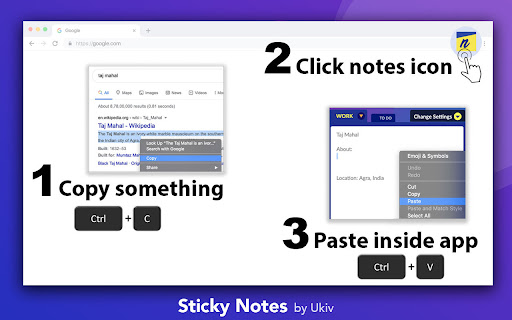
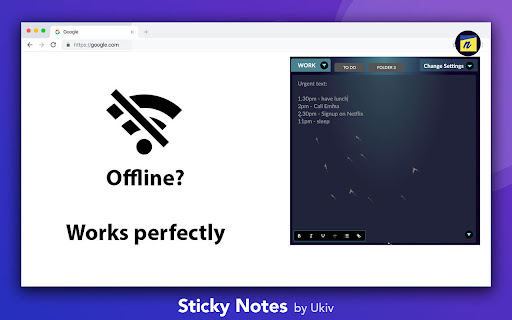


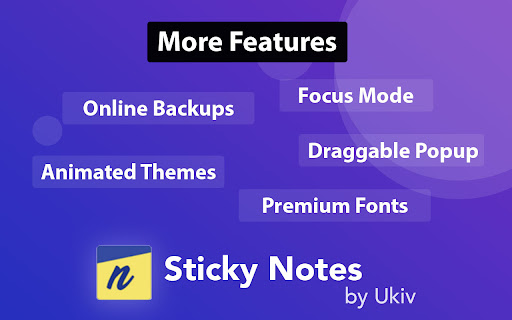
Sticky Notes - Quick & Personal Note taking! A perfect tool for taking quick notes inside your browser with a single click. Unique 3 notes layout will give you quickest access to multiple notes. It is a simple & easy note taking experience. DO NOT uninstall or reinstall the app without taking the backup of your notes. Your app data gets reset once you uninstall. *1. If you are not able to find app icon after installation:* After successful installation, make sure to click Pin icon inside the jigsaw-extensions icon. (This jigsaw-extensions icon is on the right-top of the browser) This is new decision by Google team for fast access of an extension and is outside our control, kindly follow this one-time process to experience 1-Click opening of this note taking app like before. *2. Premium upgrade is recommended* This app needs premium licence to enable all the features. Get the awesomeness here: https://getstickynotes.com/buy-now *3. We care for your Privacy* Online backups are optional. If you do not turn them on, your notes data NEVER leaves your computer. Although we would highly recommended to purchase premium and to make sure you never loose your data due to any unplanned reason. In a survey, Nearly 70% of the users reported they have lost digital data once or more. *4. As this is personal single device app. Following applies: * a. Sync between multiple devices is NOT AVAILABLE. b. Sharing notes with other users is NOT AVAILABLE. c. Using premium account in Multiple profiles of chrome is NOT AVAILABLE. Contact us if you need. Sticky Notes has been crafted for everyone. Whether you are an entrepreneur, or employed in a job, a student, a teacher, you will surely love it. ** Latest Release (2024) ** 1. Improved performance 2. Bug fixes & improved login flow 3. Improved themes & design 4. Added more discounts and coupons for users with tight budget. ** Update (2023) ** 1. Improved performance 2. Supporting market and economic situtation, we are giving steep discount to affected users throughout 2023. 3. Bug fixes 4. More themes and fonts added 5. Black friday sale and added more discounts ** Update (Feb 2021) ** 1. More animated themes added included Christmas and Covid. 2. More fonts added 3. Focus Mode added 4. Dark mode is now free 5. More font sizes added 6. Supporting Covid recovery, we are giving steep discount to Covid affected users throughout 2021. 7. Supporting Covid recovery, Covid game added. Play and enjoy in app. 8. Bug fixes ** Update (October 2020) ** 1. Black Friday sale ran for a month. This was our biggest discount ever! ** Update (Aug 2020) ** 1. More discounts and deals for the premium plan 2. Free* year of premium for all Covid affected employees and their family members. 3. Improved stability - and fixed bugs. Email us at support@ukiv.com if you find more issues. ** Update 1.9.5 (Nov 2017) ** 1. Added most awaited donation option. Now you can support the developers and get new features faster. ** Update 1.9.4 (Nov 2016) ** 1. "Always on top" removed from sticky notes. Reason: "Panel" support was removed from the Google Chrome. ** Update 1.8.4 (Jan 2016) ** 1. Last character entered bug fixed 2. improved app stability and looks 3. user can now download or print note ** Update 1.8.2 (June 2015) ** 1. Initial load performance boost 2. Sticky notes can now be popped out of the chrome 3. Improved menu UI ** Update 1.6 (August 2014) ** 1. Improved overall looks of the app. ** Update 1.5 (July 2014) ** 1. Option to change "Font Style" 2. Option to change "Font Size" 3. Option to choose "Theme" for your note. 4. Added "WhatsApp support". ** Update 1.2 (2013) ** 1. Added Multiple device Sync. [the limit is 4000 character as of now.] Important note: Never uninstall the app without taking backup of your notes.

Notes: Keep Sticky Thoughts in Google Drive
Simple and useful notes that sync with Google Drive. Keep sticky thoughts in notes. Keep notes in Google Drive. Keep your mind calm. Sick of emailing yourself notes, links and ideas? Want to keep everything in Google Drive? Notes extension lets you keep all your notes in Google Drive and get access to them in one click. FEATURES • Automatically saves your notes to Google Drive as soon as you start typing. • Automatically generates a note title from the first line. • Drag and drop reordering of notes. • Text formatting: bold text, italics, lists. Make each of your notes unique. • Quick access buttons for opening the Google Drive folder where keep your notes. Made with ❤️ by BrowseCraft gang. Stand with Ukraine 💙💛. DISCLAIMER Please note "Notes: Keep Sticky Thoughts in Google Drive" is not made by Google™ or affiliated with Google™. Google™ and Google Drive™ are trademarks of Google LLC.

Notepad
A very simple notepad for Chrome with sync functionality. - New Looks, - Multiple notes features - Search - Deleting - Auto Sync with bookmarks. - Reordering These are the people involved in this project: - Azharuddin @azharuddin31, azhar.mw@gmail.com (Development) - Prashanthi Mendu @MenduPrashanthi (Design and UX) - Rajdeep Barman @gs-rbarman (Development) - Viswadeepthi Rejinthala, vishwadeepthi.r@gmail.com (Development) Chrome Notepad is a very simple notepad extension for Chrome that can sync notes to all your Chrome installations! Features: - Saves notes. - Remembers the last caret position (and scroll offset). - Reports last update. - Syncs notes (and caret position, scroll offsets) to all your computers. On syncing: This extension includes syncing capabilities by utilizing the bookmark syncing mechanism of Google Chrome. In order for the syncing to work, you will have to enable bookmark syncing. Once you do that, a folder named BSync will show up in your "Other bookmarks" folder. Please don't remove it. *** SYNC NOT WORKING? *** In case sync is not working as it should, try to stop syncing for your Google account, restart Chrome and enable it back again. My other extensions: - Chrome Currency Converter: http://bit.ly/7pNM1a - My Extensions: http://bit.ly/5ZQhzW - Page Refresh: http://bit.ly/7EvOud - User ID: http://bit.ly/85ZbMG - My Alerts: http://bit.ly/7iEMXv - Pathfinder Weather: http://bit.ly/87G6RL (For Greeks)

Advanced Notepad
Simple Notepad yet filled with rich features. Format text, create multiple notes, autosave, remote backup. Faster than ever. Chrome Advanced Notepad is a simple yet powerful notepad filled with rich features. 1) Quick Notes Don't want to create a note to store temporary text? No worries, you can store the notes in Quick notes and erase them whenever you want to. 2) Multiple Notes You can create multiple notes. No need to worry about storage. 3) Auto Save No need of a Save button, Advanced Notepad stores the notes without you doing anything. It will store as and when you create a note or you start editing it. 4) Format Notes You can format your notes. Create unordered/ordered lists, make the text bold, underline, italic or strike it out. 5) Remote Backup Backup your notes on cloud and restore it on any computer. Powered by JSONbin.io You could read more around privacy policy at https://8bit.codes/privacy v2.2 - Increased base font size of notes - Increased size of the Notepad - Fixed Date/Time format issue on creating notes vs updating. - Delete now will request for confirmation before you delete a note. - Editor will now show the last active note as default opened when closed and opened next which will help you continue with your workflow with ease. - Fixed JSONbin.io Cloud Backup feature for notes. - Highlight / Remove Highlight for text v2.0 - Fixed a few bugs - Resized the window, now it's more bigger than earlier. - Longer file names, use a line break to decide the file name once you start typing in the notes. - Notepad will now show Created At & Updated At timestamps for the new notes created (Updated will show up for the older notes too). - Fonts are darker and more clearer. v1.1 - Set the note file name to default if no text found in the note.

Simple Notepad
Make notes and sync them. What could be more simple? What could be more simple than wanting to create a note whilst browsing the web? Well Simple Notepad allows you to do just that! In fact Simple Notepad lets you create as many notes as you want. Do you use more than one installation of Chrome? Then your notes will sync across your different installations using your bookmarks so you'll never have to worry about keeping your notes in sync manually, or wonder what the note said on your other machine, it just happens! Ok so enough of the waffle here is a feature list: -- Create multiple notes -- Notes backed up to your Google bookmarks (this can be turned on/off in the Simple Notepad options) -- Notes synced across Chrome installations (requires Bookmark Syncing) -- Synchronizing on a schedule and manually force a synchronization. -- It will remember where you were editing the note and keep the cursor position and even the selection. -- Resize the note window to whatever size you like. -- Copy selected text to a note using a right click menu. -- Copy a link to a note using a right click menu -- Copy the page title and URL to a note using a right click menu -- Can choose between the classic Simple Notepad layout and an Opera Notes style layout
