
lfjjkejjcighooiohaacdhlgpbfoldca


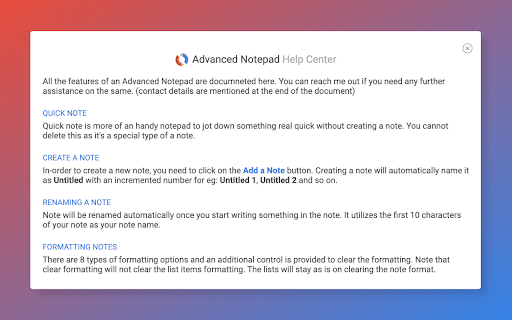
Simple Notepad yet filled with rich features. Format text, create multiple notes, autosave, remote backup. Faster than ever. Chrome Advanced Notepad is a simple yet powerful notepad filled with rich features. 1) Quick Notes Don't want to create a note to store temporary text? No worries, you can store the notes in Quick notes and erase them whenever you want to. 2) Multiple Notes You can create multiple notes. No need to worry about storage. 3) Auto Save No need of a Save button, Advanced Notepad stores the notes without you doing anything. It will store as and when you create a note or you start editing it. 4) Format Notes You can format your notes. Create unordered/ordered lists, make the text bold, underline, italic or strike it out. 5) Remote Backup Backup your notes on cloud and restore it on any computer. Powered by JSONbin.io You could read more around privacy policy at https://8bit.codes/privacy v2.2 - Increased base font size of notes - Increased size of the Notepad - Fixed Date/Time format issue on creating notes vs updating. - Delete now will request for confirmation before you delete a note. - Editor will now show the last active note as default opened when closed and opened next which will help you continue with your workflow with ease. - Fixed JSONbin.io Cloud Backup feature for notes. - Highlight / Remove Highlight for text v2.0 - Fixed a few bugs - Resized the window, now it's more bigger than earlier. - Longer file names, use a line break to decide the file name once you start typing in the notes. - Notepad will now show Created At & Updated At timestamps for the new notes created (Updated will show up for the older notes too). - Fonts are darker and more clearer. v1.1 - Set the note file name to default if no text found in the note.

Notepad
A simple yet powerful notepad with HTML5 support and more This extension offers a full-featured WYSIWYG HTML editor with a wide range of formatting options, similar to those found in modern editors. It allows you to create and organize multiple notes in different directories, called notebooks. The extension automatically saves your changes, so you don't have to manually save your notes. It is also integrated into the right-click context menu, allowing you to append the currently selected text to a note without opening the editor. The extension's user interface (UI) can be displayed in a browser tab or as a separate window. To switch between these modes, use the right-click options on the action button. Features: * Automatically save notes * Supports notebooks * Supports exporting text from webpages to all notepads * Uses local storage and works completely offline * Supports common formatting options

My Notes
Simple and fast note-taking. – Automatically saved and updated in every open tab – Sync notes between My Notes and Google Drive, edit them from other devices or My Notes – Drag and Drop image with automatic image upload to Google Drive

Notepad Online
A simple online notepad that can sync between devices, edit notes as text and HTML, save notes to your computer and more. Notepad Online is a simple online notepad with support for rich text editing and multiple named notes. - Synced or local notes - Multiple named notes - Upload and download notes from your computer (as HTML or plain text) - Edit notes as HTML (rich text) or plain text - View HTML notes in any browsers and plain text notes all any text editor - Dark mode - Editing toolbar (text decoration, text alignment, lists, indention, text and background color, links, horizontal lines, and more!) - Auto save - Popup mode and full page mode - Unlimited note size (for local notes) - Compressed synced notes (for higher capacity)

Notepad
Simple notebook which helps you to save/manage your notes. Features : 1.Lightning fast experience. 2. No login required. 3. Formatting options. 4. Recycle Bin. 5. Manage notes in categories 6. Automatically sync with chrome. 7. Reorder notes. Future roadmap: 1. Search capabilities. 2. Copy to clipboard. 3. Print notes. 4. Themes (dark/light mode). 5. Download notes. 6. Support for multiple language
