
lkeeogfaiembcblonahillacpaabmiop


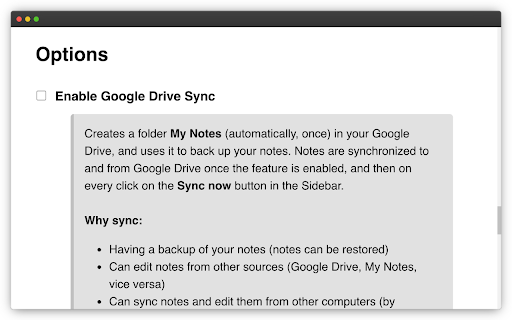
Simple and fast note-taking. – Automatically saved and updated in every open tab – Sync notes between My Notes and Google Drive, edit them from other devices or My Notes – Drag and Drop image with automatic image upload to Google Drive

Note It - Notes & OCR
A feature-packed note-taking extension with OCR support. With our note-taking app, you can take notes, convert images to text, download notes to PDF. You’ll be able to stay organized with a beautiful minimalist design. - ✍ Take notes in rich formatting. - 👀 Open the extension as a pop-up or re-sizable window. - 👀 Three different themes light, dark and dim - 📸 Take a screenshot of the active tab and: - ✂️ Copy the cropped image - 📜 Convert to text (OCR support) - ✔ Download the cropped image - 💾 Save notes on your local machine - 🗃 Notes folder - ⭐ Make notes as favorite - 📁 Download note in PDF format - 🗄 Convert your images to text (this feature works only when the extension is in window mode) This extension is open-source and does not store any user data on any server. All your data is on your local computer. Please get in touch with us if you find any bugs or have any features or recommendations. The GitHub link is available on the home page. Note It is a non-profit extension. We built and now maintain it during our free time, and we try our best to improve it and keep it up to date.

TabNotes
Take the notes in your new Tab. Press CMD + T (Mac) or Ctrl + T (Windows) to take a note. Let the new tab keep you focused on what you want to do. Increase your productivity. - Markdown Preview Take notes in markdown, and preview as HTML. Press esc key to toggle HTML Preview. - Dark mode Developer loves the dark mode. So we have the one. Default theme is white. - Auto Save You don't need to save your text note. When you open new tab start from where you were left. - Multiple notes. Chrome allows you to store up to 5MB. It's enough to save 5,000 notes of small size. - Offline Storage Notes are stored directly in your browser. So only you can access your notes.

Notebook: Quick and Simple Notes
A clean, distraction-free notebook with rich text, task lists, shortcuts, customizations, and themes to keep your ideas organized. Your words are saved as you type by your browser, so no account is needed! 🔄 ✨ Format text (bold, italics, lists, headings) with keyboard shortcuts. 📑 Multiple notes and drag and drop reordering of notes. ✂️ Copied text from websites and other sources will be neatly formatted. ✅ Create and manage task lists with checkboxes. 📝 Export your notes to HTML, Markdown or plain text. 🖨️ Print your notes or save them as a PDF. 🔍 Customize fonts and adjust zoom preferences. 🌓 Toggle between Dark and Light theme modes. Make the Most of It: 👉 In the settings, you can change the font type and size, set the writing area to full width or centered, and enable spelling suggestions. 👉 To import your existing notes, simply drag and drop text, markdown or HTML files into the app.

Notepad
Simple notebook which helps you to save/manage your notes. Features : 1.Lightning fast experience. 2. No login required. 3. Formatting options. 4. Recycle Bin. 5. Manage notes in categories 6. Automatically sync with chrome. 7. Reorder notes. Future roadmap: 1. Search capabilities. 2. Copy to clipboard. 3. Print notes. 4. Themes (dark/light mode). 5. Download notes. 6. Support for multiple language
