
pheccebhjjlenlidbnddkjgpgfhokmio
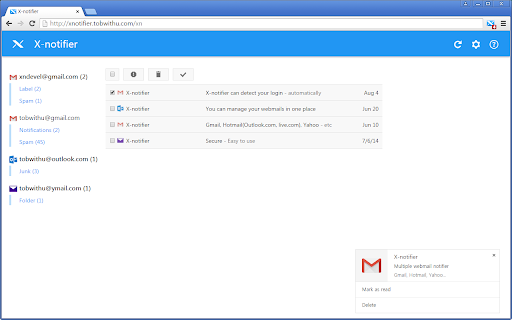
Notifier for Gmail, iCloud, Hotmail, Yahoo, AOL and so on Notifier for Gmail, iCloud, Hotmail, Yahoo, AOL and so on X-notifier Neo checks your webmail accounts and notifies the number of unread emails. If you prefer old version, you can get it here. http://xnotifier.tobwithu.com/history.php?br=cr

Notifications and More for Outlook Web App
Display email count on the Outlook web app icon and adds some handy shortcuts Displays the unread email notification count on the outlook web app icon when you have your inbox displayed and the folder view open You must install Outlook as a chrome web app

Gmail Checker - Multi Account Gmail Notifier
Get notifications for multiple Gmail accounts, and read or delete email without opening Gmail This extension provides quick access to your email inbox, saving time on opening messages or switching profiles. Receive instant alerts with a notification sound for new emails, ensuring you never miss important correspondence. It supports reminders for all connected accounts, seamless profile switching, and viewing emails across profiles. Manage messages effortlessly—read, mark as read, delete, archive, or move to trash—without visiting the website. Features: ➢ Effortless account support and profile switching. ➢ Immediate alerts with sound for new emails. ➢ Background notifications even when the browser is closed. ➢ Full email management directly from the extension. Tips: No manual setup—automatically syncs with accounts logged into your email service on the web. Developed by independent creators and not affiliated with the official service provider.

Quick Look Inbox for Gmail
Get notifications and quick look your new Gmail messages. This is a high-performance and easy-to-use Gmail checking tool. It can check the latest emails, send out notifications, view email content and perform some common operations. It also has rich settings to meet the subtle differences in needs between different users. In short, it is not a fully functional Gmail client, but it can help you quickly complete some routine email processing tasks. This extension is implemented using the official Gmail API and only needs to be authorized through OAuth, no any website permission requirements. Some Features: • This extension only checks unread messages in the Gmail inbox, and you can set to check only or notify only specific categories of messages. • The main list can display up to 1000 messages, and the loading speed is very fast. • Supported operations include: mark as read, archive, delete, open Gmail, mark as spam, etc. • Support system notification and voice notification. • Support do not disturb function (no notification will be sent under certain conditions). • The function page can be set to be displayed in the popup page or in a new tab page. • Support archive and mark as read one-click completion. • Support setting whether to display labels, snippets, etc. • Support complete keyboard shortcuts (can be used without a mouse). Notes: 1. Currently only Chrome browser is supported, and other Chromium-based browsers are not supported. 2. Multi-account simultaneous use is not supported at this time. Privacy This extension does not collect ANY information from you, and no tracking code. Your data is transferred only between your browser and the Google (Gmail) server, some data is cached in your browser locally, no data sent to any third party.

Popup my Bookmarks
A more efficient way to view and manage your bookmarks menu. - Search bookmarks when you type - Do what Bookmark manager can do and more (e.g., Sort bookmarks by name, Add separator) - Save 24px of your vertical workspace (Rock on Chromebook!) - Take as few permissions as possible, we never put your privacy at risk - No background running application, save computer memory and your privacy!
