
okclohaghlaedgghhngcenaandmajmmk

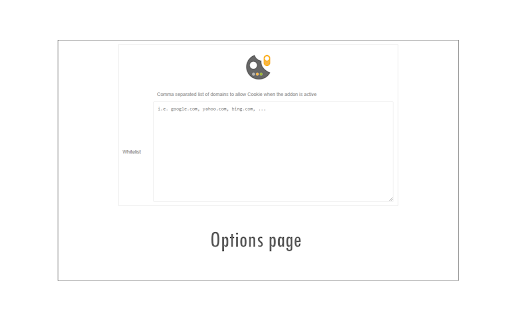
Switch cookies ON or OFF with just one click! Cookie Switch ON|OFF is a lite browser addon that helps you quickly turn storing cookies (browser cookie) in your browser ON or OFF with just one button. When toolbar icon color is green, Cookie is allowed in your browser, and when it turns red, it means Cookie is denied globally. Now you can reload any website without cookies storing. If you need to whitelist a domain (i.e. www.example.com) please head to the options page and add the desired domain to the designated area. Please note, domains need to be added comma separated. You can enter URLs and the addon will convert them to domain (i.e. domain-1.com, domain-2.com, domain-3.com, ...). To report bugs, please fill the bug report form in the addon's homepage (https://mybrowseraddon.com/cookie-switch.html).

Forget Tab
Forget current tab's history, storage, cookies and more with just one click! Forget Tab is a simple extension to easily clear history, cookies, storage, and other data from the current tab. Just click on the toolbar button to clear desired items. A notification will show you what is cleared from the current tab. When the icon is blue, it shows the current tab has - uncleared - data. When it is green, it means desired items (cookies, local storage, session storage, and history) are cleared from the current tab. Note: to report bugs, please fill the bug report form on the addon's homepage (https://mybrowseraddon.com/forget-tab.html).

Link Revealer
See the true URL for all links and improve your security! Link Revealer extension is designed to improve your online security. When you hover on any link element, the underlying - href - will be displayed as the link's title. Moreover, a colored footer will also be displayed at the bottom of the page showing the link href. If the underlying domain for the link is similar to the page's domain, this color will be BLUE. If the link is third-party the color is GREEN. For a situation where the displayed URL in the link's text content is different than the underlying href, the footer color will be RED. The toolbar icon color will also be updated according to the above rules. For any link, if you right-click and select - Scan link for threats, the add-on scans the link with the SafeBrowsing JavaScript API (https://safebrowsing.google.com/). When you first install the add-on, please visit the options page to activate the safe-browsing API. From the toolbar popup, you can also turn the add-on ON or OFF. Moreover, you can hide the page's footer if you find it inconvenient. Please note that you can still scan links for threats even if the page footer is hidden. If you have a feature request or found a bug to report, please fill out the bug report form on the add-on's homepage (https://mybrowseraddon.com/link-revealer.html).

Privacy Guard & Manager
Easily control settings in your browser to improve your privacy. Privacy Guard & Manager is a browser extension that helps you increase your privacy by adjusting a few privacy settings in your browser. Please open the toolbar popup UI to see the list of available settings (around 15 items in total depending on your browser version). Each set has a drop-down list; click on the list to choose the desired value for that item. Once an item is changed, it will be saved to the memory automatically. Moreover, when you hover on any item within the toolbar popup, a description is shown at the bottom of the UI. Please read this description before changing any option. Note: you may see less/more than 15 items in the popup. This is due to the browser or OS version. Some items may become available or be removed in the future updates of your browser. Note: To report bugs, please fill the bug report form on the addon's homepage (https://mybrowseraddon.com/privacy-guard.html).

Security Tweaks
Improve your online security with few tweaks via toolbar popup! Security Tweaks is an extension that helps you improve your security while browsing by using eight different techniques. Simply open toolbar popup UI and mark a desired tweak. Please note that, only few tweaks are selected by default. There are few settings (related to JavaScript, inline-script and cookie) available in toolbar popup to adjust. Currently there are 8 tweaks available for this add-on: 1. Block most common ads. 2. Block third-party JavaScript. 3. Enable safe-browsing. 4. Block cookies. 5. Block inline-script. 6. Block Flash contents. 7. Disable window.eval(). 8. Block most common malware URLs. Note 1: I have made this extension with Yubi's collaboration. This add-on is inspired by Speed Tweaks made by Yubi: https://chrome.google.com/webstore/detail/speed-tweaks/afebilemcaepdkmhmibgmnpfppnjimjf Note 2: to report bugs, please fill the bug report form in the addon's homepage (https://mybrowseraddon.com/security-tweaks.html).
