
bdfflloamggdngppokpigggdjccegoio
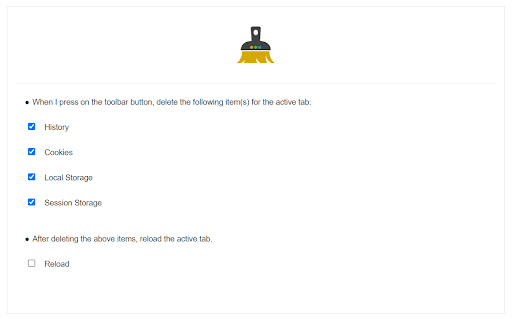
Forget current tab's history, storage, cookies and more with just one click! Forget Tab is a simple extension to easily clear history, cookies, storage, and other data from the current tab. Just click on the toolbar button to clear desired items. A notification will show you what is cleared from the current tab. When the icon is blue, it shows the current tab has - uncleared - data. When it is green, it means desired items (cookies, local storage, session storage, and history) are cleared from the current tab. Note: to report bugs, please fill the bug report form on the addon's homepage (https://mybrowseraddon.com/forget-tab.html).

Tab Manager
Easily organize all your open tabs in multiple windows from toolbar popup! This extension is designed to organize tabs from the toolbar popup. The UI for the extension can also be opened in a standalone popup window or a new tab (choose an item from the toolbar button context-menu). Tab Manager add-on supports multi-window and incognito mode. To work with this addon, just open the extension UI and start managing your tabs. Within the UI you can see a search bar at the bottom. Above that, there is the list of open tabs for window #1 (a new section is added for each new window). Within each row (tab item) in the list, there are several buttons. The first is the pin button which can be used to pin a desired tab(s). Next is the HTTP/HTTPS sign which shows if a website supports SSL protocol or not. The third icon is the tab icon which updates automatically depending on the tab URL. You can see the tab title right after the tab icon. There are also two buttons on the right side for editing or removing the current item. Please note that within the extension interface, all tab items are draggable. Once you drag an item, the actual tab will be re-positioned as well. Note: The extension interface supports dark mode. To switch the interface theme to dark, please press the moon icon in the bottom-right toolbar. To report bugs, please fill out the bug report form on the addon's homepage (https://mybrowseraddon.com/tab-manager.html).

Privacy Protector Plus
Removes all forms of tracking including web-bugs, tracking-scripts and information-collectors, and protects your data. Privacy Protector Plus is a browser extension that removes all forms of tracking including web bugs, tracking scripts, and information collectors, and protects your data. Some features: a. protects your privacy by removing all forms of tracking from web pages. b. whitelist a website by adding it to the trusted list from the options page. c. clicking on the toolbar icon will enable or disable the extension. d. badge icon text shows you the number of blocked items on the current page. Note: to report bugs, please visit the addon's homepage (https://mybrowseraddon.com/privacy-plus.html) and fill out the bug report form.

What is My IP Address
View your public ip address via toolbar popup. What is My IP Address is an extension that lets you view your public IP address in the toolbar popup UI. By default, no server is selected. Please open the UI and select a desired server from the list. Two types of servers are available in the list, HTTP or STUN. STUN servers use WebRTC technology to find your IP address. HTTP servers use fetch API to obtain the IP address. In general, all third-part servers should show a similar IP address. But, in some situations, they might show different IP addresses. All changes in the popup UI are auto-saved to the memory. Note: this addon uses several third-party API engines to render your IP address. Please note that, unless you select a server, this addon does NOT interact with any third-party website/service at all. Moreover, it does NOT store your IP address or any other information in any remote location. However, third-party servers (HTTP or STUN) have their policy and rules for storing IP addresses. Therefore, before using any server, please read their privacy policy. This addon does NOT have any control over their privacy policies. To report bugs or suggest a feature request, please fill the bug report form on the addon's homepage (https://mybrowseraddon.com/ip-address.html).

Browser Cleaner
Easily clear your browser's data and speedup browsing via toolbar popup. Browser Cleaner is an extension that help you easily clear browsing-data via toolbar popup UI. All the available options are listed in toolbar popup, but, the number is dependent on your browser and platform. Simply mark a desired item, and then click on the big - eraser - button at the top. When the cleaning process ends, a desktop notification will notify you that the browser data has been cleared. Note: None of the browsing-data items are selected by default. You need to open toolbar popup and select at least one item to start working with this addon. Moreover, the extension interface supports dark mode. To switch the interface theme to dark, please press the moon icon on the top-left toolbar. To report bugs, please fill out the bug report form on the addon's homepage (https://mybrowseraddon.com/browser-cleaner.html).
