
ohogkbgckjfhmgmfbdabalmggjmjdjmk
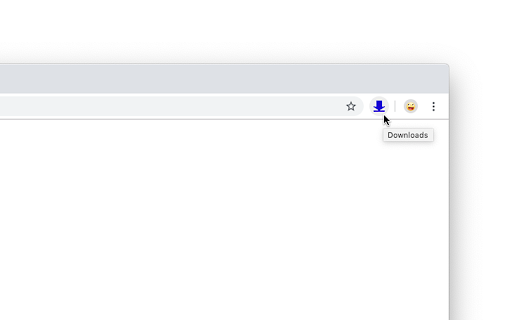


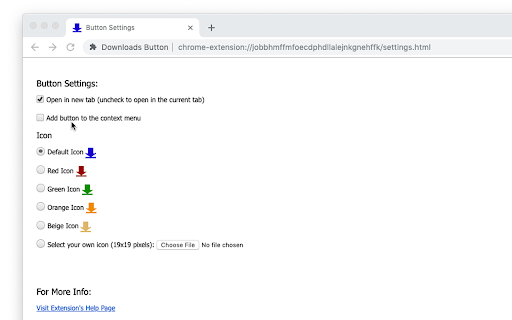
This extension will simply add a "Downloads" button to the toolbar. When clicked, it will open the Chrome downloads page (the list of your downloads). That’s all it does, it is not a downloader nor some fancy download manager. It’s just a customizable button. • Select different icon (useful to make it "fit" your Chrome theme). • Add your own icon if you want to. • Add the download button to the context (right-click) menu • Set it to open the downloads list in new tab or in the current tab To change the settings -- right-click on the extension icon and select "Options". This extension needs only the "contextMenus" permission -- this is solely for the option to add the "Downloads" menu item to the context menu

Simple Download Manager
Simple Download Manager is integrated into your browser download manager as much as possible. Main features: 1. Pause and resume downloads. 2. Notification telling you the download estimated time. 3. Sound played when download ends. Share your experience at the Chrome Store and rate Simple Download Manager(SDM) extension Extension made by Adrián Arbizu Donoso (Spain). Framework used: Angular 16.

SVD Video Downloader
Smart Video Downloader is an extension that allows you to download videos from most popular video streaming websites. - When the… Smart Video Downloader is an extension that allows you to download videos from most popular video streaming websites. - When the extension detects that a video is being played in a website, icon will change allowing you to notice the download link. You simply just need to open the extension's popup page and press download. - You can also preview the video before starting the download. Share your experience at Chrome Store and rate SMART VIDEO DOWNLOADER (SVD) extension Extension made by Adrián Arbizu Donoso (Spain). Framework used: Angular 12.

Elite Download Manager
Easily manage all your downloads from toolbar popup! Elite Download Manager is an extension that lets you easily access the download library from the browser toolbar popup. You can manage all downloads without opening the download tab in your browser. Using this add-on could save you time while you are browsing as it gives you quick access to all your downloaded items from the toolbar popup UI. Please note that what happens in the popup gets updated in the download library simultaneously and vice-versa. There are also several buttons for each item within the toolbar that have a tooltip title and are self-explanatory. If you want to report bugs or have a feature request, please fill out the bug report form on the addon's homepage (https://mybrowseraddon.com/download-manager.html).

Download Management
Used to take over the download function that comes with the browser, eliminating the trouble of opening the download page to view… it make you easily to get downloads information,include file's name,process,speed,size and so on.
