
ofmfoeohdhdgcakhdcegeiljlgammpjf
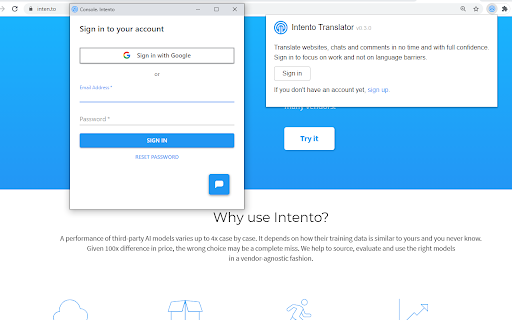
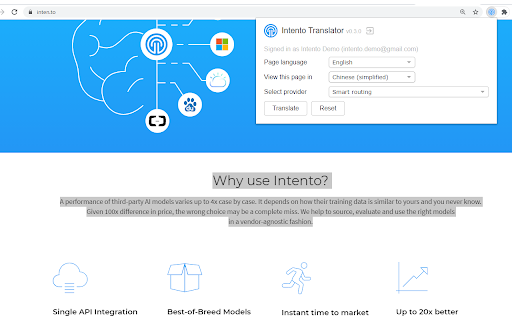

Intento MT Hub provides access to 20+ machine translation systems, plus custom models, smart routing mechanisms, and a variety of… Intento MT Hub provides access to 20+ machine translation systems, plus custom models, smart routing mechanisms, and a variety of tweaking abilities for pre- and post-processing. This plugin allows you to benefit from the Intento MT Hub magic right in the Chrome browser. Get instant website translations with best-of-breed AI technologies. This extension requires a commercial API key for Intento MT Hub. Please get one from https://console.inten.to

Language Weaver Instant Translation
Automatically translate selected text securely and accurately, using RWS's state-of-the-art neural machine translation This browser add-on allows for instant translation using RWS's state-of-the art neural net secure machine translation. Language Weaver Instant Translation works within your browser to deliver instant translation for some of the world's most challenging languages as you browse. Language Weaver delivers: * Speed – on demand instant translation for any language right in your browser on any device. * Accuracy – enabled through RWS's Neural Machine Translation and optimized by language experts. * Security – your content is never exposed or re-purposed. To use, simply select the text you want, and click the RWS Logo to translate the entire page. You can also enable automatic language detection and continuous translation for a truly seamless experience. It's that easy! This add-on is activated for those that have an enterprise Language Weaver or Language Weaver Edge account. If you do not have an account, be sure to visit: https://www.rws.com/language-weaver/ to learn more about RWS's Machine Translation software and the many ways you and your organization can take advantage of this powerful technology. Version 1.2.28.0 contains the following changes: - Users in the translator role could not access Language Weaver any more

Depth Translator for DeepL
An Assistant to Translate Selected Texts with DeepL Depth Translator is an assistant extension for DeepL. You can invoke the translation in 2 ways: 1. By selecting texts, a popup icon would appear beside your mouse pointer - when you click the icon, you'll be redirected to DeepL in a new tab. 2. You can also select text and do the same from the context menu item. Features: 1. One click translation. 2. Option to disable the icon popup. 3. Option to set a preferred language. 4. Option to invoke the icon only when alt or option key is pressed. The extension requires access to all sites in order to present the icon inside every webpage. You can disable this feature from the settings. If you have feedback or feature request, please send me an to email dev@faisalbin.com. I hope this extension makes your browsing a little easier. * This extension or the developer is not affiliated with DeepL. I wanted to make this mainly for myself.

QY Translate
Provide professional domain translator such as financial, medical, electronic technology, mechanical and so on, so that translation is more accurate. Provide the plug-in and WeChat small program end collection management, and provide learning tools such as hearing training. Provide two models of professional and minimalist intelligence, can be configured according to requirements Built-in PDF reader for translation for PDF documents Shortcut: Mac (Command + K), Windows and other (Alt + K) Note: Please refresh the open page after installation.

Quick Translate
This extension provides quick translation of selected texts Important notes: - The shortcut for in page translate is shift button. - The default shortcut for browseraction is CTRL + Q (you can change that later on "chrome://extensions/configureCommands") - If there were opened tabs before you install the extension, you must refresh those tabs in order to activate extension. This extensions allows you to translate the text selection using Google Translate whenever you want. When the extension is installed select some text from a website, then press "shift" button to show translation. This extension is lightweight and does what it says. Translates texts quickly. There is two options in options page. One for source language, and another for destination language. You just have to set the destination language and feel free to use it. There is another option which can you use to force translation source language. Changing source language from auto detect to something is not recommended. ------2.5----- bugfix, background page converted persistent ------2.3----- New feature : memorize words. ------2.0----- Option to keyboard shortcuts on inputs (textarea, input). Defaults to true ------1.9----- added text to speech for spelling ------1.8----- added ctrl+q shortcut for browser action ------1.7----- added browser action button ------1.5----- bugfix about options ------1.4----- improved content html ------1.3----- positioning improved ------1.2----- positioning bugfix
