
odegalnknchhdepngpdjmcfebgmfgkbm


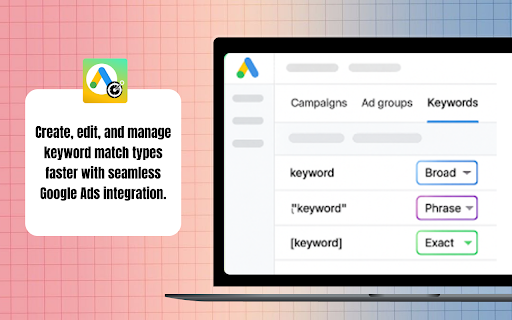
Generate and compare Broad, Phrase, and Exact match keywords for Google Ads, streamline setup and save time Tired of manually editing search terms? The Google Ads Keyword Match Types Chrome extension helps you quickly generate, modify, and apply Exact, Phrase, and Broad match keywords directly from your Google Ads account. With bulk editing, you can streamline the process, saving both time and effort while reducing errors. Whether you’re a marketer, PPC manager, or small business owner searching for smarter tools, this extension makes campaign setup and optimization faster and more efficient. Match Type Generator Quickly create Exact, Phrase, and Broad match variations for your keywords. Bulk Editing Update match types for multiple search terms at once to speed up campaign setup. Seamless Integration Works directly within Google Ads for hassle-free keyword management. One-Click Copy Copy updated keyword lists instantly and paste them into your campaigns. Step 1: Install the Extension Go to the Chrome Web Store and install the Google Ads Keyword Match Types extension. Once installed, it will appear in your browser toolbar. Step 2: Open Google Ads Log in to your account and navigate to the Search Terms Report to view matched search terms from your campaigns. Step 3: Launch the Extension Click the extension icon to open the tool while reviewing your search terms. Step 4: Choose Match Type Select your preferred match type — Exact, Phrase, or Broad — for the keywords you want to optimize. Step 5: Bulk Apply Changes Apply match type changes to all selected terms before adding them to your campaigns. Step 6: Copy & Add Copy the updated keyword list and add it directly into your Google Ads campaigns. This extension saves hours of manual work and helps prevent mistakes when managing large keyword lists. It ensures your keywords are structured correctly, improving both efficiency and ad performance. Who It Is Useful For Ideal for digital marketers, PPC managers, agencies, freelancers, and small business owners who want to optimize Google Ads campaigns faster without wasting time on repetitive keyword formatting.

Google Ads Enhancer
This extension allows you to customize the background and text colors of columns. Google Ads Enhancer adds colors to your Google Ads interface. You can select background and text colors for your columns and make the column content bold or italic.

SERP Keyword Extractor by searchanalyzer.io
SERP Keyword Extractor simplifies your keyword research. Extract keyword suggestions and questions directly from Google or Bing. Are you looking for a way to easily extract keywords from search results of Google and Bing? SERP Keyword Scraper is here to help! It's super simple: 1. Perform your search on either Google, Google Shopping, Google Image search or Bing 2. Extract all keyword suggestions from the search result page (SERP), like related searches, people also ask and search refinements by using the keyboard shortcut CTRL + . (period) on PC or CMD + . on Mac. Alternatively, click on the plugin logo to perform the extraction 3. The data is stored in your clipboard - paste it into a spreadsheet to work with the data Everything happens on your machine! We access the source code of the search result and extract the data for you. The plugin isn't using any third party data. Find more information about the tool here: https://www.stephan-czysch.de/serp-keyword-scraper-plugin/installed

Google Ads Keyword Optimization Tool
AI-powered tool to help you eliminate junk keywords, review search terms, build keyword lists, and apply match types fast. Keywordme is a Chrome extension built for people who manage Google Ads accounts. It works directly inside Google Ads and removes the slow, repetitive parts of keyword management, whether you prefer manual control or AI assistance. You can click through search terms manually and build lists in seconds. Or scale it with AI. Your workflow. Your control. Inside your Search Terms report, you can: • Click or highlight words to instantly build negative lists • Select multiple terms and format them in one action • Apply match types without copying into spreadsheets • Paste clean lists back into Google Ads immediately No exporting. No formatting. No retyping brackets and quotes. When you want deeper cleanup, upload your Search Terms report and let AI go line by line through your data. You review everything before copying or downloading. ✅ Built Into Your Real Workflow If you’re inside Google Ads every week, this matters. • You don’t want to scroll through 2,000 search terms manually • You don’t want to copy, paste, bracket, quote, repeat • You don’t want spreadsheets just to format match types • You don’t want keyword cleanup eating half your optimization time Keywordme gives you speed without losing control. Manual when you want it. AI when you need scale. If you manage Google Ads hands-on, Keywordme makes your workflow dramatically faster.

Google Ads Match Type Helper™
Mass update the match type before adding keywords in Google Ads. Bulk-update match types on the keywords you add in Google Ads and now Microsoft Ads (Bing Ads). Google increasingly defaults new keywords to Broad match, whether you're adding new keywords, promoting matched search terms, or applying negatives. This slows down workflow and increases the chance of syntax errors. Microsoft Ads often defaults to Phrase match and has a cumbersome, multi-step selector to change the keyword match type. This extension brings back the bulk match type selector — and now works across Google Ads and Microsoft Ads. Follow these 4 steps: → Install our Match Type Helper Chrome extension. → Review matched search terms in Google Ads. → Choose your desired match type: exact, phrase, or broad. → Bulk change match types for all matched terms before adding. Google Ads ⦾ Adding Keywords from Insights and reports → Search terms ⦾ Adding Negative Keywords from Insights and reports → Search terms ⦾ Adding search keywords from Campaigns → Ad Groups ⦾ Adding Negative keywords from Campaigns → Ad Groups ░░░ Details: ░░░ Previously, Google Ads let you choose whether a new keyword should be "Exact," "Phrase," or "Broad" match directly when adding it from the matched search terms. Now, Google automatically sets new keywords as "Broad" match, and if you want "Exact" or "Phrase" match, you have to add extra symbols manually each time, which can be time-consuming and error-prone. Our Google Ads extension addresses this issue. It allows you to: → Choose the match type for each keyword individually when adding matched search terms. → Change the match type for all matched terms in bulk before adding them. This makes the process faster and reduces the likelihood of mistakes. Our extension works on your device and does not send your data to external servers or third parties. v1.0.13 • Minor bug fix to address multiple " and [ syntax which could occur v1.0.12 • Extension name change to better represent the broader capabilities recently added • Adjustments to improve activation of extension under different conditions v1.0.11 • Minor UI fixes • Changed extension activation method to address issue reported by some users v1.0.10 • Extended match type switcher from "matched terms" screens to core "add keyword/negative keyword" screens to enable quick match type switching everywhere • Revised UI with buttons for improved UX • Added links to Privacy Policy, Support Center, Reviews and Social Sharing
