
obfoikmfpijbodjoeeapenoingjofikd
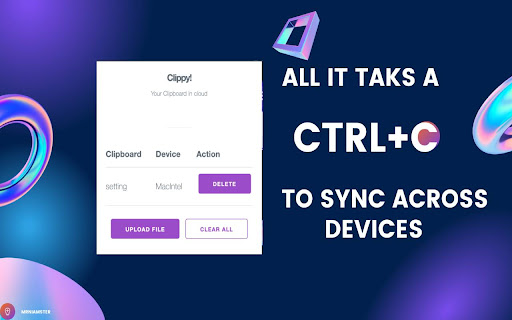
Clippy is a Chrome Extension to Sync your clipboard across all your devices Clipboard in the cloud. Increase your productivity with Clippy, the cloud clipboard that links all your devices. Seamlessly share text, images, and files across devices by synchronizing your clipboard. Copy on one device, paste on another, and let Clippy handle the rest. Say goodbye to emailing images to yourself and struggling to send files to your phone. Effortlessly move content between devices with Clippy.

Lynkmark
A bookmarking tool which helps you save, organize & share all your favorite links in a centralized & searchable place Simplest way to organize your bookmarks for web & mobile Keep all your Bookmarks in one place. - Save links from the Web - Add notes while bookmarking - Organize your links using collections - Add Tags - Search for everything - Save and Restore your browser windows using collection

Touclip - A new way to bookmark
🚨 Please make use of the support tab for any suggestions, questions, or problems you may have. Touclip revolutionises your Chrome clipboard experience, allowing you to store, search, and organise text snippets effortlessly. With intuitive search, bookmarking, and direct source website links, Touclip empowers you to reclaim control over your clipboard and supercharge your productivity. Say goodbye to scattered information and hello to seamless snippet management with Touclip. 🔄 Clipboard History: Touclip automatically stores all the text you copy, creating a timeline of snippets for easy reference. 🔍 Search and Filter: Quickly find specific snippets using the search functionality, making information retrieval a breeze. 🔖 Bookmark Snippets: Mark important snippets as bookmarks for quick access to frequently used or critical information. 📄 Export Snippets: Export your snippets and source URLs to a txt file, allowing you to create backups or share them with others. 🔒 Save to Chrome Storage: Securely save your snippets to Chrome local storage. 🗑️ Clear All Snippets: Start fresh by clearing all stored snippets with a single click, providing a clean slate for new content. ☝️ Storage Counter: Track your snippet count with the storage counter, always aware of how many slots you have used. 🪫 Badge Display: Receive a badge notification on the Touclip icon when your storage reaches 100% capacity, prompting you to manage your snippets efficiently. 📋 Copy Snippet to Clipboard: Copy snippets to your clipboard with a simple click, streamlining your workflow. ❌ Delete Single Snippet: Remove individual snippets when they are no longer needed, keeping your collection organised and clutter-free. 🌐 Source Website Button: Each snippet includes a convenient button that takes you directly to the source website. Clicking on the button opens the original webpage, allowing you to revisit the context and gather more information.

storageGPT
Save, edit, search, and download ChatGPT conversations locally in Markdown. storageGPT helps you keep useful ChatGPT conversations organized without sending your saved data to any external server. Save conversations: Save ChatGPT responses directly from the conversation screen and keep them in your local browser storage. Editable notes: Open a saved conversation in the drawer and edit both the title and the body. The body editor is powered by Milkdown, so Markdown content stays easy to read and update. Fast drawer access: Use `Control + Shift + X` to open the storage drawer quickly. Search and trash management: Search saved titles, restore deleted notes, or permanently clean up the trash. Theme-aware UI: The extension follows ChatGPT light and dark modes for a more natural experience. Local-first privacy: Saved conversations stay on your device. storageGPT does not transmit your saved data to a server. Added editable saved note bodies with Milkdown. Improved drawer layout, fixed click handling, and reduced CSS conflicts through Shadow DOM encapsulation. Improved light mode support and visual styling. storageGPT makes it easier to save, edit, search, and export the ChatGPT conversations you want to keep.

Cross-Device Clipboard Sync
Cross-Device Clipboard Sync: save text & URLs to a synced clipboard history and copy/paste between devices in Chrome. Cross-Device Clipboard Sync is a lightweight Chrome extension and clipboard manager that helps you sync clipboard content between devices. Save selected text, URLs, and snippets to a synced clipboard history so you can copy on one device and paste on another—across macOS, Windows, and ChromeOS. Core features 1) Cross-Device Clipboard Sync (manual save) Save what you choose (not everything you copy). Your saved items sync to your other Chrome browsers, making cross-device copy and paste simple and fast. 2) Synced Clipboard History Keep a clean, searchable-by-eye clipboard history for frequently used text snippets, links, and notes. Great for moving content between computers without using email, chat apps, or file transfers. 4) Productivity for daily workflows Perfect for transferring URLs, code snippets, form inputs, and short notes from laptop to desktop (or between work/personal devices) in seconds. Privacy Cross-Device Clipboard Sync only saves the content you explicitly choose to save. Data is stored via your Chrome Sync storage (no separate account required).
