
ipjggohlfelekocbganopmpcfkdjdopm
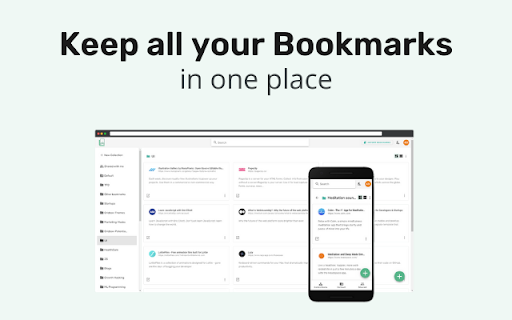
A bookmarking tool which helps you save, organize & share all your favorite links in a centralized & searchable place Simplest way to organize your bookmarks for web & mobile Keep all your Bookmarks in one place. - Save links from the Web - Add notes while bookmarking - Organize your links using collections - Add Tags - Search for everything - Save and Restore your browser windows using collection

Bookee - Instant Bookmark Manager
Browse, search and share your Bookmarks with screenshots and thumbnails! Here are a few things that Bookee does to make your life easier: - ⚡️ Loads instantly on any tab as you browse - 🔎 Shows better search results - 🏞 Shows you a thumbnail of each bookmark - ⌨️ Adds shortcut keys (like "Command + e" to edit a bookmark) - 🍿 Let's you watch any YouTube bookmarked videos right away - 🤝 Share your bookmarks and folders with your team (coming soon) - 🔗 Add collections of links for quick access (coming soon) We all use our Bookmarks and Bookmarks Tab. But it can get super-busy: too many bookmarks, and losing track of what we've bookmarked. Bookee was designed to access and search through your bookmarks instantly: just press the "Command + Shift + k" shortcut, and Bookee will pop right up. Start typing to instantly search through your bookmarks, and then press the Enter key to open that bookmark in a new tab. Here's what Bookee will *not* do: - 🚫 It will *not* share your data with any third party sites - 🚫 It will *not* export your bookmarks to any servers - 🚫 It will *not* be a closed system. We will be open sourcing it soon 🙂

Bookmark, AI Tagging, Cache & Screenshot | PageOrg
Organize, ai tagging bookmarks. Cache page offline. Take, edit screenshots. Team collaboration. 1. Bookmark Management: Import bookmarks and search by text, tags, domain, or URL. 2. Browsing History Search: Import browsing history and search by text, date range, domain, or URL. 3. Easy Bookmark Organization: Edit titles inline, bulk-apply and drag & drop tags, and leverage AI-driven auto-tagging for efficient organization. 4. Offline Page Caching: Cache pages locally for offline access with an option to auto-cache bookmarked pages. All data is stored locally to ensure privacy. 5. Screenshot Capture & Editing: Capture, annotate, and download screenshots easily, or upload to share via a unique link. 6. Cross-Device Sync & Collaboration: Sync data across devices and collaborate on bookmarks with friends and colleagues for seamless teamwork. Introduction: Page Org – the ultimate Chrome extension for seamlessly managing bookmarks, browsing history, and more across devices, with powerful collaboration tools for teams. Cache pages for offline access, capture and annotate screenshots. Organize, search, cache and share content—all with productivity-focused features designed to streamline your workflow. With Page Org, elevate your browsing experience through tools that let you: ✔️ Efficiently Manage Bookmarks & Browsing History : Import bookmarks and history, then find what you need quickly by searching through keywords, tags, domains, URLs, or date ranges. Advanced Tagging & Editing: Edit titles inline, bulk-apply and drag & drop tags, and let AI-powered auto-tagging organize your collection faster than ever. ✔️ Offline Page Caching: Cache any page for offline access, with options to auto-cache bookmarked pages—all stored locally for your privacy. ✔️ Enhanced Screenshot Capture & Editing: Capture, annotate, and edit screenshots on any page. Save locally or upload to share through a unique link. ✔️ Cross-Device Sync & Collaboration: Download our app for mobile, sync data across devices, and create channels to collaboratively manage bookmarks and tags with friends or colleagues for efficient teamwork. Our Help Center offers step-by-step guidance and tips for maximizing productivity. Say goodbye to cluttered bookmarks and disorganized browsing history. Experience streamlined browsing with Page Org, your partner in efficient online organization.

Pinalist - Bookmark Manager
Pinalist is a cloud-based all-in-one bookmark manager that helps with managing, organizing and searching your bookmarks. Pinalist extension connects your Chrome browser with https://pinalist.com app so you can save your bookmarks with ease. Build your bookmark library in just a few clicks Pinalist is aimed at those who want to browse the internet more efficiently. It provides a fast and easy way to collect and organize your bookmarks while browsing. The best way to stay organized Pinalist is designed to make bookmark organization a seamless experience. The app provides a simple way to save and categorize bookmarks using advanced tag management. Quickly access hundreds of links for different resources, projects and for personal use. Capture your thoughts Leave notes along with your bookmarks so you can remember, understand and learn as you read. If you find a piece of text particularly interesting, just save it along with your bookmark. Searching, filtering and sorting Pinalist is designed to make the process of finding bookmarks as simple and intuitive as possible. Search through your bookmark library using keywords and tags as well as sort the results using a number of criteria. Pin your favorite bookmarks Use the dashboard to group and highlight the bookmarks you visit on a daily basis. Drag and drop the groups according to your needs. Share bookmarks with others Create a page with your personal bookmark collection and share it with friends and co-workers. Let others collect their thoughts and have an open discussion in the comments section.

Curateit
Introducing CurateIt - the ultimate all-in-one Chrome extension for organizing and saving your favorites. Introducing CurateIt - the ultimate all-in-one Chrome extension for Your Second Brain for AI Research, Productivity and to Showcase your work Organize and save your favorite ideas, articles, and inspirations from across the web. With CurateIt, you can keep track of all the exciting recipes, style ideas, DIY projects, and more, ensuring that you never lose access to the content you love. With CurateIt, you can easily import and connect to various platforms such as Pocket, Raindrop, and Kindle. Save content directly from Twitter, upload bookmarks, and even save highlights from text, images, PDFs, code, and YouTube videos. CurateIt’s extensive list of features includes: 1. Import and Save Features - Import from Pocket - Import bookmarks from Raindrop - Upload bookmarks - Save tweets (bookmarks, likes, tag @savetocurateit) - Save for later (Read later) - Highlight text (like weava, liner) - Save any image like Pinterest - Save Code snippets - Save or download any images - Save or annotate PDFs 2. Organization and Management Features - Bookmark manager - Web clipper - Text Expander - AI Prompts - Spotlight Universal search - Smart search assistant (using Gems & History) - Tabs Manager (like workona, toby) 3. Reading and Accessibility Features - Reader view mode - Dark reader mode - Read aloud (Text-to-speech) - Text Highlights - YouTube highlighter - Import your Kindle highlights 4. Advanced Features and Utilities - Image Screenshot (full page screenshot, select image area or component or annotate) - Image OCR to copy text or code (including language identification and code convert) - Site info on any page (company details, technology stack, brand, traffic, etc.) CurateIt also offers a unique browsing experience with its Spotlight Search and Reader’s View, making it easier to discover content tailored to your interests. Simply hover over an image, code and click to explore save you’re passionate about on CurateIt. Download CurateIt today and experience the convenience and simplicity of this easy-to-use Chrome extension!
