
oalndbmcbpchbbognlpkdafainaimhdk
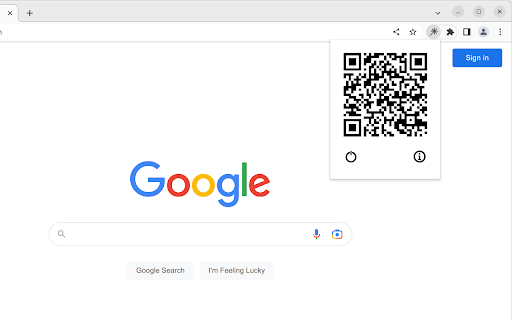

Turn your phone into a wireless laser pointer and clicker for browser-based slide decks. Free, with one-time-payment Pro features. Clikr turns your phone into a wireless laser pointer, clicker, drawing tool, and presenter remote for browser-based slide decks (such as Google Slides, PowerPoint Online, Slides.com, Mentimeter, and Keynote in Safari). Hold your phone and point at the screen; a dot follows your motion. Swipe to switch slides. The Clikr extension runs in your desktop browser. The phone side is a plain web page, so there is no app to install on the phone. Pair the two with a QR code, and from then on your phone and desktop talk directly to each other. - Laser pointer dot that follows your phone's motion - Switch slides by swiping left or right - Scroll the active web page by swiping the phone screen - Reload the active page from the phone - Pointer calibration so the dot tracks accurately for your screen size and viewing distance - Spotlight mode: darken everything except the area under your pointer - Magnifying glass: live zoom on a slide region without leaving fullscreen - Draw mode: annotate over your slides with pen, eraser, and clear-all - Speaker notes shown on the phone (available in some supported slide tools, e.g. Slides.com) - Next-slide preview shown on the phone (available in some supported slide tools, e.g. Slides.com) - Page click: tap on the phone to click links, buttons, or other interactive elements on the slide - Presentation timer on the phone - Custom pointer color - Pointer trail effect What data the extension reads and sends - Phone motion, taps, and swipes are sent from your phone directly to your desktop over a direct connection. - When a Pro user opens the speaker-notes or next-slide-preview panel on the phone, the extension reads the speaker notes and a thumbnail of the next slide from supported slide tools on the active page and sends them over the same direct connection to the paired phone. Nothing about your slides is sent to any server we run. - Page click sends a click into the active page so a tap on the phone behaves like a click on the slide. - No account is required to use the free features. - A sign-in is required only when you purchase Pro, so the unlock can follow you across browsers and devices. Pricing and refunds - Pro is a single one-time payment. There is no subscription and no recurring charge. - Refunds are available within the window described in the Returns policy on the homepage. Homepage and policies: https://www.clikr.app

Keynotion
Keynotion provides useful features for presentation using Notion. Keynotion is an extension that provides useful functions for presentation using Notion! 📋 Display the table of contents in the side navigation 🔦 Turn the mouse cursor into a laser pointer ⏱️ Start the stopwatch by using heading (just includes "X min" in heading text!)

Tabular Paste
Column to Column Pasting. Copy Your Spread Sheet Columns and paste them on the web. You can either replace the value present in the forms and enter complete new value or you can either update the current values in the form. Just Select the option accordingly

AnyTab Laser Pointer
Adds a laser pointer to any browser tab, making it easier for your audience to follow along during video calls. *** NOW WITH GESTURE DETECTION AND AUTOMATIC HIGHLIGHTING!!! *** Have you ever found yourself lost in a sea of mouse movements during a virtual presentation, desperately trying to keep up with where the presenter is pointing? "AnyTab Laser Pointer" adds a laser trail to your mouse pointer (similar to the one on Google Slides) on ANY Chrome tab. And YES... that includes spreadsheets!!! Think of it as your on-screen spotlight, leaving a vivid trail in its wake, turning your mouse into a laser pointer that can cut through the most cluttered of spreadsheets, the busiest of designs, or the densest of texts. No more digital hide and seek with the cursor, just a simple, clear path to follow. With the "AnyTab Laser Pointer", your viewers will always be in sync, even if you're moving at the speed of light. No more frantic pleas of "wait, where are you pointing?" or "could you go back a bit?". Now, everyone can easily follow your digital dance across the screen. This is not just an extension, it's your breadcrumb trail, your neon marquee in the bustling city of shared screens. Point, Direct, Engage. It's that simple. Embrace the power of clarity, and never lose your viewers again! PS: as a bonus, AnyTab Laser Pointer also tells you how many tabs you juggled in the last 24 hours! CHANGELOG v2.0 - February 11th, 2024 - Highlight Gesture Detection: it recognizes when you're pointing at an element on the page to show it to your viewers and it adds on the page a shape to highlight that element! - minor fixed and performance improvements. v1.5 - February 7th, 2024 - Fixed bug: improved variable naming to shat it won't interfere with the debug environment of developers. FIXED. v1.4 - December 12th, 2023 - Fixed bug: the laser trail did not display when scrolling up the page. FIXED. v1.3 - December 12th, 2023 - Improved the count of tabs used in a day. - Improved the implementation of the rating popup to make it more user-friendly. v1.2 - December 11th, 2023 - Added in-extension rating support. v1.1 - December 9th, 2023 - Fixed an issue that was causing the mouse trail to go off-screen and the browser reacting by adding the horizontal scroll bar. - Other minor fixes Please, leave a review! It helps more people find the extension. Thank you for using AnyTab Laser Pointer. -

Export to Notion
Export web page content to Notion. Exports web page content to Notion so you can read and edit it later.
