
nnnmhgkokpalnmbeighfomegjfkklkle
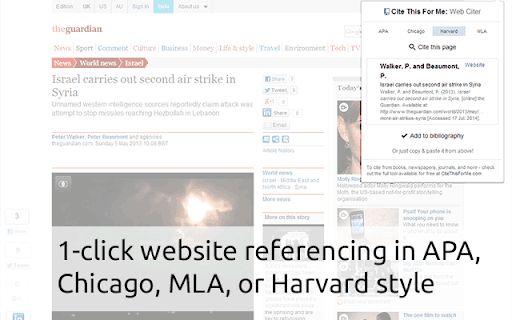

Automatically create website citations in the APA, MLA, Chicago, or Harvard referencing styles at the click of a button. Simply browse to the page you wish to cite and click the button to generate a correctly formatted citation. Then copy-and-paste the citation into your assignment, or add it to your online bibliography for safe keeping until later. You can also add other sources (like books, journals, and newspapers) from our main tool at http://www.citethisforme.com Sources are cited using the following format editions: APA: 6th edition Chicago: 16th edition MLA: 7th edition Harvard: N/A

CiteMaker CiteWeb | APA 7th Edn.
CiteMaker is for formatting academic citations and reference lists. **** CiteWeb automatically cites Generative AI websites and more **** CiteMaker is for formatting academic citations and reference lists. CiteMaker's CiteWeb chrome extension automatically generates academic citations from websites in the latest APA 7th edition style. CiteWeb enables the user to create, edit. export, and save citations. CiteWeb fully integrates with CiteMaker.com; the web's most accurate citation generator. If you're looking to save time on compiling a reference list for your next assignment download CiteWeb now - it's free to use!

Block & Focus
Set your work and break times, and let this extension block the sites that are keeping you away from your goals. Block the websites that distract you and stay focused while you work. List the sites you don't want to visit while working and set how many minutes they should stay blocked. While the timer runs, those sites are replaced with a motivational phrase to keep you on track. Prefer to work in intervals? Turn on break time: set how long you want to focus and how long you want to rest. During each break your blocked sites open back up, then lock again automatically when the next work cycle begins. * Block any list of websites for a period of time you choose. * Add exceptions so specific pages stay reachable. * Optional break cycles where your blocked sites become available again. * Tabs already open on a blocked site are blocked the moment the timer starts. * Blocked tabs unblock automatically when a break begins. * Pause and stop buttons so you stay in control of your time. * Keyboard shortcuts to turn the timer on and off. * See how many work cycles you've completed in a session. * Optional sound when a work or break cycle ends. * Optional desktop notification when a cycle ends. * Show the remaining time right on the toolbar icon. Tip: you can turn the timer on and off anytime from the extension icon next to the Chrome address bar.

Dualless
Dualless - For those who don't have dual monitor. Dualless is a poor man's dual monitor solution. It splits your browser windows into two by just 2 clicks. The ratio can be adjusted according to your needs.You may have a browser window showing on the right that occupy 30% of your screen. Then the rest of space leave to Google+. The extension simulates the environment of dual monitor. Utilize the space for 16:9 monitor * Split current browser window into a pair. And resize their position and size according to the ratio specified by user. (3:7,4:6,5:5,6:4,7:3) * Merge splitted browser windows back to a single window , or make it occupy the full screen area. * MacOS X like windows management. When one of the splitted windows got focused, the other in pair will be shown together. They always occupy the whole screen. * Press middle key on split window button will duplicate the current page on other window. * Bookmark management. Relaunch your favior site in a new tab and windows will be splitted in the recorded ratio. The software is released under open source license of GPL 2.0 * Bug Fix - crash browser during split / merge * Bug Fix - splitted window size is invalid * Changes: Migrated to Extension V3 API Release 0.4 * Added auto maximize mode * After splitted, if one of the window close, the remaining one will be maximized to occupy all the space * Added bookmark support Release 0.3 * Now works with maximized window! * Press middle key on split window button will duplicate the current page on other window. * Vertical split is supported. * Options page is added. User may enable/disable pairing mode(MacOS simulation) * Ubuntu with Unity works better now

Citationsy - Cite Websites and Papers
Reference websites and papers with a single click, powered by Citationsy Cite websites, books, papers, articles, podcasts, songs, and much more using Citationsy. Perfect references and footnotes every time. Citationsy is perhaps the world’s best referencing tool. This Chrome extension will let you cite any website with a single click. We support citations in APA, Harvard, DIN, Chicago, MLA, and thousands of other referencing styles. When you find a website or link you want to cite, simply click the Citationsy icon in the toolbar (*) and a little window will pop up to let you choose which one of your Citationsy projects you’d like to add the link to.
