
njhgppihgleonhgjanbjojnpgjkfmijo


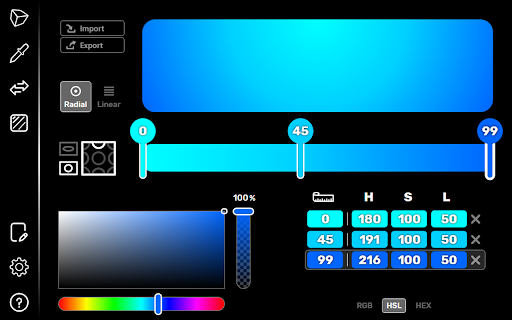
The first 3D color selection tool with integrated eye dropper. With its simple and fun interface, manipulate and use colors in a 3-dimensional environment. Enjoy the logs to reuse your favorite colors. You like a color on a website? So get it back with the integrated eye dropper in the extension! Click ... and it's already copied! You can also convert a value to the desired format with the color converter. ►► Features ◄◄ + 3D color picker + Eyedropper to select a color on a webpage. + Gradient generator + Color converter + Click and paste. Automatic copy to the clipboard. + Reuse your colors with color history. + Keyboard shortcuts + Use the eyedropper directly with the right click (shortcuts in the context menu). + Lot of settings available for the eyedropper, color picker and interface. + 6 supported color formats (Hexadecimal, RGB, HSL, (OK)LCH, (OK)LAB and X11) A very practical tool for every developer and every graphic designer! Experience the AKColor!

ColorHexa Search Tool
Full information about any color (schemes, shades, conversion in rgb, hsl, etc.). Eyedropper, Color Picker and Gradient Generator. How to use ColorHexa: - Just enter your color value in any format (e.g. hexadecimal, rgb, cmyk, hsl, lab, lch, luv, xyz, xyY, hunter lab, binary, wavelength). - Or simply use the colorpicker or the eyedropper (left to the search input field) ColorHexa will provide detailed description, color shades, color schemes (complementary, split complementary, analogous, triadic, tetradic and monochromatic), Html & Css codes, and automatically convert the color to rgb, cmyk, hsl, lab, etc. Color conversion: - For example, to convert or get any information about "red", you could directly type: - "red" or "ff0000" (with or without "#"), - "rgb(255,0,0)" - "rgb % 100 0 0" - "c:0, m:100, y:100, k:0" - "hsl 0, 100, 50" And so on... (with or without commas, brackets, colons or semi-colons, that doesn't matter). Color Mixer & Color Subtraction : - Colorhexa also offers the ability to merge / subtract colors together by simply separating them with a "+" or "-" in your query (e.g. : "blue + hsl 30 20 10", "red 200 green 30 blue 10 - orange"). Color Gradient Generator: - You can also create a gradient by separating the colors with the word "to" (e.g. "ff0000 to rgb 0 100 30").

Color Picker
Search for the perfect color via an stylish color picker in a popup window. Color Picker is a handy extension that lets you easily search for your desired color via a stylish popup. Simply click on the toolbar icon to view the interface. Once the interface is shown you will see a popup with 4 different sections. On the top, there is a toolbar with a few buttons. In the middle, there is a big icon (color-palette icon) that can be used to render the native color picker UI. Click on this icon to pick a new color. Please note that, depending on your browser and OS, the native color picker UI may vary significantly. Once you chose a color, the table on the right-side will be updated with color values in six different formats. For the first time when you open the color picker UI, please click on the - Basic colors - section once, otherwise the addon will not be able to select and save your color. At the bottom of the UI, you will see a table with all the selected colors in solid circles. If you click on a circle, the current color will change to the selected circle color. Moreover, if you want to delete all circles, pleased press the - Clear History - button at the top-left corner of the interface. Below the clear button, there are color-chooser and eye-dropper (see below) buttons. At the top-right corner, there are reload (to reload the interface), support, and donation buttons. Note: the extension has a new feature called eye-dropper. With this new feature, you can inspect colors all over your screen, even in the areas outside of the browser. EyeDropper API is still experimental and available only in modern browsers. Note: to report bugs, please fill the bug report form on the addon's homepage (https://mybrowseraddon.com/color-picker.html).

Eye Dropper X
Get color from a page with color pick tool in a click If you looking for: ⭐️ ColorPicker ⭐️ Eye Dropper ⭐️ Photoshop Color Picker for Chrome ⭐️ The best tool for web designer ⭐️ 100% Free ColorPicker

1px: Simple ruler
A simple ruler for measuring the size of blocks on a page You can measure the size of any element (width and height). To exit, press the ' ESC ' button or the extension button. Perhaps in the future some more useful functions will be added, but now only such functionality.
