
jbngkbpfcplopniblkndojcmplnjonhm
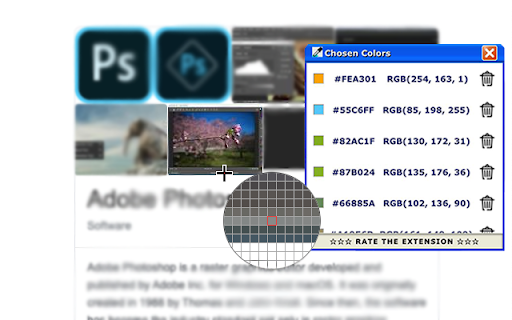
Get color from a page with color pick tool in a click If you looking for: ⭐️ ColorPicker ⭐️ Eye Dropper ⭐️ Photoshop Color Picker for Chrome ⭐️ The best tool for web designer ⭐️ 100% Free ColorPicker

Eye Dropper
A browser extension to copy colors from your screen This extension adds an eye dropper icon to the toolbar, which allows you to pick colors from anywhere on your screen! The colors you pick get copied to your clipboard. They also appear in a popup window, allowing you to go back and copy previously selected colors.

Balance – perfect daily ToDo list for New Tab
Balance - a very simple to-do list that will change your Life. By clicking "Add to chrome" you accept and agree to installing "Balance™" extension and setting Chrome New Tab to that provided by the service and the Terms of Use and Privacy Policy. The extension will update your search settings and will change your search engine to be provided by Microsoft Bing. Each new day like absolutely pure sheet and every new day you can choose how to fill this day. Each time it is only your decision. Every new day you have the opportunity to go either the usual way or completely new way. Most of us devote a lot of time for work and little time for ourselves and our lives. It depends on the social priority - the modern world every day plunges us more and more into the race for financial well-being, which forces us to work harder and better, and forget about the pleasure that we can get from both work and life. That is why every new day you will start with two empty lists of tasks that you will fill: each new day you have to choose between completing the tasks of the previous day or starting your day from scratch and follow the new path. You will have to divide Life and Work Tasks and write them in separate lists. Thanks to this division, it will be possible to note the existing disbalance between these two lists and focus your thoughts on what is really important, but ignored. We have created this Custom New Tab extension exactly for people who feel that there is another life way and everything can change. And we will show that it is real. And some legal links below: Read few words about our team and contact us: https://monetizi.net/

Color Picker - Eyedropper Tool
Pick colors from web pages with Eyedropper. Picker, gradient generator, palette. Quickly grab HEX, RGB. Color Picker and Eyedropper Tool is a must-have browser extension for web developers, designers, and anyone who needs to choose colors from a webpage or extract a website's palette. Whether you're creating a website, designing graphics, or working on a digital project, extension will make the process of color selection easier and faster. Features: - Employ zoom technology to select and store multiple from any - Archive your preferred gradients; a single click on any stores its HEX value in your clipboard; - The site palette feature retrieves all the colors present on any webpage; - Personalize the type for automatic copying. Great for any designer, Chrome extension that easily allows you to identify the Hex colour code of any UI element you hover your mouse over. It's great for quick access to colours you gain inspiration from when browsing online. This extension stores the last six selected and represents the color in HEX, RGBA, HSVA, HSLA, and CMYK formats. Free open-source Color Picker extension. Source on GitHub. No ads, no tracking. Try using our software to find the color codes for any pixel today.

Color Picker - Native Eyedropper
Determine the pixel's color on the screen with a magnifying glass eyedropper. It supports color selection history and clipboard copy You can determine a pixel's color on your screen (not just the browser window) using a native eyedropper tool equipped with a magnifying glass. You can modify the color value or the transparency inside the color picker's popup. This extension stores the last six selected colors and represents the color in HEX, RGBA, HSVA, HSLA, and CMYK formats. You can press a button to copy the vcurrent color value into the clipboard. Features: Uses the native eyedropper tool that works outside the browser Automatically copies the selected color to the clipboard Has an advanced color editing interface Get a readable color based on the selected background color Usage: Image Files: If you want to grab a color from an image, open the image either on a browser tab or use a native image viewer (e.g., Adobe Photoshop), then press the "Eyedropper" icon on the popup to activate the global color picker. Video Files: If you want to grab the color of an object inside a video stream, try to play the video and seek forward to the frame, then pause and use the eyedropper tool to capture the pixel's color. If your browser supports the format, you can drop it into a browser tab.
