
nimilnpomamlmmnnmijddgbfhabbokkk
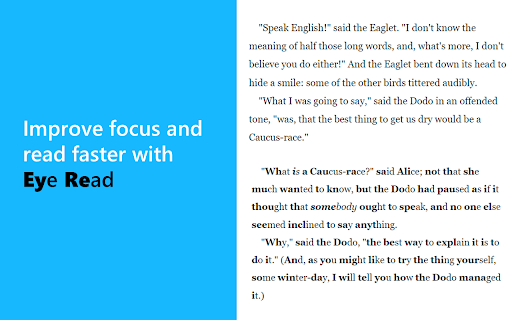
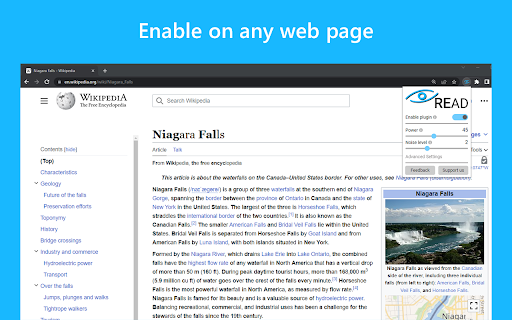
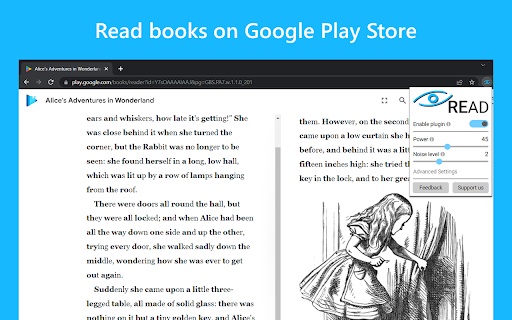
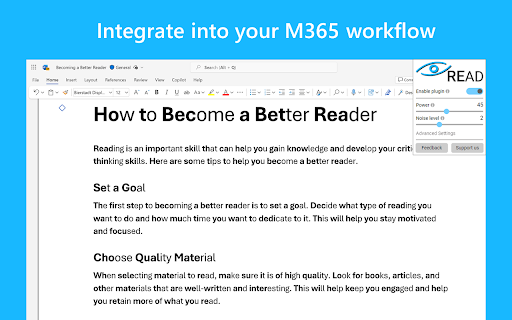
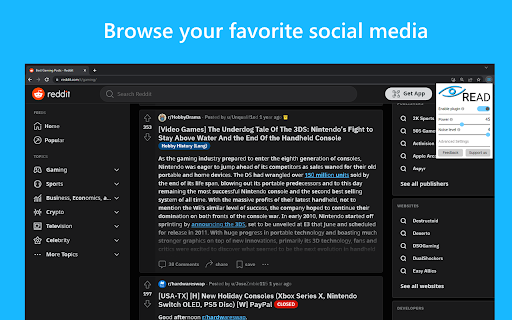
Read faster, improve focus. Anywhere on the internet. Simple, lightweight, just works. Eye Read is a web extension that unlocks the power of focused reading with a click of a button on any web page. We built Eye Read to help people become more productive at school and work. It is especially useful for neurodivergent population, e.g. with ADHD and ADD. Eye Read uses a custom algorithm that bolds a portion of each word to help guide your eyes over the text. This augmented reading technique enables your brain to autocomplete the words, which translates into improved focus and faster reading. Key features: ⭐️ Simple to use - designed to be intuitive and work out of the box. ⭐️ Lightweight and fast - doesn't slow down your web browsing experience or break pages. ⭐️ Customizable - noise level control allows you to adjust how much content to highlight on the page. ⭐️ Works where it matters - keep using M365 Office Suite apps, such as Word or PowerPoint, browse social media apps, or read books in Google Play Books. ⭐️ Does not collect any personal data

Better Read
Use Better Read to read more quickly and efficiently! Enhance Your Web Reading Experience! Better Read bolds the first half of words on webpages. This emphasizes beginnings, boosting reading speed and focus, guiding you through content efficiently. Control your experience with adjustable settings. Choose boldness for your comfort and pace. Pick word spacing - seamless or gapped - refining comprehension and speed. You can even personalize text color to suit your taste. 1. Quicker Reading: Bolded starts hasten text scanning, enhancing reading speed. 2. Tailored Experience: Adjust boldness, spacing, and text color to your style. 3. Accessibility: Beneficial for speed and reading challenges. 4. Effortless Integration: Enhances all pages without manual activation. Unleash accelerated reading with Better Read. Install now for an elevated reading experience!

Reader Line
Use Reader Line app to guide and enhance your experience with reading ruler to maintain your focus with reading line. Introducing Reader Line: revolutionising your reading experience! 📕 🚀 Quick start tips 1. Click "Add to Chrome" to install the extension seamlessly into your browser. 2. Open any webpage or document where you want to enhance your reading experience. 3. Adjust the color, height, and opacity of the read ruler to your preferences. 4. Move the reading ruler with your mouse cursor to focus on specific lines or paragraphs. 5. Dive into your reading material with improved clarity and focus, courtesy of reading help! 💎 Enhance your reading journey with reader ruler Reader line serves as your trusted reading companion, offering a range of features to cater to your unique reading needs. Whether you're a student, professional, or simply enjoy diving into a good book, focus ruler is here to elevate your reading journey. ⚙️ Customizable reading guide Here are the options of read ruler you can easily customize in extension settings: ✴️ Color and opacity. Changing reading ruler color enhance readability on websites with different backgrounds. ✴️ Ruler height. By setting height of the reading guide user can adapt to different font sizes and line spacing for optimal reading experience. ✴️ Reading mode. Reader line offers two modes of reading: line and focus. These specialized modes offer tailored solutions to enhance your reading experience. ✨ Seamless integration and accessibility 💡 Reader line seamlessly integrates into your Chrome browser, ensuring accessibility and ease of use for users of all skill levels. 💡 Enable or disable the extension with just a click, giving you full control over your reading experience. 💡 Designed with inclusivity in mind, reader line prioritizes accessibility, making it a valuable tool for individuals with diverse reading needs. 🛠 Future features 1️⃣ Focus mode. The focus mode feature enhances concentration by highlighting a single reader line, ideal for dyslexia. It utilizes the reading ruler to guide the reader's attention, making the reading line clearer and minimizing distractions, thus improving readability for dyslexic users. 2️⃣ PDF support. Seamlessly integrate read ruler's features into pdf files, offering a consistent reading experience across different formats and platforms. Whether you're studying academic papers, reviewing reports, or enjoying leisure reading, reading help will be there to provide invaluable support and assistance. ❓ Frequently asked questions 📌 What is reader line? Reader line is a Chrome extension designed to improve your reading experience by providing a customizable line guide to help you navigate through text. Once installed, reading helper adds a virtual reading ruler to your browser window. You can adjust its color, height, and opacity to suit your preferences. 📌 Can it help with specific reading challenges? Yes, reader line offers specialized modes such as dyslexia helper and focus line to assist individuals facing reading difficulties. 📌 Is reading line easy to use? Absolutely! Reader line features an intuitive interface and can be enabled or disabled with just a click, making it accessible to users of all skill levels. Reading helper can be easily disabled or re-enabled with a single click, giving you full control over your reading experience. 📌 Can I customize the appearance of the reading guide? Yes, you can customize the color, height, and opacity of the reading ruler to match your preferences and reading environment. 📌 Does reader line work on all websites? Reading ruler is compatible with most websites and web-based documents, providing a consistent reading experience across various platforms. 📌 How can reading guide improve my reading speed and comprehension? By providing a visual guide and minimizing distractions, reading ruler assist users focus on the text, leading to improved reading speed and comprehension. 📌 Is reader line suitable for students? Yes, read ruler is an excellent tool for students, helping them stay focused while studying, researching, and reading academic texts.

Reading Assist
A Chrome extension that selects and highlights sentences as visual cues for digital reading. # Chrome Extension for Seamless Reading using Visual Pointer Cue. Are you tired of scrolling through long digital documents or books and losing track of where you are? Do you ever find yourself re-reading the same sentence multiple times because you lost your spot? We have a solution for you. We developed a **feature that selects and highlights the current sentence being read** as a visual cue for readers. This feature enhances the reading experience by providing clear cues on the sentence you are currently reading, helping you to maintain focus and engagement with the content. To see our feature in action and better understand its benefits, watch our video demonstration. This demo showcases how our sentence selection and highlighting feature functions and how it can significantly improve your reading focus. By clicking on the image above or following this link, you can access our video demo: Our feature is easy to use and seamlessly integrates with existing web applications. To select a sentence in an article, simply highlight a word or phrase, press **space bar**, and our feature will determine the current sentence based on cursor position and surrounding text. The chosen sentence will be highlighted in real-time as you scroll through the document. We are excited to introduce our new feature that selects and highlights sentences as visual cues for digital reading. **Try it now** and see how it can improve your reading experience.

Pixie Reading Ruler: Boost Reading Focus Tool
Enhance your online reading experience with an adjustable on-screen ruler. Improve focus, pace, and comprehension effortlessly! 🔍🎯📖 Take charge of your digital reading with Pixie Reading Ruler: Focus & Comprehension Tool. Designed to streamline your reading process, our extension provides an adjustable on-screen ruler to optimize your reading journey. 🚀📚🚀 Ready to boost your reading proficiency? Pixie Reading Ruler allows you to guide your reading path, maintain pace, and enhance comprehension. Now, online reading becomes more effective and enjoyable, no matter the content! 🎯💻⭐ Stay on Track with Reading Ruler: Avoid losing track of lines or skipping words with our adjustable reading ruler. Customize its height, brightness, and color to match your preferences and let it guide you line by line through the text. 📖🎯🔍 Improve Comprehension: The Reading Ruler keeps your focus sharp, which can improve comprehension and information retention. Make the most of your reading time! 💫📚💫 Pixie Reading Ruler is perfect for anyone looking to improve their digital reading experience. Whether you're a student seeking to improve study efficiency, a professional researching online, or an avid reader who loves web novels, our tool is designed to meet your needs. Try Pixie Reading Ruler today and experience the joy of a tailored, focused, and productive digital reading experience! 📨 📨 📨 Support Email: support@oziku.tech ✉️ Translations are done via a translator; for incorrect translations, please contact us. ✉️ For bugs or feature requests, please don't hesitate to email us.
