
mjnolefibecockgpfcjmobgekgckoeea


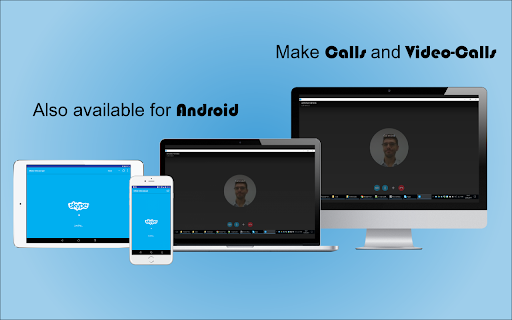
Skype for Web. Microsoft Skype App Lite for Google Chrome. Messages, SMS, Calls, Video-Calls, Share, Profile, Contacts on Browser. ★★★★★ This is a clean version of Skype™. You have full access to all chats 💬 but in a minimalist interface for fast access. Quickly access Skype for Web and Share on Skype through your browser 🔮 Clicking on the toolbar button, renders Skype web UI in a standalone window 🗿 Moreover, the window is re-sizable to your desired choice. Note, to start using this App, you need to have a Skype account 🤓 An easy-to-use and lite App for Skype web ⚽ FEATURES ★ Support audio and video calls, web based 📣 ★ Perfect for sporadic use of Skype 💼 ★ Access the full Skype functionality offered on Skype for Web. Select Launch Skype to get started 🤩 ★ The easiest way to open and use Skype web from your desktop machine (PC, MAC or Linux) ❎ ★ Simply click on the toolbar button to open Skype in a simple popup window ✅ ✔ Small window well positioned 📌 ✔ Auto-Start when Google Chrome™ starts 💻 ✔ Configurations in a Options 🔧 section. ✔ See your friends news and edit your profile 🔑 ✔ All done over Skype™ platform for maximum security 🔑 no need to share credentials to third party applications 🔓 ANDROID APP 📱 Also available as a Android App for Smarthphone/Tablet devices. Get it on Google Play: https://jitt.wwevents.fun/project/skype-messenger/#download 💎 Building Apps and Extensions for Google Chrome and Android 🔥📣 📔 Available on the product page: https://jitt.wwevents.fun/project/skype-messenger/#changelog Skype™ is a trademark of Skype Inc., registered in the U.S. and other countries. This is an independent project developed by WWEvents and has no relationship to Skype™ or Skype Inc. By installing this product you agree to our privacy policy & terms of service: https://jitt.wwevents.fun/privacy-policy/ You may consult the list of permissions and the reason why they are required on the product page: https://jitt.wwevents.fun/project/skype-messenger/#permissions “notifications” – Used to send desktop notification. For example when a new message arrive or App is updated. “contextMenus” – Allow to add more settings when right click in the App icon in the browser toolbar and browser context menu. “storage” – Used to save settings on your local computer. “scripting” – Used to be able to insert JS or CSS on the required host/domains. “system.display” – Used to detect the display size and position the Extension window. “unlimitedStorage” – Storage is limited to 5MB of data that may not be enough to store all configs. “host_permissions” – Permission to access to some hosts/domains that we must modify in order to provide the desired functionality detailed in the functionality. It also allows that you can share content (links or text) from other pages directly to inside the App and send it as a Chat to a friend for example. Also used to allow intercommunication with other WWEvents Apps (i.e. Emojis). “activeTab” – Permission to access the window that the extension is running and is show to the user. “all_urls” – Permission required for users be able to take screenshots of the current window – captureVisibleTab. This information is also available inside the App: Options -> About

Password Lock for Skype™ Web
Lock access to Skype Web after a period of time or by pressing the action button This extension enhances user privacy by locking access to the Skype Web. Users can configure the extension to block the application when a new instance opens or block access when the computer is inactive for some time. The extension uses a master password to unlock the screen and only stores the SHA-256 hash of the password, not the actual password. It serves as an additional layer of protection for the Skype Web and does not block Skype itself, allowing incoming calls to still be received but requiring the user to unlock the screen to answer. Users can also use the built-in blur filter to optionally filter Skype's content to prevent it from being exposed on the screen when not in use. To improve usability, users can click on the action button to open a new blocked Skype Web or focus on an already opened one. The extension will block existing instances as soon as the toolbar button is pressed. The users can assign a keyboard shortcut to do the same. --Legal This project is an open-source project that aims to improve the privacy of your Skype Web usage and has nothing to do with Skype itself.

News Hub kiosk
Google News, Google Play Newsstand and BuzzFeed. News aggregator for every country. Weather forecast for Chrome. MSN News. ★★★★★ Stay updated with the latest News 📰 with this extension. Google News give you a summary updated to the minute of the most recent news in your country 🌍 Buzzfeed on the other side will give you the most trending 🔥 news and hot topics for the day. As extra you will also have access to MSN News from Microsoft, available in over 10 languages 😵 This is the very best extension for your Browser 💻 FEATURES ★ Notifications 📣 let you stay updated with the latest news. ★ Google News provides the latest news for all over the world and available to many countries 🌍 ★ Buzzfeed is the Internet trending news source 🚨 ★ MSN is the very best Microsoft News service updated with local TV news from each country 📺 ✔ Small window well positioned for texting. ✔ Auto-Start when Browser starts. ✔ Configurations in a Options 🔧 section. ✔ Quickly see your profile and news feed. ✔ Very Low CPU/RAM/Bandwidth consumption 📌 ANDROID APP 📱 Also available as a Android App for Smarthphone/Tablet devices. Get it on Google Play: https://jitt.wwevents.fun/project/hub-for-google-news-buzzfeed/#download 💎 Building Apps and Extensions for Google Chrome and Android 🔥📣 📔 Available on the product page: https://jitt.wwevents.fun/project/hub-for-google-news-buzzfeed/#changelog Google News™, Buzzfeed™ and™ MSN are a trademark of Google Inc., MSN Inc. and Buzzfeed Inc., registered in the U.S. and other countries. This is an independent project developed by WWevents and has no relationship to Google News™, Google Inc., MSN™, MSN Inc., Buzzfedd™ or Buzzfeed Inc. By installing this product you agree to our privacy policy & terms of service: https://jitt.wwevents.fun/privacy-policy/ You may consult the list of permissions and the reason why they are required on the product page: https://jitt.wwevents.fun/project/hub-for-google-news-buzzfeed/#permissions “notifications” – Used to send desktop notification. For example when a new message arrive or App is updated. “contextMenus” – Allow to add more settings when right click in the App icon in the browser toolbar and browser context menu. “storage” – Used to save settings on your local computer. “scripting” – Used to be able to insert JS or CSS on the required host/domains. “system.display” – Used to detect the display size and position the Extension window. “unlimitedStorage” – Storage is limited to 5MB of data that may not be enough to store all configs. “host_permissions” – Permission to access to some hosts/domains that we must modify in order to provide the desired functionality detailed in the functionality. It also allows that you can share content (links or text) from other pages directly to inside the App and send it as a SMS/Android message to a friend for example. Also used to allow intercommunication with other WWEvents Apps (i.e. Emojis). “activeTab” – Permission to access the window that the extension is running and is show to the user. “all_urls” – Permission required for users be able to take screenshots of the current window – captureVisibleTab. “declarativeNetRequestWithHostAccess” - Used to get the mobile version of the websites. Only impact the Extension Window. “declarativeNetRequestFeedback” - Used to get the mobile version of the website by changing the User-Agent. This information is also available inside the App: Options -> About

Emoji Keyboard
Emoji for Google Chrome Web. Copy-paste Emojis. Compatible Win, Mac, Linux, iOS, Android. Works on website/App. Smileys - Stickers 😄🐘🎮🍎🚀 Use the most up to date Emojis 😀 through this extension 💻 Backward-compatible 🎅 emojis that work in all Windows 7 browsers, older versions of Android 📱 and on Browser for Windows 7 and 8. These emojis will show in black and white ❤ on older systems and will be converted to color 💛 when viewed by a recipient with a system that supports color emojis. Emojis 💎 are supported on iOS, Android, macOS, Windows, and Linux 🌐 Copy and paste emojis to use on Twitter, Facebook, Instagram, WhatsApp, Gmail 💬 or any App/Website where you can input text 📌 Support for Unicode 11.0 and 12.0. Better then EmojiOne because the app size is 90% less, it's 2x faster and shows the emojis like they will really show on your computer. Now support for Unicode 13.0, 13.1, 14.0, 15.0, 15.1, 16.0 and 17.0 🚀 Support the 2022, 2023, 2024, 2025 and 2026 emojis. Must have Windows 11 or MacOs Ventura/Sonoma or a newer in order to see them 🤓 They are available in the Super Emojis Tab 🤣 FEATURES ★ Unicode 11.0 and 12.0: Run Windows 7, 10 or newer to see them 🤓 ★ Unicode 13.0, 13.1, 14.0, 15.0, 15.1, 16.0 and 17.0: Run Windows 11, MacOS Ventura/Sonoma or newer to see them 🤓 ★ Automatic Copy-Paste 📋 ★ Frequently used Emojis section. Right-click and remove 🚽 the ones you don't want there. ★ Backward-compatible 🎾 in all Windows 7 browsers, older versions of Android, and on Browser for Windows 7 and 8 💾 ★ Supported on iOS, Android, macOS, Windows, and Linux 💡 ★ Works 🎯 on any App/Website where you can input text 📢 Including Twitter, Facebook, Instagram, WhatsApp, Gmail, ... 💎 Building Apps and Extensions for Browser and Android 🔥📣 📔 Available on the product page: https://jitt.wwevents.fun/project/emoji-keyboard/#changelog By installing this product you agree to our privacy policy & terms of service: https://jitt.wwevents.fun/privacy-policy/ You may consult the list of permissions and the reason why they are required on the product page: https://jitt.wwevents.fun/project/emoji-keyboard/#permissions “notifications” – Used to send desktop notification. For example when a new message arrive or App is updated. “contextMenus” – Allow to add more settings when right click in the App icon in the browser toolbar and browser context menu. “storage” – Used to save settings on your local computer. “scripting” – Used to be able to insert JS or CSS on the required host/domains. “system.display” – Used to detect the display size and position the Extension window. “unlimitedStorage” – Storage is limited to 5MB of data that may not be enough to store all configs. “host_permissions” – Permission to access to some hosts/domains that we must modify in order to provide the desired functionality detailed in the functionality. It also allows that you can share content (links or text) from other pages directly to inside the App. Also used to allow intercommunication with other WWEvents Apps (i.e. Emojis). “activeTab” – Permission to access the window that the extension is running and is show to the user. “tabs” – Permission required to query all the active tabs in order to put the emoji on the requested tab. “all_urls” – We must access to all hosts/domains in order to inject Emojis on the user target webpage text input. This information is also available inside the App: Options -> About

Chat Multi Messenger
Merges all Social Media chats in one App. Support for twitter, tiktok, telegram and many more! Direct message DM your friends! ★★★★★ Access to many Social Media Apps in a single App 😱 See https://jitt.wwevents.fun/project/chat-multi-messenger/ for a full list. The state is kept when switching between Apps meaning that you can have all Social media Apps opened and have instant switch 🚧 This Chat Multi Messenger allows to fast switch between all the Web Messengers for Chrome 🚨 You can enable/disable the Chat Apps that you want to be active 🔥 Monitor all notifications, news feed, posts, messages in real time 🏆 Non-intrusive, by showing the number of missed notifications in the App icon on the Browser Toolbar 🥊 FEATURES ★ App shows as a sidebar and runs the mobile versions of the available Apps meaning less CPU/RAM/Internet consumption 👑 ★ You computer will run faster with more resources available without have to sacrifice functionality. ★ Choose your preferred communication method from a wide number of available messengers 😍 ★ Combine all the mainstream messengers into one simple window! ★ Chat Multi Messenger is a wrapper for worldwide messengers. It allows you to have access to the official services quickly from a standalone sandboxed window 🔥 ★ Sidebar with all Web Messenger like Messenger, Android Messages, Reddit, Youtube, Skype as the main available Apps 👑 ✔ Best extension for Social Media 🔧 You can fast-switch between all Social Media Networks 🎓 ✔ Clean and simple interface 💻 ✔ Very Low CPU/RAM/Bandwidth consumption. ✔ HTTPS and on official platforms for maximum security 🔑 No share of credentials to third party 🔓 💎 Building Apps and Extensions for Google Chrome and Android 🔥📣 📔 Available on the product page: https://jitt.wwevents.fun/project/chat-multi-messenger/#changelog All websites are a trademark of their own company's, registered in the U.S. and other countries. This is an independent project developed by WWEvents and has no relationship to them. By installing this product you agree to our privacy policy & terms of service: https://jitt.wwevents.fun/privacy-policy/ You may consult the list of permissions and the reason why they are required on the product page: https://jitt.wwevents.fun/project/chat-multi-messenger/#permissions “notifications” – Used to send desktop notification. For example when a new message arrive or App is updated. “contextMenus” – Allow to add more settings when right click in the App icon in the browser toolbar and browser context menu. “webNavigation” - The extension uses iframes to allow fast switch between the social media sites. webNavigation is used to control those iframes and know the timing to insert css or js into the iframe. “storage” – Used to save settings on your local computer. “scripting” – Used to be able to insert JS or CSS on the required host/domains. “system.display” – Used to detect the display size and position the Extension window. “unlimitedStorage” – Storage is limited to 5MB of data that may not be enough to store all configs. “host_permissions” – Permission to access to some hosts/domains that we must modify in order to provide the desired functionality detailed in the functionality. It also allows that you can share content (links or text) from other pages directly to inside the App and send it as a SMS/Android message to a friend for example. Also used to allow intercommunication with other WWEvents Apps (i.e. Emojis). “activeTab” – Permission to access the window that the extension is running and is show to the user. “all_urls” – Permission required for users be able to take screenshots of the current window – captureVisibleTab. “declarativeNetRequestWithHostAccess” - Used to get the iframe version of the websites. Only impact the Extension Window. “declarativeNetRequestFeedback” - Used to get the iframe version of the website by changing the iframe requests. “browsingData” - Used to remove serviceWorkers on some website in order for MV3 extension run properly. “alarms” - Used to update App icon badge. This information is also available inside the App: Options -> About
