
mcgnagemenncafhpabimmooimpngdcpn

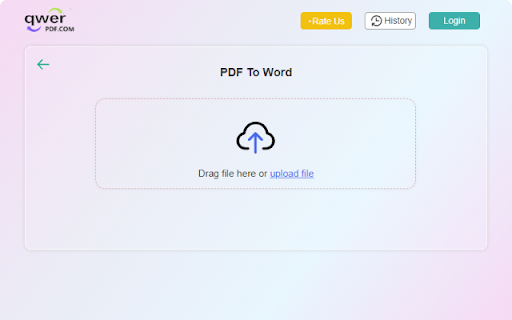


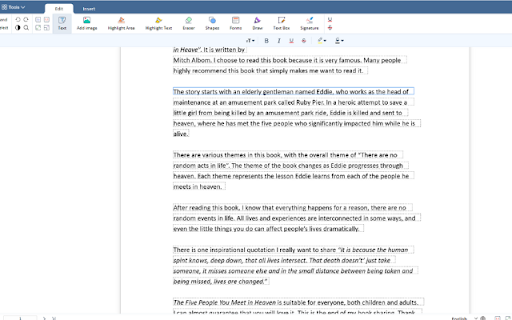
Qwer PDF extension is Online Convert PDF To Word & Excel, PPT & PDF Editor - 100% Free. Power Up Your Productivity. Qwer PDF extension is Online Convert PDF To Word & Excel, PPT & PDF Editor - 100% Free. Power Up Your Productivity. QwerPDF extension is a 100% free all-in-one PDF tool We’ll power up your productivity with our useful PDF converter toolkit and online office suite. Free PDF Converter: Convert PDF to Word - Online Convert PDF to Word for Docx online editing your word it’s free Convert PDF to Excel: Convert PDF to XLS online, view and edit the document after converted. Convert PDF to PPT: Convert PDF to PowerPoint PPT online, directly edit it after converted Convert JPG to PDF: Convert images online and adjust the size. Convert HTML to PDF: Convert webpages in HTML to PDF and vice versa. Free Online PDF Editor: Merge, Split and Edit PDF Pages Free Online Office Suit: Docx & Word online Editor, You can still use PDF To word for online Editor tools editing your Docx Files Xlsx & Excel online Editor. Excel files online View, You can still use PDF To excel for online excel editor tools Create PPT online. View Word and Excel files online. - Protect your personal information: Protect, unlock and add watermarks on PDF files. By installing this extension you agree to the data protection regulations (https://qwerpdf.com/privacy-policy.html).

PDF Viewer
Display any PDF files in the Chrome browser with HTML5. Online editor, viewer and PDF converter tool. PDF Viewer for Chrome is a free and very useful tool that allows you to view and edit files directly in your browser. To see the file with this Reader simply hit the icon installed in the browser's toolbar or just click the Chrome's context menu and select "Open with PDF Viewer". Reader is the industry-leading solution. Use this tools right in Google Chrome to get the best viewing experience and get more done while browsing. You can add comments to file, including sticky notes, text, and highlights—all for free. What’s NEW: • Dark and light mode. • Read your document aloud • View file offline Other functions: • Displays both signed and unsigned PDF signatures. • Opens PDF files through drag-and-drop functionality. • Allows insertion of text and images into the document. • Includes drawing tools, making it possible to sign PDFs with a pen or mouse. To operate with this extension, please right-click on any link and then click on - Open and Download with Viewer - item from the context menu. The files will first be "downloaded" and then "opened" in a default viewer (the one which is set on the options page). Please note that the file will be downloaded in the "default" download folder on your machine. Leave feedback and ask questions about our product Viewer! We are developing new features and always listen to feedback.

PDF to Excel
Fast and easy way to convert PDF files Select or drag your files, then click the Convert button to download your converted files. All converted files maintain the best quality which can be accepted on any web platform (when uploading to a website or attaching as email). Your files are fully secure as they are been transferred over a secure connection. We’ll permanently delete all files from our servers within a few hours after conversion.

Xodo | PDF Editor, Converter & Merger
Free PDF tool to edit, convert, compress, merge, combine, crop, and redact PDF files. Enjoy the better PDF experience by adding Xodo to your Chrome browser! Access PDF converter, PDF combiner, PDF filler, PDF editor, PDF merger and more to supercharge your productivity online. Powerful PDF Converters and PDF tools to boost your productivity: - Convert PDF to Word, PPT, Excel, PDF/A, HTML, JPG, JPEG and PNG - Convert JPG, JPEG, PNG to PDF - Convert Word, Excel, Powerpoint to PDF - PDF Reader - Edit PDF - Merge PDF - Compress PDF - Crop and redact PDF - Fill PDF - Split PDF - Rotate PDF pages - Delete PDF pages - Reduce PDF size - Combine PDF files - Sign a PDF How to Use: - Install Xodo extension - Select an action from the top 5 tools - Upload your file and use our online tools to edit, convert, compress, merge, combine, crop, and redact. - Download your new file With Xodo you can process various file types: - PDF, PDF/A - Office: Word, Excel, powerpoint (doc, docx, xlsx, xlsm, ppt) - Images: JPG, JPEG, PNG, GIF, TIFF - HTML - DICOM NOTES: To access the full list of document processing tools, visit https://xodo.com By installing the Chrome extension, you agree to Xodo Terms of Use and Privacy Policy (https://xodo.com/legal)

CocoDoc - PDF Editor, Filler & Converter
Easily edit, convert, split, and compress a PDF online. Get easy access to any PDF related tool you need: ★ Add text, note, date, type on a PDF ★ Convert PDF to Word, Excel, PPT, JPG, PNG, etc. ★ Convert Word, Excel, PPT, JPG, PNG, etc., to PDF ★ Compress a PDF ★ Sign PDFs and send for signature ★ Merge, Split and Extract PDF Pages ★ Download, send and share PDF files ★ Protect and Unlock PDF ★ Create PDF forms ★ Rotate PDFs ★ Delete PDF Pages ★ Sign PDFs ★ Erase, Redact, & Highlight PDFs Just add CocoDoc to your Chrome and start using the tools for any PDF in your browser! You can download the edited PDF or print it out, effortlessly and quickly.🚀🚀 Simplify PDFs handling and improve work efficiency by 90% with CocoDoc Business, you can: ● Unlimited storage, edit as many PDF files as you wish ● Protect your PDF documents with password and military-grade encryption ● Add unlimited electronic signatures to your PDF documents ● Manage PDFs with your co-workers and enhance collaboration Get 999+ Fillable & Downloadable forms, agreements, and templates from CocoDoc: ● IRS Tax Forms ● Consent Forms ● Contract Templates ● Business Proposal Templates ● Finance Forms ● … Uncover full potential with the best online PDF editor: https://cocodoc.com/
