
lgldoaciahomlenlcifbkbbgdhihkboi
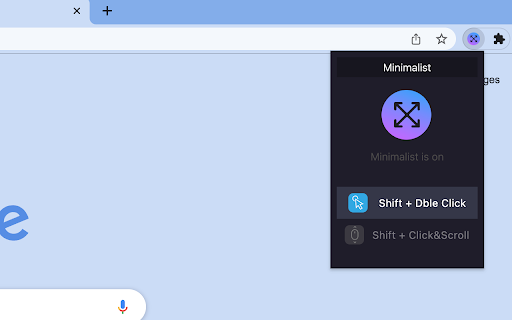
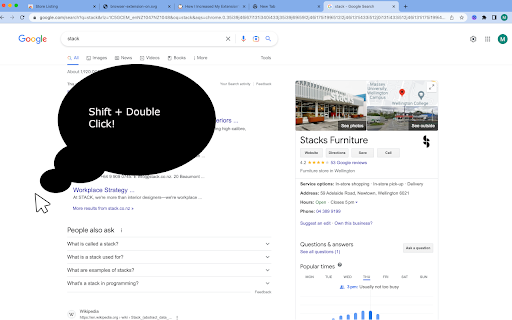
This extension is a minimalists dream. Simply shift + double click, or shift + scroll to be fully imersed in your website. Shift + Double click or Shift + Scroll anywhere on the screen to Full Screen your chrome browser. Moving your mouse to the top of the page will cancel the effect for a completely seamless full screen integration. Popular websites like youtube and developer documentation websites become an immersive experience to browse. Features: * Shift + Double click for Full Screen * Shift + Click the page and scroll to activate minimalist for a more continuous application. * Fullscreen a youtube video anywhere on the page * Escape a fullscreen youtube video by simply moving the mouse to the top of the page. No longer needing to click the box in the bottom right hand corner If you would like to suggest new features please raise them here: Git hub: https://github.com/phillygogo/Minimalist

Fullscreen
Fullscreen extension for device without keyboard Chrome fullscreen extension for device without keyboard, like phone, tablet and so on. Just click the extension icon, your web page will be fullscreen. Press your device's back key to exit the fullscreen. It is simple and fast!

FullScreen for Chrome
Fullscreen, #1 Zoom and Dark Mode more options will get in one FullScreen extension allows you to zoom your web pages. This allows you to view your webpage more closely. There is more to do with this extension than just zooming. This extension gives you the option to make your web page full screen. This extension gives you the option to make your web page full screen. With this extension you can open the source code of any website. You can make a duplicate tab of any website. The best feature of the extension is that this extension gives you the option to do dark mode. As a result you can view any web page with dark mode on. Features + Web page can be full screen. + Web pages can be zoomed to 500%. + Dark mode layer. + Print, duplicate, source code view option + Very lite and easy to use Extension.

But really fullscreen the video
But really fullscreen the video

Fullscreen Magic
Automagically finds a video, game, frame, or other embedded content in a webpage and makes it full screen with a single click Fullscreen Magic will automatically find the most relevant element of a webpage and show it to you in a full screen. Fully enjoy videos, games, pdfs, and other embedded content with just one click. No more distractions, no more zooming in and out, no more hassle. Just pure magic. - Works for videos (YouTube, Facebook, Twitter, etc.), iframes, simple online games, canvas elements, PDF viewers and other embedded content - Detects the element of interest automatically and shows it in full screen mode - Supports keyboard shortcuts and mouse gestures for easy navigation - Compatible with Chrome, Firefox and Edge browsers - Visit any webpage that contains an element you want to view in full screen mode - Click on the Fullscreen Magic icon in the toolbar - Enjoy the full screen experience - To exit full screen mode, press F11 or Esc on your keyboard ## Source Code and License Fullscreen Magic is open sourced and licensed under the MIT License. See https://github.com/arikw/fullscreen-magic-extension/
