
lfmadckmfehehmdnmhaebniooenedcbb
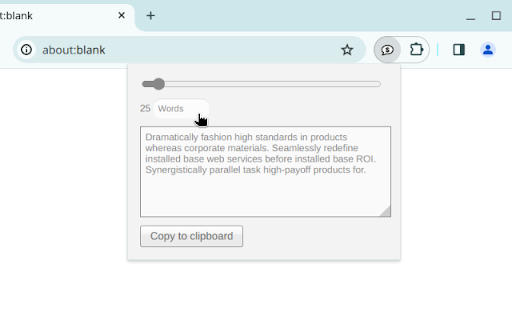

Generate random corporate double-speak for use as filler text A lorem ipsum generator with a corporate bent. Generates filler content by the word or paragraph. This is a clone (with permission) of Brian Haslanger's Corporate Ipsum dashboard widget (https://portfolio.doubleforte.net/project/synergy) for Google Chrome. Example output =============== Efficiently seize integrated vortals with installed base methodologies. Synergistically orchestrate leveraged data with intuitive action items. Proactively develop tactical services and interoperable networks. Efficiently create enterprise potentialities whereas interoperable e-commerce. Globally fabricate worldwide solutions via principle-centered human capital.

Lorem Ipsum Generator
Quickly generate Lorem Ipsum placeholder text. Select a desired length and choose between paragraphs, words, bytes or lists. Elegantly designed and easy to use. The values you enter are stored so that your preferred option will always be immediately available.

Grid Ruler
Create grids and measure their distance easily. It allows web developers to create vertical and horizontal grids, Photoshop style. It has a ruler to measure distance between your grids too. - click & drag from main vertical/horizontal ruler to create grid guides. - click on intersection of vertical ruler and horizontal ruler to go into measurement mode. - while in measurement mode, hold `Shift` key to get a straight line.

Stylebot
Change the appearance of the web instantly You pick an element and choose any changes you want to make from the editor. You can change the font, color, margins, visibility and a lot more. You can also code CSS manually. ★ Easy to use: Pick and style elements using UI actions ★ Simple & Quick: Changes are saved instantly ★ Code editor - Write your own CSS ★ Readability Mode - Make articles on any site readable by hiding non-essential page elements like sidebars, footers and ads. ★ Grayscale Mode - Turn on grayscale to reduce strain from websites Homepage: https://stylebot.dev/ Twitter: http://twitter.com/ahujaankit Bug reports and feature requests: https://github.com/ankit/stylebot/issues Stylebot has never collected and will never collect any personal data, browsing history etc. The permission to access websites is to only let you customize the CSS for any webpage and automatically apply your CSS when you visit the webpage in the future. In the future, Stylebot may collect browser version, platform name, user's settings (except website list or any other data which can help identify user). This information is needed for decision on implementing new features, removing unused features or suggesting default settings for new users. It will happen only with your permission.

Window Resizer
Resize the browser window to emulate various screen resolutions. This extension re-sizes the browser's window in order to emulate various resolutions. It is particularly useful for web designers and developers by helping them test their layouts on different browser resolutions. The resolutions list is completely customizable (add/delete/re-order). You can set the window's width/height, window's position, preset icon (phone, tablet, laptop, desktop) and even the option to apply the new dimensions to the entire window or just to the viewport. The extension also features customizable global key shortcuts, an option to export your settings and import them on another computer and more! Please report all bugs (or suggestions) using the support link on the extension's details page.
