
koobmglbcddgeoopgphanmhjppfaehaa
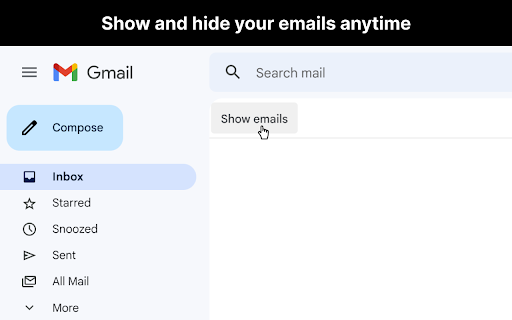
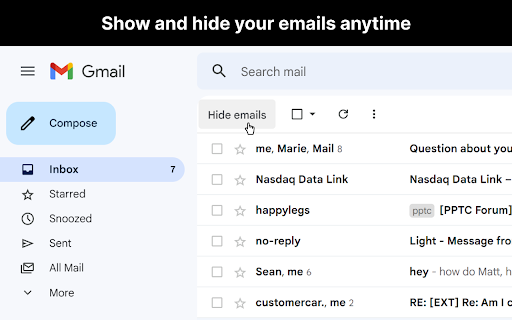
Hide your emails in Gmail™ to focus and get in the flow. Unhide them whenever you're ready. Now you can hide your emails in Gmail™ whenever you want so you can get in the flow and do more deep work. ## Overview After you open Gmail™, click the "Hide emails" button to hide your messages. You'll still be able to search Gmail™ and use it as a reference, just without all your emails appearing and distracting you. When you're ready to view your the emails in your inbox again, just click "Show emails". This extension only works if you use the Gmail™ website on chrome. It doesn't work if you're using the Gmail™ desktop app. ## View the code https://github.com/mthurmond/hide-my-email-for-gmail ## More helpful extensions Try my other two extensions to remove distractions. Both are free & open source: - Distraction free for Linkedin™: https://chrome.google.com/webstore/detail/distraction-free-for-link/kigfnbfbpfpgphbocdkmeablbgdbpfke

Distraction Free for LinkedIn™
Hide distractions on LinkedIn™ when you need to focus. This extension hides potential distractions on LinkedIn™, including the newsfeed, suggested news, ads, and suggested people to follow. This lets you get in, get out, and get it done. This extension is free and opensource. It is is not affiliated with or produced by LinkedIn™. I've gotten a lot of value from LinkedIn™ in the past, and hope this extension will help you use it even more effectively. View the code on github: https://github.com/mthurmond/distraction-free-for-linkedin --> Try my other two extensions to remove distractions. Both are free & open source: - Hide My Email for Gmail™: https://chrome.google.com/webstore/detail/gmail-inbox-hider/koobmglbcddgeoopgphanmhjppfaehaa?hl=en&authuser=0

Slack hider
Hide your slacks to focus and get in the flow. Unhide them whenever you're ready. UPDATE: In September of 2023 Slack updated their UI, so I updated this extension so it works with their new UI. If you see any issues, please file them in the github repository below and I will look into them. Thanks! ---- Now you can hide your slack messages when using the web app. This lets you get in the flow and do more deep work. After you open the slack web app, click the "Hide messages" button to hide your messages. You'll still be able to search slack and use it as a reference, just without all the messages appearing in the left sidebar. When you're ready to view your messages, just click "Show messages". This extension only works for the web app. It doesn't work for the desktop app. View the code on github: https://github.com/mthurmond/slack-hider --> Try my other extensions to remove distractions. Both are free & open source: - Distraction free for Linkedin™: https://chrome.google.com/webstore/detail/distraction-free-for-link/kigfnbfbpfpgphbocdkmeablbgdbpfke?hl=en&authuser=0

iCloud Hide My Email
This extension enables the use of iCloud's Hide My Email service on any Chromium based browser such as Google Chrome, Brave, Opera, and Microsoft Edge. Hide My Email is natively supported in Safari. This extension aims to bring a similar UX to the Chromium ecosystem. - Simple pop-up UI for generating and reserving new Hide My Email addresses - Ability to manage existing Hide My Email addresses (including deactivation, reactivation, and deletion) - Instant autofilling on any HTML input element that is relevant to email - Quick configuration of Hide My Email settings, such as the Forward-To address, through the Options page of the extension. Disclaimer: This extension is not endorsed by, directly affiliated with, maintained, authorized, or sponsored by Apple. Source code: https://github.com/dedoussis/icloud-hide-my-email-browser-extension Found an issue or bug? Please submit it here: https://github.com/dedoussis/icloud-hide-my-email-browser-extension/issues/new

Gmail Notes - Quick Notes for Email
Add notes to your Gmail, integrated with Gmail, you can quickly insert multiple notes to each conversation. Manage all your notes in one place. Preview notes, re-edit note, set note colors, navigate to related email conversations, or delete notes. If you have a better idea or changed your mind, just click the "Edit" button to modify your notes. New Features coming soon. Soon, you will be able to add notes when composing and replying to a conversion. and export all your notes to PDF. How are people using the extension? - Mark your important emails and collect them with well-organized "stickers". - Manage to-do lists, packing lists, and other important things from email conversations. - Take private notes for specific emails or conversations. It's very useful when you want to remember something from the email without forwarding it. - Write down your ideas about a subject or brainstorm for a project. - Clean up your thoughts or gather ideas when you compose a new email or reply to one. - Customer service staff can quickly search and copy templates from notes, only need to modify them slightly to send emails. More exciting ways to use it, waiting for you to discover... Please refer to the following link for the privacy policy https://www.workaddons.com/privacy
