
kkphaaonihdkgkhlbalckaejbdjpiebf
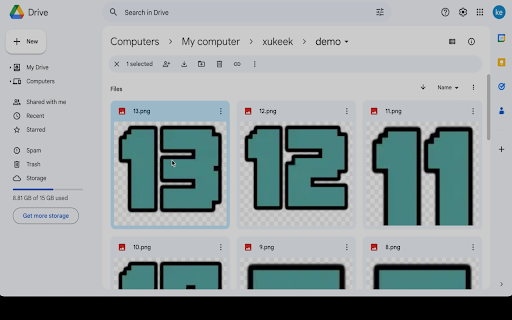
A browser extension to help you view images in google drive smoothly. "Google Drive Image Viewer" – the ultimate solution for lightning-fast image browsing on Google Drive. Bid farewell to sluggish loading times and embrace seamless image exploration with SwiftDrive Photo Viewer. Experience a swift and efficient way to view, browse, and enjoy your Google Drive images in their full high-quality glory, not just low-quality thumbnails. Harness the power of accelerated browsing and elevate your image viewing experience today. Buy it at gumroad!! https://ziyoumaa.gumroad.com/l/vqgccc Join the discord server https://discord.gg/Z8z6GAnzY6

Blur. The Image and Video blur extension
A browser extension that blurs all images on a page, for when you want to be discreet or don't want to look at certain images. Celebrating 100,000 installs, we've updated your favourite browser extension with a new look and feel! Here's to many more years of blurring! Watch this space as we continue to roll out new and exciting changes. The Blur Team. We’ve all had those times when we've 'accidentally' searched for something online and ended up seeing images we didn't want to see. Or maybe you’ve experienced browsing Facebook or Instagram at work or in a public place, only to catch someone glancing at your screen. Or perhaps you just want to read an article without being distracted by all the images and videos. Well, now you can. This add-on blurs all images and videos on a webpage, so you can concentrate on what’s important. You can choose to view the content or not. To see or not to see? The choice is yours. Shortcuts: ALT + K: Blur or unblur an image or video when hovering over it ALT + L: To quickly enable or disable the extension Language Support: We now support over 5 languages including English, Mandarin, Russian, Arabic, Bangla, Hindi and Urdu. Simply change your preferences via the settings tab. Themes: Change between light and dark theme or choose the system default. Two additional fun themes have been added, install to find out what they are. Allow list: You can also white list websites, simply open the extension and add the site to your allow list!

Google Docs Image Zoom
Docs Image Zoom is a Chrome extension that enables image zoom in Google Docs Docs Image Zoom is a chrome extension that enables image zoom/downloads in Google Products such as Docs/Spreadsheets/Slides. Instruction: In the opened document, click the image you want to zoom. You will see the zoom icon in the right top corner of the image. Click it. The popup with the zoomed image will appear. To close the zoomed image popup, simply click outside of the zoomed image popup or click the close icon in the right top corner of the zoomed image popup. Disclaimer: The developer of this extension owns no rights or related in any way to the "Google Docs" software and related trademarks. This extension is not endorsed by any legal entities owning the rights to the "Google Docs" software and related trademarks. Use this extension at your own risk and discretion.

Calendar 2026
Calendar 2026 is a browser extension that gives you quick access to google calendar With this extension, you will be able to: 🚀 Open the calendar with just one click on the extension icon, without leaving your current tab. 🌟 Enjoy a minimalist design that doesn't distract you from your tasks. 📆 See the current day at a glance, so you can check your schedule and plans. 🌎 Use the calendar in the language and format that is convenient for you, depending on your browser settings. Calendar 2026 is an extension for anyone who wants to have their personal calendar at hand. This extension is suitable for those who: 💻 Spend a lot of time in the browser, working, studying, entertaining, or exploring the internet. 🗓 Follow a schedule and want to be organized and productive. 🕊 Love minimalism and simplicity in everything. 🗂 Want to remember what day of the week it is or what the date is. Calendar 2026 is not just a calendar, but your personal assistant that will always remind you of what and when needs to be done. In the future, we plan to add even more features and capabilities to this extension, such as: 📝 Todo list, so you can add your tasks and reminders to the calendar and mark them as completed. 📲 Integration with Google Calendar and Apple Calendar, so you can sync your calendar with other apps and services you use. 🎂 Ability to add birthdays and reminders for them, so you never forget important events and holidays. 🌙 Night mode that automatically changes the calendar colors based on the time of day to reduce eye strain. 🌐 Calendar synchronization with other devices and services, so you always have access to your schedule no matter where you are. 📊 Statistics and analytics that show how you allocate your time, which tasks you complete or skip more often, and what goals you achieve. 🎁 Bonuses and rewards that motivate you to accomplish your plans and lift your mood. For example, you can earn points, medals, badges, or discounts for completing a certain number of tasks or goals. In addition, in the future, we want to make the calendar even more interesting and useful by adding integrations with various apps and services, such as: 📧 Gmail, so you can receive notifications about new emails, events, and tasks right in the calendar. 📚 Wikipedia, so you can learn interesting facts and events related to the selected date. 🎮 Steam, so you can see which games you and your friends played on a specific day. 🌤 Weather services, so you can see the weather forecast for the selected date and location. 🎫 Booking services, so you can plan your trips, hotels, tickets, and other services. 📰 News websites, so you can stay up to date with current events and topics that interest you. 🎨 Design services, so you can get inspiration and ideas for your creative projects. Calendar 2026 is not just a calendar, but a whole world of possibilities waiting for you. Install this extension today!

Checker Plus for Google Drive™
Quickly browse your Google Drive files without opening a webpage and get notifications of modifications to your shared documents • Browse, open, search or delete your files and documents right from a browser button (without waiting for Google Drive's page to open) • Get desktop notifications when any of your files/documents are modified or updated by a shared user Click "Website" or visit jasonsavard.com for more info.
