
jpbamfkmnggnnkeipgnomogpdclocibk


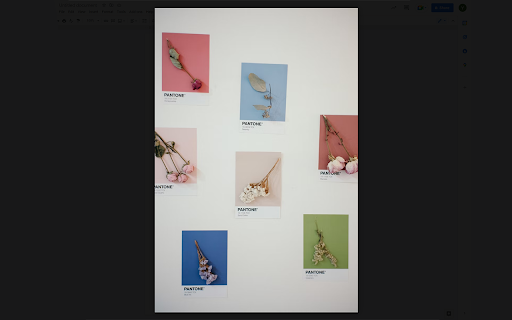
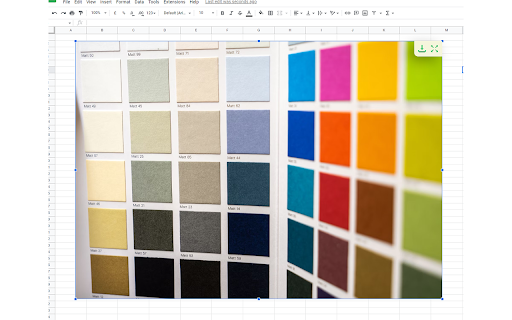
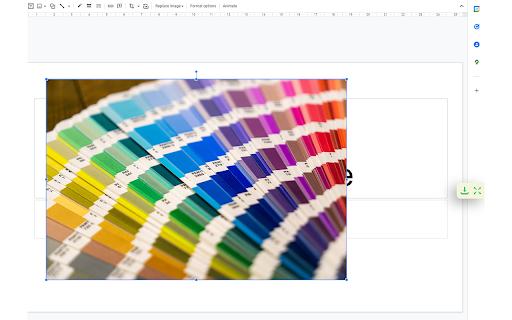
Docs Image Zoom is a Chrome extension that enables image zoom in Google Docs Docs Image Zoom is a chrome extension that enables image zoom/downloads in Google Products such as Docs/Spreadsheets/Slides. Instruction: In the opened document, click the image you want to zoom. You will see the zoom icon in the right top corner of the image. Click it. The popup with the zoomed image will appear. To close the zoomed image popup, simply click outside of the zoomed image popup or click the close icon in the right top corner of the zoomed image popup. Disclaimer: The developer of this extension owns no rights or related in any way to the "Google Docs" software and related trademarks. This extension is not endorsed by any legal entities owning the rights to the "Google Docs" software and related trademarks. Use this extension at your own risk and discretion.

Image Pop Up Zoom
The Image Hover Popup extension is a powerful tool that enhances your browsing experience by allowing you to view images in a… The Image Hover Popup extension is a powerful tool that enhances your browsing experience by allowing you to view images in a convenient and efficient manner. With this plugin, you can effortlessly preview images in a pop-up window simply by hovering over them. Gone are the days of individually opening each image to get a closer look. Now, with the Image Hover Popup plugin, you can easily navigate through image galleries, photo albums, or any web page containing images, without the need for extra clicks.

Zooma - Image Zoomer
A simple Chrome extension to zoom images and pictures on a webpage Zooma - Image Zoomer: Effortless Image Zooming for a Clearer View Are you tired of squinting at images or struggling to view the finer details of pictures on websites? Look no further! Introducing Zooma - Image Zoomer, the simple yet powerful Chrome extension designed to enhance your browsing experience by enabling seamless image zooming on any webpage. Effortless Image Zooming with Zooma With Zooma - Image Zoomer, you can easily zoom in on images and pictures without any hassle. Whether you're browsing through social media, shopping online, or conducting research, our extension ensures you never miss a single detail. Simply hover over an image to view an enhanced version effortlessly. No more opening images in new tabs or downloading them for a closer look. Zooma is the ultimate online zoomer that brings convenience and clarity to your browsing experience. Simple and Intuitive Interface Zooma - Image Zoomer boasts a user-friendly interface that is easy to navigate. With just a few clicks, you can install the extension and start zooming images instantly. No complicated settings or configurations are needed. Smooth Zooming Experience Experience smooth and responsive zooming with Zooma. Our extension is optimized to provide a seamless zooming experience, allowing you to focus on the details without any lag or interruption. It’s the perfect photo zoomer for all your online viewing needs. Fixed Zoom Level Zooma automatically zooms images to 50% larger than their original size, ensuring a detailed view without overwhelming your screen. Works on All Websites Zooma - Image Zoomer is designed to work on all websites. Whether you're viewing images on e-commerce sites, social media platforms, or news articles, Zooma ensures you can zoom in on any picture with ease. Lightweight and Fast Zooma is a lightweight extension that won’t slow down your browser. It runs efficiently in the background, ready to provide you with instant zooming capabilities whenever you need them. Enhance Your Browsing Experience Zooma - Image Zoomer transforms your browsing experience by allowing you to zoom in on images effortlessly. No more straining your eyes or struggling with small details. Zooma makes it easy to view images clearly and comfortably. Perfect for Various Use Cases Whether you're an online shopper wanting to inspect product details, a researcher analyzing images, or simply someone who enjoys viewing pictures online, Zooma is the perfect tool for you. It’s an essential online zoomer for anyone who values clarity and detail. Easy Installation and Setup Installing Zooma - Image Zoomer is a breeze. Simply add the extension to your Chrome browser, and you’re ready to go. There’s no need for complicated setups or technical know-how. Reliable and Secure Zooma is a reliable and secure extension, designed with your privacy in mind. We prioritize your safety and ensure that our extension operates without compromising your personal data. How to Get Started with Zooma - Image Zoomer Install the Extension Visit the Chrome Web Store and search for Zooma - Image Zoomer. Click on the “Add to Chrome” button to install the extension. Activate Zooma Once installed, Zooma will be activated automatically. You’ll see the Zooma icon in your Chrome toolbar, indicating that the extension is ready to use. Start Zooming Hover over any image on a webpage and enjoy an enhanced view. Experience seamless and effortless zooming with Zooma - Image Zoomer. Zooma - Image Zoomer is the ultimate solution for anyone looking to enhance their image viewing experience online. With its simple interface and smooth performance, Zooma is the perfect photo zoomer for all your needs. Don’t miss out on the details – install Zooma - Image Zoomer today and take your browsing experience to the next level.

Image Zoom
Image Zoom is a lightweight, no-fluff Chrome extension that lets you zoom into any image with a simple right-click – no ads, no bloat, just works. 🔍 How it works: Right-click on any image and select "Image Zoom" from the menu. A zoomed view pops up where you can: - Scroll to zoom in/out - Click and drag to pan around - Press Esc to close - Rotate left or right (NEW in v0.0.3) ✅ Features - Zoom with mouse wheel - Rotate images left/right - Drag to pan - Escape to close Works without interfering with site design - 🌀 Rotate image left/right - 🛠️ Fixed CSS conflicts with some sites v0.0.2 - 🖱️ Added mouse wheel support - ⎋ Close with Escape key Perfect for developers, designers, or anyone who constantly works with images online. Try it once – you’ll never go back.

Google Docs Image Viewer
Opens the image in a viewer with pan and zoom This extension opens a new window where users can copy and paste the image. The user can then pan and zoom the image to view it in detail. Hold and drag the left mouse button to pan and use scroll wheel to zoom in and out.
