
bkefjjedeepgicbfgckepjoklaebjcde

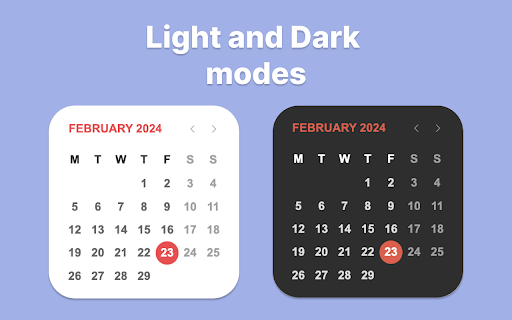


Calendar 2026 is a browser extension that gives you quick access to google calendar With this extension, you will be able to: 🚀 Open the calendar with just one click on the extension icon, without leaving your current tab. 🌟 Enjoy a minimalist design that doesn't distract you from your tasks. 📆 See the current day at a glance, so you can check your schedule and plans. 🌎 Use the calendar in the language and format that is convenient for you, depending on your browser settings. Calendar 2026 is an extension for anyone who wants to have their personal calendar at hand. This extension is suitable for those who: 💻 Spend a lot of time in the browser, working, studying, entertaining, or exploring the internet. 🗓 Follow a schedule and want to be organized and productive. 🕊 Love minimalism and simplicity in everything. 🗂 Want to remember what day of the week it is or what the date is. Calendar 2026 is not just a calendar, but your personal assistant that will always remind you of what and when needs to be done. In the future, we plan to add even more features and capabilities to this extension, such as: 📝 Todo list, so you can add your tasks and reminders to the calendar and mark them as completed. 📲 Integration with Google Calendar and Apple Calendar, so you can sync your calendar with other apps and services you use. 🎂 Ability to add birthdays and reminders for them, so you never forget important events and holidays. 🌙 Night mode that automatically changes the calendar colors based on the time of day to reduce eye strain. 🌐 Calendar synchronization with other devices and services, so you always have access to your schedule no matter where you are. 📊 Statistics and analytics that show how you allocate your time, which tasks you complete or skip more often, and what goals you achieve. 🎁 Bonuses and rewards that motivate you to accomplish your plans and lift your mood. For example, you can earn points, medals, badges, or discounts for completing a certain number of tasks or goals. In addition, in the future, we want to make the calendar even more interesting and useful by adding integrations with various apps and services, such as: 📧 Gmail, so you can receive notifications about new emails, events, and tasks right in the calendar. 📚 Wikipedia, so you can learn interesting facts and events related to the selected date. 🎮 Steam, so you can see which games you and your friends played on a specific day. 🌤 Weather services, so you can see the weather forecast for the selected date and location. 🎫 Booking services, so you can plan your trips, hotels, tickets, and other services. 📰 News websites, so you can stay up to date with current events and topics that interest you. 🎨 Design services, so you can get inspiration and ideas for your creative projects. Calendar 2026 is not just a calendar, but a whole world of possibilities waiting for you. Install this extension today!

Simple Calendar
A fast calendar that shows next month and supports events. Yeap, a simple calendar. Shows next month as well and supports events. v0.7: fix sunday/monday headers issue; de-style select year border; center icon logo vertically; v0.6: added option to select first day of the week. v0.5: updated manifest file to version 3; improvements to year selection. v0.4: updated manifest file to version 2 as required by Google. v0.3: new icon; no more background process; show custom flags. v0.2: added events; remembers last selected month. v0.1: first release.

Calendar
Support to query the lunar calendar, 24 solar terms, holiday calendar and relevant folk information 📅 This plugin offers a comprehensive calendar system that integrates traditional Chinese lunar and solar calendars, the 24 solar terms, holidays, and other folk customs. Users can easily access and view information about specific dates, including the lunar date, solar date, 24 solar terms, holidays, and more. With its user-friendly interface and powerful features, "Chinese Calendar" is a great tool for those interested in learning about and exploring the rich history and culture of the Chinese calendar. If you encounter any problems during use, please don't panic. Negative reviews cannot solve the problem. You can provide feedback via the link below and I will follow up promptly. If this has been helpful to you, can you please give me a good review? 🌹

Meeting Dolphin Google Calendar Tags
The best Google Calendar companion. Enables you to add tags to events, drive insights, search & filter and much more. Meeting Dolphin helps you maximise your Google Calendar experience and optimize it for work purposes. Use it to tag calendar events, organise your week, set Active Hours, and Remove timestamps, ... all in one extension. Learn more @ https://meetingdolphin.com/extension Our blog @ https://meetingdolphin.com/blog FEATURES 🏷️ Tagging for Google Calendar Drag and drop tags to categorize an event. This makes it easy to visualize your week. 📊 Time Analytics See your weekly or monthly time allocation by tag as you shift views. Export your tag data to CSV on the web app. 🔍 Search & Filter Search and filter either by Tags or by Text using the search bar. The matches are highlighted directly in your current calendar view. Set Work/Active Hours You never need to scroll up and down because Meeting Dolphin fixes your view to only your work/active hours. Hide timestamps: Clean up your events by removing the time stamps. At Meeting Dolphin, we believe that great software shouldn't come at a cost to privacy. Our extension securely stores your tags in the cloud so you can keep them backed up and accessible from anywhere you need them. Your data belongs to you, and we store it to provide value to you. Our extension uses read-only permissions for your calendar events. We do not store this data; its purpose is to programmatically link your tags to events. If you ever have questions about Meeting Dolphin's security practices or your data, reach out to us at security@meetingdolphin.com. Feel free to contact support at support@meetingdolphin.com and we'll reply as soon as possible.

Google Calendar Resize Sidebar
Customize your Google Calendar sidebar width with an intuitive resize handle. Simple, lightweight, and privacy-friendly. A simple yet powerful extension that enhances your Google Calendar experience by adding a resizable sidebar feature. Key Features: • Intuitive drag handle to adjust sidebar width • Double-click to reset to default width • Automatically saves your preferred width • Smooth and responsive resizing • Clean and minimal design that matches Google Calendar's aesthetics • Support for both light and dark themes Perfect for users who: • Need more space for calendar lists • Want to see longer calendar names • Prefer a customized layout • Work with multiple calendars This extension respects your privacy and requires no special permissions - it simply adds a resize functionality to the existing Google Calendar sidebar. How to use: 1. Hover over the right edge of the sidebar to reveal the resize handle 2. Click and drag to adjust the width (200px - 600px) 3. Double-click the handle to reset to default width 4. Your preferred width is automatically saved for future sessions Lightweight and maintenance-free - install and forget while enjoying the enhanced functionality.
