
kjlghdmljfgngjdpeaiogebkiilpiimk
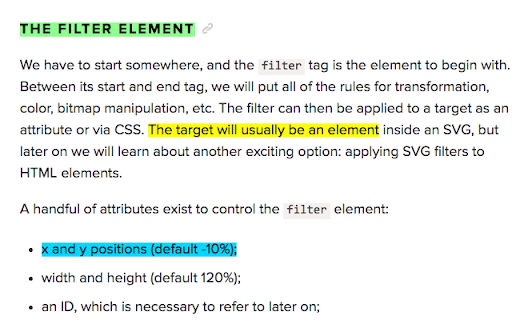
Highlight Web pages; stored in your browser bookmarks, searchable, and recreated automatically when you revisit a page Yawas lets you highlight and comment web pages in multiple colors. Your highlights are stored in the built-in Chrome Bookmarks API (you need to check Sync if you want them to be synchronized across all your devices). Yawas automatically recreates the highlights when you reopen web pages. All functions are available from the context-menu (Ctrl-Shift-Y for Yellow) To highlight, simply select some text and choose the color from the context menu. To add a note or comment, mouse over an existing highlight and pick "Add Note" (or the keyboard shortcut -N). To recolor or delete a highlight, select some of its text and choose another color or "Delete" from the context-menu. You can also quickly search all your bookmarks with "Yawas - Search" or edit the current page's highlights using "Yawas - Edit".

Selection Highlighter
Highlight occurrences of selected text, with or without a keypress. For code inspection and document analysis: search for and find keywords. - No need to press CMD+F - Maintains current selection - Open source and configurable options (JavaScript) - Ensure a "gate" key is pressed - Match whole word and/or case-insensitive - Blacklist bad hosts and ancestor HTML nodes

Highlighter for Google Chrome™
Highlight your text right in the webpage. Over 10+ colors to choose from for the highlighter color. Want to emphasize important points on a website via highlighting before saving the screenshot to your computer? You can do so now for free using our highlighter software. This is a fast and simple highlighter software to help your screenshots stand out. Disclaimer: Please note this extension is NOT made by Google and is made by an independent development team. All copyrights belong to their respective owners. Google doesn’t endorse or sponsor this extension. Highlighter for Google Chrome™ is not owned by, is not licensed by and is not a subsidiary of Google Inc.

ZetaMarker - PDF & Web Highlighter
The privacy-friendly tool for highlighting web pages and PDF files. ZetaMarker PC is a browser extension for higlighting, annotating, and organizing online pages and PDF files on your PC. It is compatible with Chromium-based browsers including Chrome, Edge, Brave, and Opera. 🔒 Privacy-Focused: Privacy is paramount with ZetaMarker, as our extension operates on a permission-free principle, ensuring that your sensitive data remains secure. ZetaMarker prioritizes your privacy, providing a seamless and secure highlighting and annotation experience without compromising your personal information. 🖍️ Easy Highlighting and Commenting: Easily capture Your Focus with our intuitive highlighting and annotation features, allowing you to mark important sections of PDFs or web pages for easy reference. Revisit annotated pages to access key insights and stay focused on essential information whenever you need it. 🔄 Cross-Device Sync: Stay in sync across all your devices with our annotation synchronization feature. Whether you're working on a desktop, laptop, or mobile device, your annotations are always up-to-date, ensuring you never lose your notes again. Your annotations are consistently accessible whenever and wherever you need them. 🔍 Powerful Search Tool: Quickly locate the information you need with our robust search tool, designed to search through all your annotations and labels in seconds. Whether you're searching for specific notes or insights, our powerful search functionality ensures you can quickly pinpoint relevant information, saving you valuable time and enhancing your productivity. 📤 Export Your Notes: Export your highlights and comments to PDF, HTML, Markdown or TXT formats, enabling sharing, collaboration, and knowledge dissemination. Whether you're compiling reports, integrating annotations into websites, or simply keeping a backup in plain text, our export options ensure flexibility and convenience for all your needs. 📱 Anywhere, Anytime Access: Experience access anywhere, anytime with our web app. Your notes are conveniently available at your fingertips, ensuring uninterrupted productivity and effortless organization. 🚀 Always Evolving: Stay ahead with our platform's continuous evolution, as we're constantly introducing exciting new features. Install now and reap the benefits of automatic updates, ensuring you always have access to the latest enhancements and functionalities, keeping your experience fresh and innovative. 📁 File Access: To highlight local PDFs, grant access to file URLs. 1️⃣ Open your browser's Extensions page. 2️⃣ Find ZetaMarker and click 'Details.' 3️⃣ Toggle on 'Allow access to file URLs.' More info: https://zetamarker.com/documentation 🔐 Your Data, Your Control: Your highlights and comments are yours. We don't sell or misuse your data. Learn more: https://zetamarker.com/legal/privacy. 📜 Terms of Service: Installing the extension or signing up means you agree to ZetaMarker's Terms: https://zetamarker.com/legal/terms.

Snippet Highlighter - Web & PDF
Highlighter tool to annotate websites and PDF, import Kindle highlights and more. Get all your highlights in one place, instantly searchable, available wherever you go. All your highlights are synchronized and backed up in the cloud. The extension requires a FREE account you can create immediately after the installation. Some functionality requires upgrade to a Snippet PRO account. HOW DOES HIGHLIGHTING WORK? ✓ Simply use your mouse to select and highlight text snippets on any website or PDF ✓ Click the "Add" button on any image to highlight and save charts, graphs or other images from all around the web. You can disable the "Add" button from the extension Options page. You can still highlight images by right-clicking on the image and choose "Add to Snippet". ✓ Highlight screen regions by capturing screenshots directly from the extension ORGANIZE, SEARCH AND REVIEW HIGHLIGHTS ✓ browse highlights by books and authors ✓ organize highlights with folders and subfolders ✓ tag highlights and assign colors ✓ bookmark and return to source articles with a click ✓ add personal notes ✓ powerful text search EXPORT AND SHARE YOUR HIGHLIGHTS ✓ Download highlights and notes as PDF or editable text files. ✓ Download highlights as Word or Excel files (coming soon) ✓ Use various citation systems for all your highlights ✓ Share individual highlights and collections of highlights via email or social media (Twitter, Facebook) ✓ Export collections of highlights as slideshows ✓ Connect your highlights to apps like Evernote, OneNote and more (coming soon) ENHANCE YOUR KINDLE READING EXPERIENCE ✓ Make use of all those important highlights and notes you took on your Kindle ✓ Works with highlights made on any Kindle device ✓ Review and edit all the highlights and notes that you have made on your Kindle ✓ Export Kindle highlights and notes as PDF, Word, Excel or text files SNIPPET PRO Get the most out of Snippet with features like unlimited number of folders, export options, PDF upload and more. *** Limited time offer — Get 2 Months FREE with the yearly plan! *** TRUSTED BY THOUSAND OF USERS Snippet is trusted by passionate readers, writers, students, business professionals, researchers, quotes collectors, bloggers, and many people who want to enhance their learning and reading experience. GIVE US A REVIEW ★★★★★ Do you like Snippet? Support us by giving a review! By installing the extension, you agree to Snippet’s Terms and Conditions (www.gosnippet.com/terms) and Privacy Policy (www.gosnippet.com/privacy).
