
lebapnohkilocjiocfcaljckcdoaciae
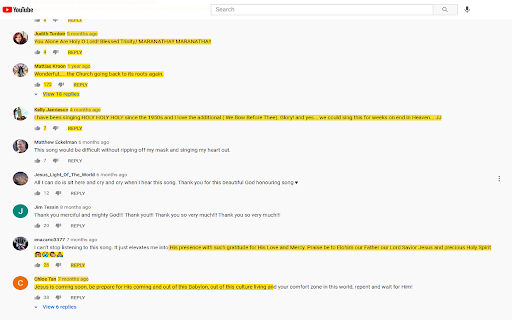
Highlight your text right in the webpage. Over 10+ colors to choose from for the highlighter color. Want to emphasize important points on a website via highlighting before saving the screenshot to your computer? You can do so now for free using our highlighter software. This is a fast and simple highlighter software to help your screenshots stand out. Disclaimer: Please note this extension is NOT made by Google and is made by an independent development team. All copyrights belong to their respective owners. Google doesn’t endorse or sponsor this extension. Highlighter for Google Chrome™ is not owned by, is not licensed by and is not a subsidiary of Google Inc.

Screen Recorder for Google Chrome™
Screen Recorder is a software that allows you to capture and record your computer screen right in the browser! Use this free screen recorder software to make video recordings / screen recordings directly from the Chrome browser and share these video recordings with your friends/colleagues. To begin using the software Screen Recorder for Google Chrome™, simply click on "Start Capture" to begin recording your computer screen. Once you have finished recording your video, click on "Stop capture" to stop the video. You can save the video you made onto your computer/Google Drive. Its simple and easy to use Screen recorder to make video tutorials/software help videos etc and much more. Disclaimer: Please note this extension is NOT made by Google and is made by an independent development team. All copyrights belong to their respective owners. Google doesn’t endorse or sponsor this Chrome extension. Screen Recorder for Google Chrome™ is not owned by, is not licensed by and is not a subsidiary of Google Inc.

Magnifying Glass for Google Chrome™
FREE! The magnifying glass displays the zoomed area on the web page, making the selected area visible in detail. This magnifying glass extension shows a zoomed in area within the radius of the magnifying glass, without affecting the rest of the webpage. Simply press Alt + Z to use the magnifying glass after installing the extension! Then press any key to remove it. You can also choose to use the right click menu to switch on the magnifying glass feature. Inside the options page for this extension, you can choose to modify the settings. 1) Choose the amount of zoom/magnification you want to use 2) Choose the diameter of the magnifying glass Its extremely easy to use and is a great help for webpages where parts of the page has extremely small text. Disclaimer: Please note this extension is NOT made by Google and is made by an independent development team. All copyrights belong to their respective owners. Google doesn’t endorse or sponsor this Chrome extension. Magnifying Glass for Google Chrome™ is not owned by, is not licensed by and is not a subsidiary of Google Inc.

Bass Boost for Google Chrome™
Free! Make Youtube videos sound even better in your browser. Want to have a more enriching experience when you listen to songs on Youtube? Change the amount of bass to your specific needs when you install this software. Its extremely easy to use. Simply click on the extension icon and then you can adjust the bass. We have a preset list of bass which you can choose from. Disclaimer: Please note this extension is NOT made by Google and is made by an independent development team. All copyrights belong to their respective owners. Google doesn’t endorse or sponsor this Chrome extension. Bass Boost for Google Chrome is not owned by, is not licensed by and is not a subsidiary of Google Inc.

Make Chrome Text Black
Make Chrome Text Black is a Google Chrome extension that lets you customise how text appears in your browser. Make text darker so you can read websites and email the way you want to. ** THIS EXTENSION HAS A 14 DAY FREE TRIAL AND REQUIRES A SUBSCRIPTION PURCHASE ** This extension works with Google Chrome, Microsoft Edge, Opera, and Brave. Are you sick of sites that put grey text against white backgrounds? You're not going blind, you're just suffering from a terrible design trend. You don't need to highlight text just to read it anymore. Change text to black with this extension. Some websites look like they've been written for ants. You can zoom in on the page, but then it zooms in on all the pictures, buttons, icons and turns the page into a cluttered mess. Leave your magnifying glass behind, you can now change text size. Ever had to squint with your eyes two inches from the screen because of pencil thin text? All it does is give you is eye strain and headaches. You don't need to worry about this with Make Chrome Text Black. Make text bold and thicker. How about strange fonts that look closer to ancient symbols rather than letters? They might look cool in a web designer’s portfolio, but not when you’re trying to read them. You can now change the font to something sensible.
