
nepmkgohgoagfgcoegjaggacodcpdibj
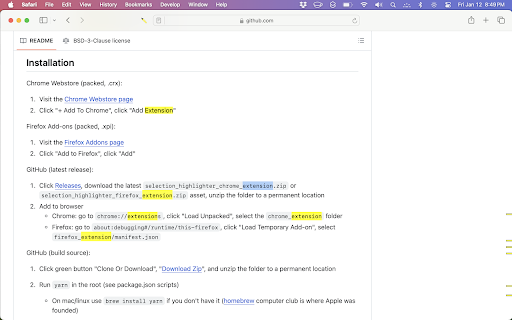


Highlight occurrences of selected text, with or without a keypress. For code inspection and document analysis: search for and find keywords. - No need to press CMD+F - Maintains current selection - Open source and configurable options (JavaScript) - Ensure a "gate" key is pressed - Match whole word and/or case-insensitive - Blacklist bad hosts and ancestor HTML nodes

Highlight Magic
*The tool went through a slight overhaul, please check the "What's new 1.1.3" below! - Assign color for each word - Import from raw list or text file - Group your words into lists for easier organization - Sync function to transfer your lists across devices. - Import/Export your lists. - Sort your lists *new* - Quickfind, ctrl-shift-f to bring up quickfind and search instantly, save later. - Each word in the list can be case sensitive - Can use regular expression tokens - Blacklist sites and pages - Can match complete words or part of a word - Stylize your words in Style tab - Dark mode If you have any issues please ask & I will help you out! If you found a bug report it and I'll fix it as soon as possible! Ideas how to make the extension better are encouraged! What's new: 1.1.5: Features - Added expand button on lists to view highlight stats - Added a save button that enables you to store changes without having to press enter - Added sorting methods (Ascending, Descening, By background color, By text color) - Added a warning in custom settings that when enabled the global settings are overriden - Removed character limit in excluded/exclusive lists Bug Fixes - Badge indicating number of words highlighted now works more consistently and less prone to breaking - Fixed issue where if single color is selected you couldn't change the color individually for each word - Effectively inform users that global settings won't be enabled for lists with custom settings enabled - Clear filter when closing lists - Toggling the tool or a list off will less likely break a page and also work a bit faster - Fixed a bug where changing the title of a list, returning to list menu and clicking the same list, the sheet would show the old one 1.1.4: Some bug fixes that manifested when updating from 1.1.2 to 1.1.3. 1.1.3: -Optimized highlighting and fix slowdowns when new elements are added to the page. - Added import options for raw lists and text files - Can copy (crtl-c) & paste (ctrl-v) words directly to the list editor - Press ctrl-a to select all visible words - Filter words - Made all lists a single random color by default, can be changed in style settings - New style tab that let's you customize your highlighted words - Dark mode! - Made some stylistic changes to the GUI to make it a bit more modern looking 1.1.2: Bug fix: Replaced additional event paths that broke the mass action option when ticking the a word's checkbox. - Toggling a list on/off now disables/enables the highlighting in the active tab. 1.1.1: Bug Fix - event path property is undefined, replaced event paths with composedPath method. 1.1.0: - Lists are now available! Group your words into lists. - Sync function to transfer your lists across devices. - Import/Export your lists. - Quickfind, ctrl-shift-f to bring up quickfind. - Bug Fix: contentEditable incompatibility elements no longer crash page. - Highlights in iframes. Extension icon and promotional tiles by Maria Gregoriou behance.net/MariaGregoriou

Roam Highlighter
Web highlighter for Roam Research 📢 Update: I'm working on a new and improved version of this web highlighter called Markway. To learn more and get notified about the release, go to https://markway.io 🙂 DESCRIPTION: This extension offers an easy way to highlight text on a web page and import it to note-taking apps like Roam Research, Obsidian, Logseq or Notion in the format that best suits your workflow. This is especially helpful of you are doing research, want to build your own knowledge-base or just want to save your favorite blog articles. FEATURES: Easily highlight any text on a web page → Add tags to bring your highlights into context → Customise the format of your copied highlights with placeholders → Jump to the next open Roam Research tab, to quickly insert your highlight HOW TO GET THE MOST OUT THE EXTENSION? The quickest way to launch the extension is with a hotkey (e.g CMD + SHIFT + R). You can set a hotkey in the Chrome Settings for Extensions. Next you can create your own format for the highlights, by going into the widget settings. Play around with the placeholders and use spaces to indent content. QUESTIONS / FEEDBACK: Do you have questions or feedback? The best approach is to write me directly on x.com/wirtzdan PERMISSIONS: Roam Highlighter needs to modify the websites you visit to display the widget. That's why it needs the requested permissions to function properly. However, the exact phrase ("Read and change all your data on the website you visit") make it sound more invasive than it actually is. Currently, the extension runs completely on your local machine and the only thing that is saved, are the settings you make.

Yawas
Highlight Web pages; stored in your browser bookmarks, searchable, and recreated automatically when you revisit a page Yawas lets you highlight and comment web pages in multiple colors. Your highlights are stored in the built-in Chrome Bookmarks API (you need to check Sync if you want them to be synchronized across all your devices). Yawas automatically recreates the highlights when you reopen web pages. All functions are available from the context-menu (Ctrl-Shift-Y for Yellow) To highlight, simply select some text and choose the color from the context menu. To add a note or comment, mouse over an existing highlight and pick "Add Note" (or the keyboard shortcut -N). To recolor or delete a highlight, select some of its text and choose another color or "Delete" from the context-menu. You can also quickly search all your bookmarks with "Yawas - Search" or edit the current page's highlights using "Yawas - Edit".

Snippet Highlighter - Web & PDF
Highlighter tool to annotate websites and PDF, import Kindle highlights and more. Get all your highlights in one place, instantly searchable, available wherever you go. All your highlights are synchronized and backed up in the cloud. The extension requires a FREE account you can create immediately after the installation. Some functionality requires upgrade to a Snippet PRO account. HOW DOES HIGHLIGHTING WORK? ✓ Simply use your mouse to select and highlight text snippets on any website or PDF ✓ Click the "Add" button on any image to highlight and save charts, graphs or other images from all around the web. You can disable the "Add" button from the extension Options page. You can still highlight images by right-clicking on the image and choose "Add to Snippet". ✓ Highlight screen regions by capturing screenshots directly from the extension ORGANIZE, SEARCH AND REVIEW HIGHLIGHTS ✓ browse highlights by books and authors ✓ organize highlights with folders and subfolders ✓ tag highlights and assign colors ✓ bookmark and return to source articles with a click ✓ add personal notes ✓ powerful text search EXPORT AND SHARE YOUR HIGHLIGHTS ✓ Download highlights and notes as PDF or editable text files. ✓ Download highlights as Word or Excel files (coming soon) ✓ Use various citation systems for all your highlights ✓ Share individual highlights and collections of highlights via email or social media (Twitter, Facebook) ✓ Export collections of highlights as slideshows ✓ Connect your highlights to apps like Evernote, OneNote and more (coming soon) ENHANCE YOUR KINDLE READING EXPERIENCE ✓ Make use of all those important highlights and notes you took on your Kindle ✓ Works with highlights made on any Kindle device ✓ Review and edit all the highlights and notes that you have made on your Kindle ✓ Export Kindle highlights and notes as PDF, Word, Excel or text files SNIPPET PRO Get the most out of Snippet with features like unlimited number of folders, export options, PDF upload and more. *** Limited time offer — Get 2 Months FREE with the yearly plan! *** TRUSTED BY THOUSAND OF USERS Snippet is trusted by passionate readers, writers, students, business professionals, researchers, quotes collectors, bloggers, and many people who want to enhance their learning and reading experience. GIVE US A REVIEW ★★★★★ Do you like Snippet? Support us by giving a review! By installing the extension, you agree to Snippet’s Terms and Conditions (www.gosnippet.com/terms) and Privacy Policy (www.gosnippet.com/privacy).
