
kiohmjibcpadgpadcipfelbhlginaiip

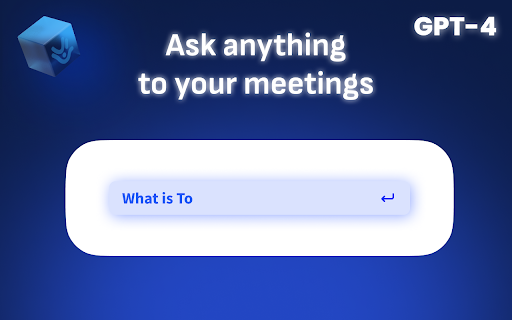
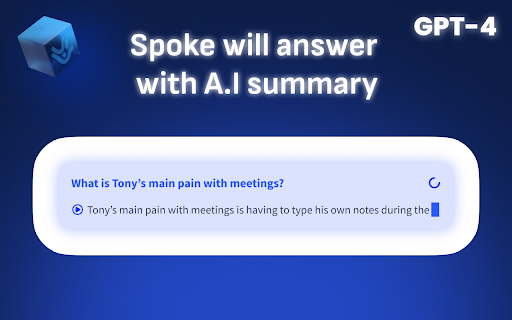


Spoke’s FREE Chrome extension creates LIVE AI summaries of your meetings complete with the video-recording, the transcript and more Experience real-time agenda tracking and live AI minute-taking without ever leaving Google Meet. Plus, get instant AI-generated responses to your questions during your sales meeting, discovery call or any other session. In short, here’s what to expect from Spoke, for your Google Meet meetings: 💬 Live AI summaries of your meeting ❓The ability to ask questions of your meeting as it goes on 📺 Video recordings of your meeting 🎬 Instant video clips and video reels regrouping talking point and topics 📌 Your pinned, contextual, time-stamped notes 🔍 A powerful search inside and across meetings 📝 Reusable and editable meeting agendas and templates ⬇️ The capacity to export exactly the content you need - even a video reel or clip ✂️ The ability to tag and trim past meetings, and to create video reels of meetings from our interface 🏷️ The ability to tag meetings and create playlists of meetings Spoke also works on Microsoft Teams and Zoom. As a European company, your digital privacy is in our DNA. You can review Spoke’s legal terms here: https://spoke.app/legal

Candu for Chrome: Launch Product Experiences
Install the Candu Chrome Extension to preview and publish experiences like homepages & empty states, into your product. After using the Candu Editor to create your content, use the extension to preview what your experience will look like before you make it live to your users! Point and click to see how it will embed into your existing UI or overlay on top of it. Happy with your design? Simply hit save to publish it! Creating & launching native-looking, high-quality UX has never been faster or easier.

Gmeet kit: Auto-mute, Disable-camera, Save recent meetings & much more
Enhance Your Google Meet Experience Take your Google Meet sessions to the next level with Gmeet Kit, the ultimate Chrome extension designed for smoother, smarter, and more productive video calls. Whether you're attending meetings, teaching classes, or catching up with friends, Gmeet Kit offers a range of powerful tools and features to optimize your experience. Key features Settings: Enhance your meeting experience with options like, auto-mute, auto-camera-off, Leave confirmation and much more. Choose your meeting url: Now you can get fancy meeting urls and surprise your friends, Gmeet kit will generate 10 meeting urls at a single click, you can copy or save any url. Save meeting urls: Save your day to day meeting urls and open it with a single click. Last 10 Meetings: Automaticaly saves your recent meetings, you can view them at any time, planning on adding more features in future. Fit Screen: For an immersive full-screen experience, simply click the Fit Screen icon at the bottom right of the presentation. Why Gmeet Kit? Gmeet Kit simplifies your virtual meetings, improves productivity, and adds convenience to your Google Meet experience—all while keeping things lightweight and user-friendly. Get Started Today Install Gmeet Kit and join hundreds of users transforming their Google Meet sessions! We Value Your Feedback! Kindly let us know if you need any new features or encounter any issues by filling out the Google Form below: https://forms.gle/jeVVhxJfhFCchHRp7

typedesk Canned Responses
Boost your productivity effortlessly! Automate typing tasks, streamline with canned responses, text snippets, and automation. Typedesk is the leading app to reclaim time wasted typing the same things over and over again! Create text templates of your every day sentences and messages, and typedesk makes reusing them quick and easy. Use the / character followed by your custom shortcuts to quickly insert your response. For instance, typedesk can transform "/eml" into your email address, or "/tmpl" into a full email with your opening line and signature. Need something more visual? Hit Alt+C and typedesk's search bar opens up instantly to quickly and easily find and insert the responses you need. ➤ It works where you do Whether you need your snippets within your email client, word document, code editor or backoffice, typedesk works out of the box with all the apps and websites you use daily. Our apps for Windows, Mac and all the major browsers are giving you typing superpowers everywhere you work! ➤ Powerful variables for personalised responses Personalising messages can be daunting, let alone making sure you didn't leave a placeholder before hitting "Send"! typedesk's powerful engine allows you to create interactive forms to personalise each response quickly and easily so you always hit the right spot! ➤ Designed for teams typedesk has been designed from the ground up to work great with teams. Invite as many users as you want on your account, and share one or more folders with specific permissions for each user. ➤ Built for privacy Unlike most text expanders, typedesk never listens to your keyboard before you request it with a shortcut. Your data is encrypted with LUKS and SSL to ensure complete peace of mind. Need your responses outside of your browser? No problem, get our apps for Windows and Mac to experience the same typing speed in your favorite native apps. ➤ Don't take our word for it! "We're loving typedesk! It's easy to use, and saves us tons of time when it comes to sending emails to our customers." Seb Fontan, Founder @ TripHitz Marketing Agency "We keep finding new ways to use typedesk. It started with the obvious canned email responses, especially for the repetitive emails we get every day. Recently, we've implemented it with social media posts, especially YouTube videos descriptions, and this is where Variables comes in handy." Ninos M., Creative Director "The set up was quick and painless and adding in new templates or using the templates after they are added takes no time at all, making working with emails a short and simple process." Tori, Customer Success @ BookRetreats

AI Meeting Notes Taker & Screen Recorder
Berrycast screen recorder records, transcribes and generates AI meeting summaries for Zoom, Google Meet and MS Teams. Berrycast is an AI powered screen recording and video messaging platform (used by 100,000+ Users) Our platform allows you to automatically record and transcribe your meeting conversations, then use AI to summarize the discussion. Afterward, share a link of the video with ease via email, instant message, or in your task management tool. Even if you are not the host of the meeting. You can also use Berrycast to communicate more effectively, efficiently, and expressively with everyone using Berrycast for creating and requesting screen recorded video messages as well. Here is how the Berrycast AI meeting notes taker and screen recorder works? ➕Install Chrome extension or Desktop application ⏺️Launch recorder & select recording mode - Screen + Camera or Camera Only ⏹️Stop recording. Video gets immediately uploaded to the cloud. 🎥Now video is available with transcripts (we detect 60+ languages) to review 🤖Use AIWriter to summarize video conversation or use different prompts 🔗 Now share video via direct link, email and social media with transcripts and AI summary Berrycast also supports the following features: 🎥 Screen + Face recorder ✂️ Trim your video 📑 Transcripts (60+ languages) 🤖 ChatGPT powered AIWriter ⬇️ Download your video 📧 Email integrations (Gmail and Outlook) 👀 See who has viewed your video 📺 Video replies and comments More than 100,000 people use Berrycast every day to capture their meetings, record screen and video messages including project managers, marketers, sales people, recruiters, developers and engineers without worrying about note taking. You need to simply launch the recorder and your video will start recording with the transcript. Then once the video is recorded and available to view, you can use our AIWriter feature to do the following to generate meeting notes: 👉 Summarize Conversation - Generate a quick summary out of the entire meeting in one or two paragraphs. 👉 Define Action Items & To-dos - Summarize entire meeting conversation in the form of actions items and to-dos. 👉 Clean my transcript - Simply correct the meeting (grammar and spelling mistakes) transcripts through AI. 👉 Email ready to send - Get ready to send email draft that is pre-written and can be sent immediately. ❓ How do I record screens on Windows & Mac? 👉 You can install the Chrome extension or you can install our desktop application as well. ❓ Is Berrycast a free screen recorder tool? 👉 Yes. We offer a 14 day full feature trial. ❓ Does the Berrycast screen recorder record audio and video? 👉 Yes. Our tool records both system and microphone audio. ❓ Is it possible to record meetings without noticing anyone? 👉 Yes. Our recorder is bot free. Hence nobody would notice your video being recorded. ❓ Can I edit my screen recording videos? 👉 Yes. We offer video trim/edit functionalities. ❓ Can I edit/correct transcripts? 👉 Yes. You can edit and update the transcript to correct your mistakes. ❓ Can I download the transcripts? 👉 Yes. You can download the transcripts. ❓ Can I use AIWriter multiple times? 👉 Yes. You can use the prompts unlimited times. ❓ Can I share videos with others? 👉 Yes. You can copy the direct link, send email and embed it on an external website. ❓ Can I invite my team members to try the Berrycast tool? 👉 Yes. If you are on a pro plan. ❓ Which browsers does your online screen recorder work with? 👉 Berrycast works with Chromium based browsers & Safari.
