
khnenklojdofkfabelfnkdmpmkmioegj

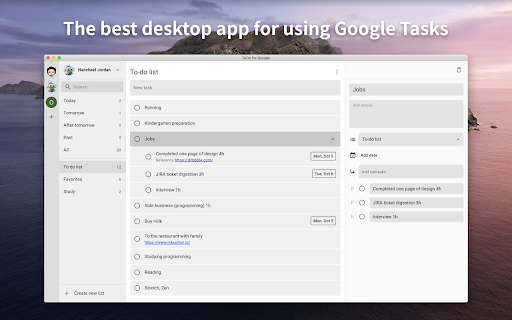
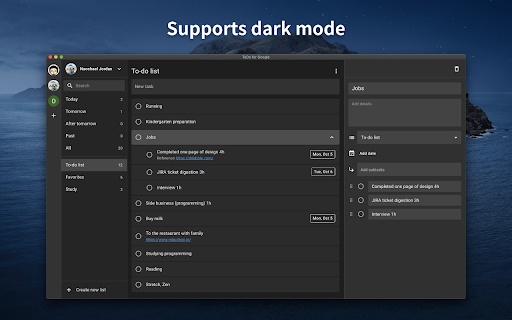
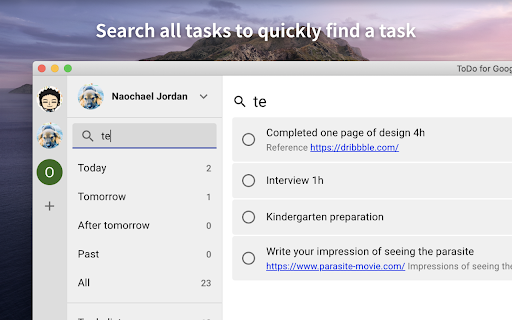
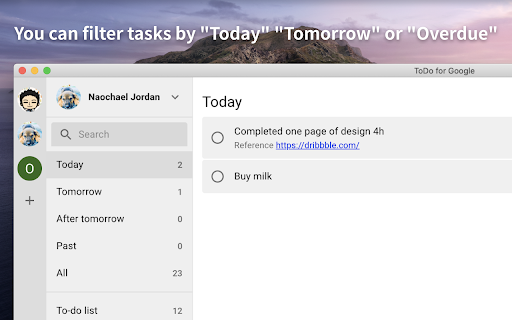
It is an application for convenient use of Google Tasks in 3 columns. Best app to use Google Tasks. Task display of "today", "tomorrow", "the day after tomorrow", "overdue", "all", global search, alphabetical or date sorting and dark mode support! ◆Sync with Google Tasks It also syncs quickly with Google Tasks and Google Calendar! ◆Narrow down tasks You can display tasks as "today", "tomorrow", "the day after tomorrow", "overdue", and "all"! ◆Sort tasks You can sort by "drag & drop", "date order", and "alphabetical order"! ◆Full search You can quickly search for the task you want to find from all tasks! ◆Security - We do not send your data to non-Google servers. - Data is exchanged directly with Google. Even developers can't see what's inside. - Do not ask for passwords or save them at all. ◆Support If you have any problems, we will help you as soon as possible. Please feel free to contact us at the email address below. info@thetodo.net

Desktop app for Google Tasks
Standalone Desktop app for Google Tasks. Export and share your Google Tasks lists in one click. The TasksBoard Chrome extension let you add a task to your Google Tasks in one click from any page on Google Chrome. ✅ TasksBoard lets you manage, edit and share your Google Tasks on a full-screen interface. 👥 Collaborate with your team in real-time with the option to share the lists. ✨ TasksBoard offers a Premium plan with additional features such as unlimited shared lists, customisable boards, tags and more. 👌 Increase your productivity: Drag and drop your tasks from one list to another 🤝 Collaborate with your team: Share your Google Tasks lists with anyone 🗄️ Keep everything organized: Create multiple boards for each of your projects 🌈 Better Task management: Set highlight color to your lists to find them instantly 🏷️ Easily organize and prioritize your tasks with custom labels 📁 Attach documents from Google Drive directly to your tasks ✉️ Make emails actionable by turning them into tasks from within your Gmail inbox 💻 Access your Google Tasks directly on the desktop by installing the desktop app 🔑 Ensure secure sign-on with your team's existing Google credentials through Single-Sign-On authentication Need a helping hand? Have a look to our extensive guides, the documentation on https://tasksboard.com/support and/or contact us at contact@tasksboard.app TasksBoard has individual and enterprise Premium plans available. Check our pricing options: https://tasksboard.com/pricing By design, your data stays at all times on Google servers. We have no access to your data, and we never copy your tasks on our server.. Here's all the data we need in order to make TasksBoard work: - Your email address - to know who you are - Campaigns sent metadata (spreadsheet name, date of sending - that's all) - Emails sent metadata (date of sending, open / clicks events - that's all again) TasksBoard / TaskBoard complies with privacy laws (especially GDPR) to protect your data. Check out the full privacy policy on this page https://tasksboard.com/privacy

Google Tasks enhancer
A chrome extension to enhance Google Tasks experience across Google Workspace. A chrome extension to enhance Google Task usage in Google calendar. Planning to add more features.

Send to Google Tasks
Send the page you are reading to Google Tasks Send to Google Tasks is a chrome extension that performs one simple thing: it send the page or link from your chrome browser to Google Tasks. Attribution for the icons and graphics: - Icons are made by Pixel perfect (https://www.flaticon.com/authors/pixel-perfect) from Flaticon (https://www.flaticon.com).

Google Task Creator
Create Google Task. Google Todo Listのタスクを簡単に作成するツールです。
