
jgkonicgfhoedmeimlgmaokeoofjihfb
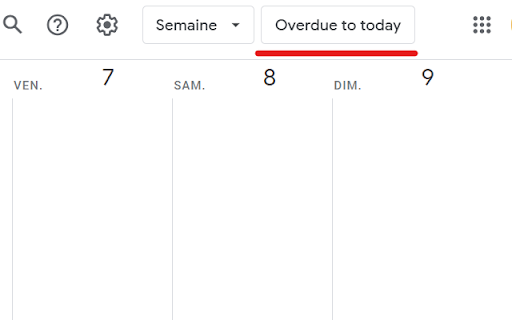
A chrome extension to enhance Google Tasks experience across Google Workspace. A chrome extension to enhance Google Task usage in Google calendar. Planning to add more features.

Chrome Notes
A simple notepad extension for Google Chrome NEW: You can now use speech to text NEW: You can now open Chrome Notes with Ctrl+Shift+X (Command+Shift+X on mac) NEW: You can now download and upload complete backups NEW: Chrome Notes adds a right click menu option to send the selected text to a new note! NEW: You can now have multiple notes! NEW: You can now customize the font size! A simple notes extension, right in your browser! Easily copy around a few words to and from different browser windows and other apps. Thank you for over 100,000 users, 100 ratings and 4.5 stars! Chrome Notes remembers your notes and mode, even after closing your browser or restarting your computer! Notes are stored in local storage, so nobody else will ever see them, not us, and not Google, Microsoft, or Apple. Features: * Resizable notepad * Shortcut buttons for cut, copy, paste, and select all * Normal keyboard shortcuts work too * Save as a .txt file * Open in new window * Speak selected text out-loud * Remembers last notepad size for you next time * Store multiple notes, and quickly create, edit, share, or delete * Focus mode for distraction free writing * Adjustable font size * Right click and send selection to new note * Download and upload full backups * Speech to text (click the mic and speak to put your words on the notepad) * Keyboard shortcut Ctrl+Shift+X (Command+Shift+X on mac) to open Chrome Notes is the smart, simple notepad built for you 😊

Google Docs Image Zoom
Docs Image Zoom is a Chrome extension that enables image zoom in Google Docs Docs Image Zoom is a chrome extension that enables image zoom/downloads in Google Products such as Docs/Spreadsheets/Slides. Instruction: In the opened document, click the image you want to zoom. You will see the zoom icon in the right top corner of the image. Click it. The popup with the zoomed image will appear. To close the zoomed image popup, simply click outside of the zoomed image popup or click the close icon in the right top corner of the zoomed image popup. Disclaimer: The developer of this extension owns no rights or related in any way to the "Google Docs" software and related trademarks. This extension is not endorsed by any legal entities owning the rights to the "Google Docs" software and related trademarks. Use this extension at your own risk and discretion.

GQueues Chrome Extension
Easily create tasks for GQueues - the task manager built for teams on Google Workspace. Capture your to-dos on the fly from anywhere on the web. Quickly create a new task to send right to your GQueues account, then get back to what you were doing. Want to save an article for your team meeting? Come across a source that could be useful for research on a big project? Just remembered you still need to book a babysitter for this Saturday? The GQueues Chrome Extension’s got you covered. Just log your thought and send it off to your GQueues inbox. If you select “From web page,” the URL of the site you’re on will be automatically added to the task so it’s easy to return to later. No more getting derailed from your work at hand. No more opening tabs on tabs on tabs of pages you want to read. The Chrome Extension makes it easy to capture it all in one central location so it’s not forgotten. The GQueues Chrome Extension requires a GQueues account to work. GQueues is a task management app designed specifically for Google users. With GQueues you get: • Deep integration with Google Workspace including Chrome, Gmail, Calendar, and Drive • Simple, intuitive interface • Core task management including subtasks and repeating tasks • Robust search and task filters • Easy collaboration with shared folders and assignments for delegating work • Mobile apps for Android and iOS

Time Tasker
Change the duration length of Google tasks on Google Calendar Easily set custom timeframes for your Google Tasks. This extension allows you to extend the duration of your tasks as desired. This will help you schedule your Tasks with accurate timeslots. Simply input the duration of the task and when you are ready to schedule it, drag and drop the task into your calendar. You will then see the task expand into the specified duration. For example, to customize the duration of a task to 3 hours, simply add “(3h)” to the end of the task title and watch as the task automatically expands to fill 3 hours when dragged into your Google Calendar. **3.0.0** - Updated the functionality with updates Google made. Time tasker should now correctly adjust the time of tasks. Updated November 21st 2025
