
kbjkgiaflacciaflkjkibgohccalnpna
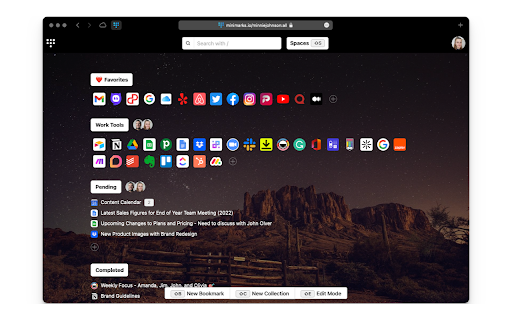
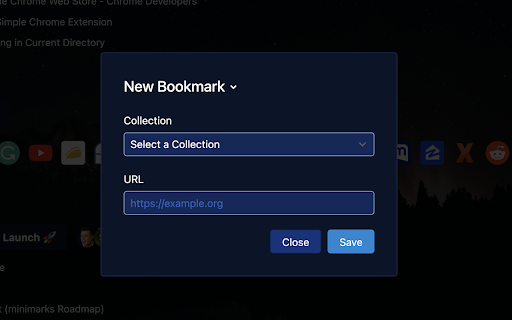
Add links to minimarks in just a click. Bookmark the current tab using the toolbar icon, a custom shortcut, or the context menu. Bookmark tabs by clicking the minimarks toolbar icon. This is the official minimarks extension for Google Chrome.

ProxiedMail
Alias to hide your email ProxiedMail extensions provides creating aliases for your email to stay unexposed your real email. Also can be used as fast switcher for multiple email-providers like GMail or ProtonMail and forwarding from single proxy-email to multiple real addresses on any mailbox. Allows receiving messages to alias-email and reply.

iki.ai - your knowledge hub
This extension provides quick saving of the links to webpages you browse to iki.ai knowledge hub. You can also save highlights (just select text and press right button - save to iki) and your notes on these materials to catch up with the core ideas later on. iki.ai is a web service designed as a knowledge hub for professionals where they can store and share important knowledge in the form of links with metadata, notes, highlights and AI generated summaries. The core functional of the service includes personal library, knowledge feed with recommended materials, community with peers, collections and search on the service index. We are working on the new features like Smart notes with instant recommendations for AI augmented research and self-organizing library with custom shelves. To start using this extension you need to register in iki.ai web service - this can be done with Google, Facebook or Linkedin profile or with an email. For now all the functional provided is free of charge.

URL shortener, 1-click tracked links
Create and track short links for any URL in 1-click. Want a URL shortener for your browser? Add this extension to shorten the link of any website simply by clicking the extension icon. Alternatively, right-click any link and click "Shorten and copy" to shorten that URL and save it to your clipboard. Track the number of clicks for every URL you've shortened in the extension pop-up. - Robust and reliable links that will never go down, ever - Instant links with low latency no matter where your visitors are in the world - Protection against network and application layer attacks - Unlimited tracked clicks We are very careful with personally identifiable information. All session and analytics data is anonymised where possible. By using this add-on, you agree to the pxl.to Terms & Conditions available at http://www.pxl.to/terms

MyMemo Web Clipper
MyMemo Chrome Extension 🚀 Introducing the MyMemo Chrome Plugin — Your Smart Digital Knowledge Hub Save, organize, and reflect on valuable web content effortlessly — all in one place. !New updates: Now supports saving directly from X (Twitter) and Gmails, seamlessly integrated into your browsing experience. ✨ Key Features: 🌐 One-Click Save – Instantly capture webpages, YouTube videos, tweets, and even emails to your MyMemo library with just one click. 🧠 Reflective Learning – Save with AI-powered summaries. Review key points and truly retain what matters. 🔍 Quick Access & Smart Search – Say goodbye to digging through bookmarks. Easily find saved content with powerful tags and filters. 📁 Workspace Selection – Choose where your content goes. Keep work, study, and personal life neatly separated with multiple workspaces. 🎧 MemoCast – Turn your saved content into audio playlists. Learn on the go by listening to summaries and highlights. Add MyMemo to Chrome today and take control of your digital knowledge. Smarter browsing starts now. Update: Reliability improvements. Server-side error messages now surface correctly. Sign-out and session expiry sync across every open tab. Saved summaries are now rendered with stricter HTML sanitization. Fixed an issue where Login could appear unresponsive on a fresh install, and silenced repeated "summary still processing" notifications.
