
bebblodhaaobpemadddfbohaocpgepmi

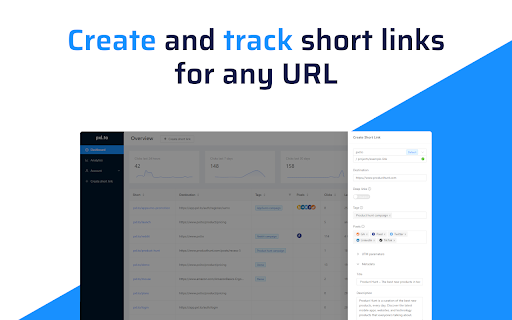


Create and track short links for any URL in 1-click. Want a URL shortener for your browser? Add this extension to shorten the link of any website simply by clicking the extension icon. Alternatively, right-click any link and click "Shorten and copy" to shorten that URL and save it to your clipboard. Track the number of clicks for every URL you've shortened in the extension pop-up. - Robust and reliable links that will never go down, ever - Instant links with low latency no matter where your visitors are in the world - Protection against network and application layer attacks - Unlimited tracked clicks We are very careful with personally identifiable information. All session and analytics data is anonymised where possible. By using this add-on, you agree to the pxl.to Terms & Conditions available at http://www.pxl.to/terms

URL Shortener Plus
One Click URL Shortener. Create links with Bitly, TinyUrl, is.gd, to.ly or goo.gl. QR Code, fast copy paste for Google Chrome. ★★★★★ The best way to create a short urls 📌 using Bitly, Rebrandly, TinyUrl, is.gd and to.ly, and more 🚨 Want to quickly shorten a url in one click? Then this is the extension for you 👑 Just click the extension to shorten the current page URL or by right clicking on any link 😍 Shorten the page/selected URL (TinyURL) 🔎 Shortern URL using tinyurl.com services 💣 FEATURES ★ Easily shorten any link ⚡ ★ Automatically copies url to clipboard 🚀 ★ Right click to shorten url and copy to clipboard 🚧 ✔ Limited permissions 🤓 ✔ Generate QR code 📷 ✔ HTTPS for maximum security 🔑 No share of credentials to third party 🔓 💎 Building Apps and Extensions for Google Chrome and Android 🔥📣 📔 Available on the product page: https://jitt.wwevents.fun/project/url-shortener-plus/#changelog By installing this product you agree to our privacy policy & terms of service: https://jitt.wwevents.fun/privacy-policy/ You may consult the list of permissions and the reason why they are required on the product page: https://jitt.wwevents.fun/project/url-shortener-plus/#permissions “notifications” – Used to send desktop notification. For example when a new message arrive or App is updated. “contextMenus” – Allow to add more settings when right click in the App icon in the browser toolbar and browser context menu. “storage” – Used to save settings on your local computer. “system.display” – Used to detect the display size and position the Extension window. “unlimitedStorage” – Storage is limited to 5MB of data that may not be enough to store all configs. “host_permissions” – Permission to access to some hosts/domains that we must modify in order to provide the desired functionality detailed in the functionality. It also allows that you can share content (links or text) from other pages directly to inside the App and send it as a SMS/Android message to a friend for example. Also used to allow intercommunication with other WWEvents Apps (i.e. Emojis). “activeTab” – Permission to access the window that the extension is running and is show to the user. “tabs” - Used when the App is not in Popup mode to read the page URL in order to shorten it. “all_urls” – We cannot predict ahead of time witch hosts/domains the user want to shorten. The extension is capable to shorten any link/url/domain. This information is also available inside the App: Options -> About

Switchy.io | Advanced URL Shortener
Create short branded links directly from the page you are visiting with the all-in-one links engagement platform! Discover the all-in-one links engagement platform. Never share a link as before! Switch your links into your most engaging support. Shorten, share & track your links in second ⏱ Thanks to Switchy Chrome Extension, you can create custom your links preview, use branded domain, add retargeting Pixels, UTMs tags, notes, tags or even embed widgets to run marketing campaigns. Manage all your links in Folders, run A/B testing campaigns, georedirection & many others features... Ready to switch?

tabExtend - Easy Tab manager
Transform your new tab into a powerful dashboard. Add notes, set reminders, and sync across devices to boost productivity. The best way to manage your tabs and organize your workflow on any device. (Chrome, Brave and Edge supported) TabExtend is the easiest way to manage browser tabs, offering a seamless solution for anyone looking to organize and control their tabs. The pain caused by having too many open tabs and disorganized windows in Google Chrome is a thing of the past. You might have tried other tab management tools, such as OneTab, Workona or Toby, and run into countless problems with feature limitations and organization. TabExtend is the ultimate replacement for this. We transform your new tab into an interactive dashboard and Kanban board, ensuring your tabs and workspaces are always organized and in sync. If you are looking for a way to manage tabs in Chrome, look no further. We have you covered with TabExtend - tab management has never been easier nor more efficient. What are you waiting for? Once you install, you will finally have a way to take control of your tabs. ✔︎ Manage tabs & tab-groups across multiple windows ✔︎ Notes / To-dos ✔︎ Setup reminders for sites and notes ✔︎ Popover with saved notes on any site ✔︎ Sync to Mobile apps(iOS & Android) ✔︎ Import bookmarks and top sites ✔︎ Save selected text-snippets ✔︎ Search sites and items ✔︎ Dark/light theme ✔︎ Shared workspaces ✔︎ Share categories via public link ✔︎ Upload custom emojis Try as guest or sign up for a free account. All features included up to 30 saves. Available for Chrome, Brave, and Edge TabExtend helps users with all sorts of questions; here are just a few: How do I manage too many tabs in Chrome? How do I organize my Chrome tabs? How do I save tab groups in Chrome? How do I sync tabs across devices? How do I manage browser tabs efficiently? How to organize Chrome tabs? How to save tab groups? How to manage multiple windows? How to sync tabs between devices?

Eurekaa Highlight Clipper
Turn the Web into Your Personal Library. Automatically transform any web page content into reference-ready saved content with our new Chrome extension for Eurekaa.io! Just highlight and sentence, paragraph or phrases that resonate with your creative projects and Highlighter will capture and save them to your Content Planner. Limitless Content Ideas: Highlight as many sections, quotes or paragraphs as your project demands. Seamless Browsing: Watch as your highlighted terms automatically reappear with every page load, ensuring your focus remains uninterrupted. Save to Your Library: With an Eurekaa.io account you can save, tag and neatly organize your highlights as card collections for easy reference in the Eurekaa Content Planner. AI enabled: Once you've collected snippets around the web, you can have them quickly summarized or have quotes created from them to use in your content. Privacy-Prioritized: Rest easy knowing all your data remains on your device, safeguarded from external servers.
